

Choosing a WordPress hosting provider can feel surprisingly difficult.
At first glance, hosting companies often seem to offer the same basic package: WordPress installation, a free SSL certificate, email, backups, customer support, and a dashboard where you manage your website. But once you start comparing performance, pricing, ease of use, security, backups, scalability, and renewal costs, the differences become much more important.
Two names that frequently appear at the top of the list are SiteGround and Bluehost.
Both have been around for years. Both are widely used by WordPress website owners. Both make it relatively easy for beginners to launch a website. And both offer hosting plans designed specifically for WordPress users.
So, which one should you choose?
The short answer is:
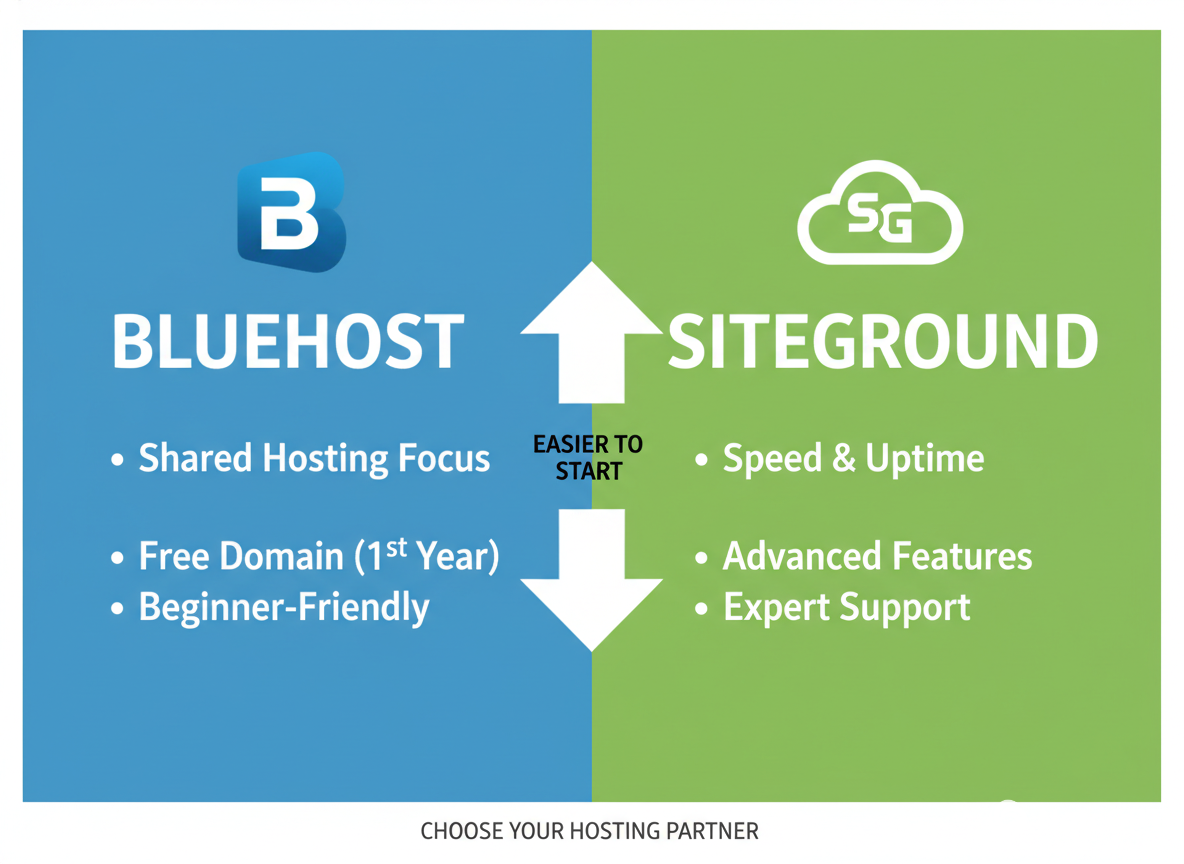
SiteGround is generally the stronger choice if you prioritize performance, advanced features, security, and website management tools. Bluehost can be an attractive choice for beginners who want a straightforward WordPress setup, familiar tools, and an easy starting point.
But there is much more to the decision than simply picking one brand over the other.
In this detailed comparison, we’ll look at SiteGround and Bluehost side by side and examine everything that matters when choosing WordPress hosting—from speed and uptime to pricing, backups, security, customer support, ease of use, scalability, and overall value.
By the end, you’ll have a much clearer idea of which host makes sense for your particular website.
SiteGround vs. Bluehost at a Glance
Before diving into all the details, let’s get the big picture out of the way.
| Feature | SiteGround | Bluehost |
|---|---|---|
| Best for | Performance-focused WordPress users | Beginners and first-time website owners |
| WordPress setup | Excellent | Excellent |
| Ease of use | Excellent | Excellent |
| Performance tools | Excellent | Good to very good |
| Caching | Advanced | Available |
| CDN integration | Excellent | Available |
| SSL | Included | Included |
| Automated backups | Available on plans | Available depending on plan |
| Security | Strong | Strong |
| Customer support | Strong | Strong |
| Data center options | Multiple locations | Multiple options depending on service |
| Scalability | Excellent | Good to very good |
| Beginner friendliness | Excellent | Excellent |
| Advanced controls | Excellent | Good |
| Overall performance focus | Very strong | Strong |
| Best overall for demanding WordPress sites | SiteGround | — |
| Best for straightforward beginner setup | — | Bluehost |
The exact features, plan names, pricing, storage limits, promotional offers, and renewal rates can change over time, so it’s always smart to check the current plan details before purchasing.
The important thing is understanding the overall philosophy of each host.
SiteGround tends to emphasize performance, security, managed features, and technical optimization.
Bluehost tends to emphasize accessibility, simplicity, WordPress integration, and making it easy for newcomers to get online.
That difference becomes important as your website grows.
What Is SiteGround?
SiteGround is a well-known web hosting company that has built a particularly strong reputation among WordPress users.
It offers shared hosting, managed WordPress hosting features, cloud hosting, and other website infrastructure services.
One of SiteGround’s biggest selling points is its focus on website performance.
Instead of simply giving you server space and leaving you to figure everything out, SiteGround provides a collection of tools intended to improve speed, caching, security, backups, and website management.
For a beginner, this can make WordPress hosting feel easier.
For an experienced website owner, those tools can save considerable time.
SiteGround is especially appealing to people who care about:
- Fast page loading
- WordPress optimization
- Reliable website management
- Automatic backups
- Security features
- Caching
- CDN integration
- Easy staging environments
- Professional website management
- Scalability
That doesn’t mean SiteGround is perfect for everyone.
Its pricing can become less attractive after introductory periods, and some of its more advanced features are tied to higher-tier plans.
Still, for WordPress users who want a performance-oriented hosting environment, SiteGround deserves serious consideration.
What Is Bluehost?
Bluehost is another major name in the WordPress hosting world.
Bluehost has long marketed itself toward people who are creating their first website, blog, business site, portfolio, or online store.
One of Bluehost’s biggest strengths is simplicity.
The company has invested heavily in making the process of getting started with WordPress approachable.
A typical beginner doesn’t necessarily want to learn about server configurations, caching layers, DNS records, databases, or infrastructure architecture on day one.
They simply want to:
- Choose a hosting plan.
- Connect a domain.
- Install WordPress.
- Pick a theme.
- Publish their first page.
- Start creating content.
Bluehost is designed around that kind of experience.
This makes it particularly attractive to new bloggers, small businesses, freelancers, creators, and people building their first WordPress website.
But Bluehost isn’t limited to beginners.
It also offers higher-level hosting options for growing websites and businesses.
SiteGround vs. Bluehost: Which One Is Easier to Use?
This is one of the closest categories.
Both companies understand that most WordPress users don’t want to spend their entire afternoon configuring a server.
Bluehost’s approach
Bluehost places a strong emphasis on simplicity.
Its onboarding experience is designed to guide beginners through the initial website-building process.
You don’t need to be a technical expert to understand the basic workflow.
For someone launching a website for the first time, that can be a huge advantage.
The interface generally focuses on common tasks rather than overwhelming you with technical details.
SiteGround’s approach
SiteGround is also beginner-friendly, but its environment can feel slightly more feature-rich.
That’s not necessarily a disadvantage.
In fact, it can be beneficial because you have more tools available as your website becomes more sophisticated.
You’ll find features related to:
- Site management
- Caching
- Security
- Backups
- Performance
- Staging
- Database management
- Collaboration
- Developer workflows
Winner: Bluehost for absolute beginners, SiteGround for long-term flexibility
If you’ve never built a website before and simply want the easiest possible starting point, Bluehost has an advantage.
If you want an interface that remains useful as your technical needs grow, SiteGround gets the edge.
WordPress Installation
Both SiteGround and Bluehost make installing WordPress relatively straightforward.
That’s important because WordPress itself is incredibly powerful, but the first setup can feel intimidating if you’re new to websites.
With either provider, the general process looks something like this:
Hosting account → Domain → WordPress installation → SSL → Theme → Plugins → Content
You don’t need to manually create a database or upload WordPress files through FTP just to get started.
That makes both companies suitable for beginners.
SiteGround WordPress setup
SiteGround provides tools designed specifically for WordPress installation and management.
Its setup process can guide you through creating a WordPress site without requiring extensive technical knowledge.
Bluehost WordPress setup
Bluehost also focuses heavily on WordPress onboarding.
This is one area where its beginner-oriented philosophy is especially obvious.
Winner: Tie
For most users, neither provider is difficult enough to make this a deciding factor.
SiteGround vs. Bluehost: Performance and Speed
Now we get to one of the most important categories.
Website speed matters.
A slow website can frustrate visitors, reduce engagement, hurt conversions, and make your site feel less professional.
For WordPress websites, hosting performance is only one part of the equation.
Your speed also depends on:
- Theme quality
- Plugins
- Images
- JavaScript
- CSS
- Database size
- Content delivery
- Caching
- Traffic levels
- Third-party scripts
- Website configuration
Still, hosting provides the foundation.
And this is where SiteGround tends to stand out.
SiteGround Performance
SiteGround has invested heavily in WordPress performance tools.
Depending on your setup and plan, you may have access to features such as:
- Dynamic caching
- Static caching
- Browser caching
- CDN integration
- Image optimization
- PHP optimization
- Database optimization
- Compression
- Performance management tools
The goal is simple:
Deliver your website’s content to visitors as quickly as possible.
SiteGround’s performance tools can also reduce the amount of manual optimization you need to perform.
That’s useful for beginners and experienced site owners alike.
Bluehost Performance
Bluehost also provides performance-oriented hosting infrastructure and tools.
For many small and medium-sized websites, Bluehost can provide perfectly respectable performance.
A properly configured WordPress site with a lightweight theme, optimized images, a sensible plugin stack, and caching can run very well on Bluehost.
The key point is that hosting alone doesn’t determine whether your website is fast.
A badly optimized WordPress site can be slow on an excellent server.
A carefully optimized site can perform well on a less expensive hosting plan.
That said, when comparing the overall performance toolset, SiteGround generally has the advantage.
Winner: SiteGround
If speed and performance optimization are high priorities, SiteGround is the stronger choice.
SiteGround vs. Bluehost: Uptime and Reliability
A hosting provider isn’t useful if your website keeps going offline.
Uptime refers to how consistently your website remains accessible.
Neither SiteGround nor Bluehost wants to be associated with unreliable hosting, and both have built substantial infrastructure around keeping websites available.
However, you shouldn’t judge reliability solely by marketing percentages.
Real-world reliability can be affected by:
- Traffic spikes
- Server configuration
- Software updates
- Security incidents
- Plugin problems
- Resource limits
- Database issues
- DNS configuration
- Poor website optimization
For most normal WordPress websites, either provider can offer dependable hosting.
Winner: Slight advantage to SiteGround
SiteGround’s overall infrastructure and performance-focused approach give it an edge for users who want reliability alongside speed.
SiteGround vs. Bluehost: Security
Website security is no longer optional.
Even a small blog can become a target for automated attacks.
WordPress powers a huge portion of the web, which makes WordPress sites attractive to bots searching for outdated plugins, weak passwords, vulnerable themes, and misconfigured websites.
Fortunately, both SiteGround and Bluehost provide security features.
SiteGround Security
SiteGround provides several tools designed to protect WordPress websites.
These can include:
- SSL certificates
- Automated security monitoring
- Firewall protections
- Malware-related protections
- Secure account management
- Automatic updates
- Backup systems
- Security-focused WordPress tools
SiteGround also emphasizes proactive website security rather than simply expecting customers to manage everything themselves.
Bluehost Security
Bluehost also provides important baseline security features.
These include things such as:
- SSL
- Account security
- Server-level protections
- Malware and security-related services
- Backups depending on the plan
- WordPress security tools
Bluehost can provide a solid foundation, but the exact security package you receive depends on the hosting product and plan you select.
Winner: SiteGround
For users who want a broader collection of built-in WordPress management and security tools, SiteGround gets the edge.
Free SSL Certificates
SSL is essential.
It encrypts the connection between your website and visitors.
You’ll know a site uses SSL when the browser shows HTTPS.
Both SiteGround and Bluehost provide SSL options with their hosting offerings.
This means you don’t generally need to purchase a separate SSL certificate just to run a normal WordPress website securely.
Winner: Tie
Both are suitable here.
SiteGround vs. Bluehost: Backups
Backups are one of those things you don’t fully appreciate until something goes wrong.
Imagine spending six months publishing blog posts, uploading images, building pages, collecting leads, and customizing your website.
Then you accidentally break the site.
Without a reliable backup, recovering everything can become extremely difficult.
That’s why automatic backups are so valuable.
SiteGround Backups
SiteGround places significant emphasis on automatic backups.
Depending on your hosting plan, backup functionality can include daily backups and tools for restoring your website.
This can make recovering from mistakes much easier.
The real benefit isn’t simply that backups exist.
It’s that restoring a website should be straightforward.
Bluehost Backups
Bluehost also offers backup solutions, although the exact backup features depend heavily on the plan and current product offering.
This is one area where it’s important to read the plan details carefully.
Don’t assume every Bluehost plan includes exactly the same backup functionality.
Winner: SiteGround
SiteGround generally offers the more attractive backup experience for WordPress-focused users.
SiteGround vs. Bluehost: Customer Support
When your website breaks at 2 a.m., customer support suddenly becomes very important.
You don’t want to spend hours searching forums while your homepage displays an error message.
Both companies offer customer support, but the quality of a support experience depends on the issue you’re dealing with and the complexity of your website.
Bluehost support
Bluehost is heavily focused on beginners, so support is an important part of its ecosystem.
Its support resources are designed to help customers with common hosting and WordPress questions.
This can be particularly useful when you’re just starting out.
SiteGround support
SiteGround also has a strong reputation for customer support and provides multiple ways for customers to get help.
Because SiteGround caters to more performance-conscious users, its support ecosystem can be particularly valuable when dealing with technical hosting questions.
Winner: SiteGround
For users who expect more advanced hosting-related questions over time, SiteGround gets the advantage.
SiteGround vs. Bluehost: Pricing
This is where the comparison becomes more complicated.
Hosting companies frequently use promotional pricing for new customers.
That means the price you see when signing up may not be the same price you’ll pay when renewing.
This is extremely important.
Don’t compare hosting providers solely based on their introductory price.
Instead, consider:
First-term price + renewal price + required features + domain costs + backup costs + performance tools + long-term needs
A hosting plan that looks cheaper at checkout isn’t necessarily cheaper over three or four years.
Bluehost Pricing Philosophy
Bluehost has traditionally positioned itself as an affordable starting point for beginners.
Its entry-level plans can make getting online relatively inexpensive.
This can be appealing if you’re starting your first blog and aren’t sure whether you’ll continue with it.
For example, someone experimenting with:
- A personal blog
- A hobby website
- A small portfolio
- A simple service website
- A new affiliate website
may appreciate a low-cost entry point.
SiteGround Pricing Philosophy
SiteGround generally competes more strongly on features and performance than on being the cheapest host.
You may pay more for the overall package, particularly once promotional pricing ends.
But you are also getting access to a more sophisticated hosting environment.
That makes the comparison less about:
“Which host is cheaper?”
and more about:
“Which host gives me the features I actually need for the money?”
Winner: Bluehost for budget-focused beginners
If price is your primary concern, Bluehost can be more appealing.
If you’re willing to spend more for performance and management features, SiteGround may provide better value.
The Renewal Price Trap
This deserves its own section because it’s one of the most common mistakes beginners make.
Imagine you see a hosting plan advertised at a very attractive monthly rate.
You sign up.
You build your website.
A year later, your promotional period ends.
Suddenly, the renewal cost is significantly higher.
This doesn’t necessarily mean the company did anything wrong.
Promotional pricing is common throughout the hosting industry.
But you should always look at both:
Introductory price
and
Renewal price
before committing.
This applies to both SiteGround and Bluehost.
SiteGround vs. Bluehost: Free Domain
A free domain can make a hosting package more attractive, particularly when you’re starting a new website.
Some Bluehost plans and promotions may include a domain-related offer for the first year.
SiteGround’s domain offerings and pricing work differently.
The details can change, so check the current terms when purchasing.
The bigger lesson is this:
Don’t let a free domain determine your hosting decision.
A domain may cost relatively little compared with several years of hosting.
Performance, support, security, backups, and renewal costs are more important long-term considerations.
Website Migration
What if you already have a WordPress website?
You don’t necessarily need to start over.
Both SiteGround and Bluehost provide migration options and tools.
SiteGround has migration tools designed to make transferring WordPress websites easier.
Bluehost also provides migration options depending on your service.
The difficulty of migration depends on your existing site.
A small blog with a simple theme might be transferred fairly easily.
A large WooCommerce store with thousands of products, custom code, multiple integrations, and a large database is a completely different story.
Winner: SiteGround
SiteGround generally provides a stronger migration experience for WordPress users.
SiteGround vs. Bluehost for Bloggers
If you’re starting a blog, both companies can work.
But your choice depends on your ambitions.
Choose Bluehost if:
- You’re starting your first blog.
- Your budget is limited.
- You want a simple setup.
- You’re not expecting huge traffic immediately.
- You prefer beginner-friendly tools.
Choose SiteGround if:
- You care strongly about page speed.
- You expect your blog to grow.
- You’re building an SEO-focused content site.
- You want advanced caching.
- You want stronger management tools.
- You want more performance-oriented hosting.
Winner: SiteGround for serious bloggers
Bluehost is perfectly reasonable for a first blog.
But if you’re building a long-term content business, SiteGround becomes increasingly attractive.
SiteGround vs. Bluehost for Affiliate Marketing Websites
Affiliate marketers often have different requirements from ordinary bloggers.
A successful affiliate website may eventually contain:
- Hundreds of articles
- Large image libraries
- Comparison tables
- Affiliate tracking scripts
- Email forms
- Analytics
- SEO plugins
- Product databases
- Multiple traffic sources
Performance becomes extremely important.
Every extra second of loading time can potentially affect user experience.
SiteGround’s performance-focused tools make it particularly appealing for affiliate websites.
Winner: SiteGround
For serious affiliate websites, SiteGround is usually the stronger option.
SiteGround vs. Bluehost for Small Business Websites
Suppose you’re creating a website for:
- A local cleaning company
- A consultant
- A freelancer
- A law firm
- A photographer
- A restaurant
- A contractor
- A real estate professional
- A small online service
You probably don’t need the most expensive hosting plan available.
You need:
- Reliability
- Good performance
- SSL
- Backups
- Security
- Easy WordPress management
- Professional email options
- Reasonable support
Both hosts can satisfy these requirements.
For a very simple business website, Bluehost may be enough.
For a business where website performance and reliability are important, SiteGround is more compelling.
Winner: SiteGround overall
But Bluehost remains a perfectly reasonable budget option.
SiteGround vs. Bluehost for WooCommerce
WooCommerce changes the hosting equation.
An online store has more moving parts than a basic blog.
You might have:
- Product pages
- Shopping carts
- Customer accounts
- Payment gateways
- Inventory
- Orders
- Transaction emails
- Shipping integrations
- Tax systems
- Product images
Your database and server resources can also become more important as traffic increases.
For small stores, either host may work.
For stores expected to grow, performance and scalability become increasingly important.
Winner: SiteGround
SiteGround is generally the more attractive choice for WordPress users running performance-sensitive WooCommerce sites.
For a large store, however, you may eventually want a higher-end cloud or managed hosting environment rather than basic shared hosting.
SiteGround vs. Bluehost for SEO
Hosting isn’t an SEO magic button.
No hosting provider can guarantee that your website will rank on Google.
Your rankings depend on many factors, including:
- Content quality
- Search intent
- Backlinks
- Site structure
- Technical SEO
- Internal linking
- Page experience
- Authority
- Competition
- Keyword targeting
But hosting can influence technical performance.
Fast hosting can help you deliver pages efficiently.
Reliable hosting helps ensure search engines can consistently access your website.
Security is also important.
Winner: SiteGround
Not because SiteGround automatically ranks websites higher, but because its performance and management tools can make it easier to maintain a technically healthy WordPress website.
SiteGround vs. Bluehost for Beginners
This is where Bluehost deserves considerable credit.
Not everyone needs a highly optimized hosting environment from day one.
If you’re learning WordPress for the first time, simplicity matters.
You may have questions like:
How do I install WordPress?
How do I create my homepage?
How do I connect my domain?
How do I install a theme?
How do I publish a blog post?
How do I create an email address?
How do I make my website secure?
Bluehost’s beginner-oriented ecosystem can make these early steps less intimidating.
SiteGround is also beginner-friendly, but it may expose you to more tools and settings.
Winner: Bluehost
For absolute beginners, Bluehost gets the nod.
SiteGround vs. Bluehost for Developers
Developers often care about things beginners don’t think about.
They may want:
- Staging environments
- Git workflows
- SSH access
- Multiple PHP versions
- Database tools
- WP-CLI
- Advanced caching
- Site cloning
- Collaboration features
- More granular server management
SiteGround generally has the stronger toolkit for developers and advanced WordPress users.
Winner: SiteGround
If you’re managing multiple WordPress projects or doing professional development work, SiteGround becomes particularly attractive.
Staging Websites
A staging environment allows you to create a test version of your website.
This is extremely useful.
Suppose you want to:
- Change your theme
- Update a major plugin
- Modify custom code
- Change your homepage
- Test a new WooCommerce extension
Instead of experimenting directly on your live site, you can test the change on a staging copy.
If something goes wrong, your visitors never see the disaster.
Staging is one of those features that may seem unnecessary when you’re starting out.
Once you’ve experienced a broken production website, however, you’ll understand its value immediately.
SiteGround has a strong advantage here, particularly on plans that include more advanced WordPress management tools.
Winner: SiteGround
CDN and Global Performance
If your visitors are spread across different countries, content delivery matters.
A CDN, or Content Delivery Network, stores or serves website resources from locations closer to users.
This can improve performance for international visitors.
Both SiteGround and Bluehost provide CDN-related options, but SiteGround has built a particularly strong performance ecosystem around CDN and caching technologies.
If you operate a website serving visitors from:
- Pakistan
- United States
- United Kingdom
- Canada
- Australia
- Europe
- Asia
then global delivery can become increasingly important.
Winner: SiteGround
SiteGround vs. Bluehost: Storage
Storage is another area where plan details matter.
A beginner blog might need very little storage.
A photography website could require significantly more.
An online store may need even more depending on product images, downloadable files, backups, and other assets.
Don’t automatically choose the plan with the largest storage number.
Ask yourself:
How much storage will my website realistically need?
For most blogs, storage isn’t the primary bottleneck.
Performance and server resources are often more important.
SiteGround vs. Bluehost: Scalability
A hosting provider should ideally grow with your website.
Your first year might look like this:
Month 1: 20 visitors
Month 6: 500 visitors
Month 12: 5,000 visitors
Year 2: 50,000 visitors
Year 3: 200,000+ visitors
You don’t want to rebuild your entire website every time your traffic grows.
SiteGround generally has a stronger reputation for providing an upgrade path for performance-oriented WordPress sites.
Bluehost also offers higher-tier hosting options.
Winner: SiteGround
For long-term growth, SiteGround gets the advantage.
SiteGround vs. Bluehost: Who Has Better Value?
Value isn’t the same as price.
This is a crucial distinction.
Imagine:
Host A
Costs $5 per month but provides fewer performance tools.
Host B
Costs $8 per month but includes better caching, backups, staging, security, and optimization.
Host A is cheaper.
But Host B may provide better value.
Likewise, if you’re running a tiny hobby blog, paying extra for advanced infrastructure may not make sense.
That’s why the “best” hosting provider depends on what you’re building.
Which Host Is Better for a New Blogger?
If you’re starting your first WordPress blog, Bluehost is an appealing option.
It’s easy to understand.
It’s beginner-friendly.
It provides a straightforward path from domain registration to WordPress installation.
But if you already know that blogging is going to become a serious project—particularly if you’re building an affiliate website or SEO-driven content business—SiteGround deserves serious consideration.
My pick:
Bluehost for the simplest beginner experience.
SiteGround for a serious long-term blog.
Which Host Is Better for an Established Website?
For an established website, I would lean toward SiteGround.
Once your site has:
- Significant traffic
- Many plugins
- Lots of content
- Regular updates
- Multiple integrations
- Business-critical pages
- Revenue-generating traffic
performance and management become much more important.
You want fewer headaches.
You want reliable backups.
You want good caching.
You want strong security.
You want a host that gives you room to grow.
Winner: SiteGround
Which Host Is Better for an Online Business?
If your website directly generates revenue, hosting becomes a business decision rather than simply a technical expense.
Imagine your website generates $2,000 per month.
Spending a little more on reliable hosting may be completely reasonable if it helps you maintain a stable and fast website.
For business websites, I’d generally lean toward SiteGround.
Which Host Is Better for a Personal Website?
For a personal website, portfolio, resume, hobby blog, or simple project, Bluehost can be more than sufficient.
You don’t necessarily need every advanced performance feature.
Your website might only receive a few hundred visitors per month.
In that situation, simplicity and affordability can matter more.
Winner: Bluehost
Which Host Is Better for an Affiliate Website?
Affiliate sites benefit heavily from:
- Fast loading
- Reliable uptime
- Strong caching
- Easy backups
- SEO-friendly performance
- Scalable hosting
That makes SiteGround particularly attractive.
Winner: SiteGround
Which Host Is Better for a Local Business?
For a local business website with a few pages, both can work.
If your site has:
- Home
- About
- Services
- Contact
- Blog
you don’t need an enormous hosting setup.
However, if the site is important for lead generation, SiteGround’s performance and reliability advantages may justify the additional cost.
Winner: SiteGround overall
SiteGround vs. Bluehost: Pros and Cons
SiteGround Pros
- Strong WordPress performance
- Excellent caching tools
- Strong security features
- Good backup functionality
- Staging tools on appropriate plans
- Excellent WordPress-focused ecosystem
- Good scalability
- Strong developer features
- Useful site management tools
- Excellent choice for growing websites
SiteGround Cons
- Can cost more than entry-level competitors
- Promotional and renewal pricing can differ significantly
- Some advanced features require higher-tier plans
- May provide more tools than a complete beginner actually needs
Bluehost Pros
- Beginner-friendly
- Straightforward WordPress setup
- Strong brand recognition
- Easy onboarding
- Competitive introductory offers
- Good fit for simple websites
- Suitable for new bloggers
- Useful WordPress ecosystem
- Offers upgrade paths for growing sites
Bluehost Cons
- Advanced users may prefer a more performance-focused environment
- Some features depend on the plan
- Renewal pricing needs careful attention
- Advanced WordPress users may find SiteGround’s toolkit more compelling
SiteGround vs. Bluehost: Feature-by-Feature Verdict
Let’s simplify the entire comparison.
| Category | Winner |
|---|---|
| Beginner friendliness | Bluehost |
| WordPress setup | Tie |
| Performance | SiteGround |
| Caching | SiteGround |
| Security | SiteGround |
| Backups | SiteGround |
| Staging | SiteGround |
| Developer tools | SiteGround |
| Scalability | SiteGround |
| Simplicity | Bluehost |
| Budget appeal | Bluehost |
| Small personal sites | Bluehost |
| Serious blogs | SiteGround |
| Affiliate sites | SiteGround |
| Growing business sites | SiteGround |
| WooCommerce | SiteGround |
| Overall | SiteGround |
Is SiteGround Worth Paying More For?
This is probably the most important question.
If you’re building a tiny personal website, maybe not.
If you’re building a website you expect to grow, then the answer becomes much more favorable.
Think about the cost in terms of your website’s purpose.
If your website is a hobby, save money.
If your website is a business asset, invest appropriately.
If you’re building an affiliate site intended to generate income, performance and reliability can be worth paying for.
If you’re building a store, the cost of better hosting is usually small compared with the potential cost of downtime or poor performance.
Is Bluehost Still a Good WordPress Host?
Absolutely.
It’s easy to become overly negative about hosting companies because the internet is filled with comparison articles claiming that one provider is “terrible” while another is “perfect.”
Reality is usually more nuanced.
Bluehost remains a viable option for many WordPress websites.
If you’re starting from scratch and want a straightforward experience, it can be a perfectly sensible choice.
The important thing is choosing the plan carefully and understanding the long-term pricing.
Is SiteGround Overkill for Beginners?
Sometimes.
And that’s okay.
You don’t need to buy the most sophisticated hosting package available just because it’s technically better.
Imagine buying a professional race car to drive three miles to the grocery store.
The car may be incredible.
But it isn’t necessarily the most practical choice.
The same principle applies to hosting.
If you’re creating a small personal blog, Bluehost may give you everything you need.
If you’re building a business that depends on your website, SiteGround’s additional features become more valuable.
What About WordPress.com?
It’s worth briefly mentioning that SiteGround and Bluehost are generally considered alongside self-hosted WordPress solutions.
That’s different from using WordPress.com.
With self-hosted WordPress, you have more control over:
- Themes
- Plugins
- Hosting
- Performance optimization
- Website files
- Database
- Customization
- Monetization
For users who want maximum flexibility, hosting WordPress independently through a provider such as SiteGround or Bluehost can be attractive.
What About Hostinger?
You may also come across Hostinger when researching WordPress hosting.
It can be appealing for users who prioritize low-cost hosting.
But if your comparison is specifically between SiteGround and Bluehost, I’d avoid choosing based purely on the lowest advertised monthly number.
Hosting decisions should be made around your website’s requirements.
What About Managed WordPress Hosting?
Managed WordPress hosting is another category worth understanding.
Managed hosting generally means the provider takes care of more technical tasks for you.
Depending on the provider and plan, this can include:
- WordPress updates
- Security
- Backups
- Caching
- Performance optimization
- Server configuration
- Staging
- Technical monitoring
SiteGround has many managed-style WordPress features built into its ecosystem.
Bluehost also offers managed and higher-tier solutions.
If you don’t want to spend time dealing with technical hosting tasks, these features can be extremely valuable.
How Much Should You Spend on WordPress Hosting?
For a new website, you generally don’t need to spend a fortune.
A sensible approach is:
Beginner website
Choose a reliable entry-level plan.
Growing blog
Upgrade when traffic and resource requirements increase.
Business website
Invest in better performance and backups.
WooCommerce store
Choose hosting based on performance, reliability, database resources, and scalability rather than simply price.
High-traffic website
Consider managed, cloud, VPS, or dedicated infrastructure depending on actual resource requirements.
Don’t buy more hosting than you need.
But don’t buy so little that your website becomes difficult to manage.
How to Choose Between SiteGround and Bluehost
Here’s a simple decision-making framework.
Ask yourself these five questions.
1. Am I a complete beginner?
If yes, Bluehost gets a slight advantage.
2. Is performance extremely important?
If yes, SiteGround.
3. Am I building a business?
If yes, SiteGround is generally the stronger choice.
4. Is my budget extremely limited?
If yes, Bluehost may be more attractive.
5. Do I expect my site to grow significantly?
If yes, SiteGround deserves serious consideration.
The Best Choice by Website Type
Here’s the easiest way to think about it.
Personal blog
Bluehost
First WordPress website
Bluehost
Hobby website
Bluehost
Professional blog
SiteGround
Affiliate website
SiteGround
SEO-focused content website
SiteGround
Business website
SiteGround
WooCommerce store
SiteGround
High-growth website
SiteGround
Developer-managed WordPress projects
SiteGround
SiteGround vs. Bluehost: Final Verdict
So, after comparing the two, which hosting company wins?
SiteGround wins the overall showdown for WordPress users.
Its combination of performance, caching, security, backups, staging, WordPress optimization, and scalability makes it the stronger choice for people who are serious about their websites.
But that doesn’t mean Bluehost is a bad option.
Far from it.
Bluehost remains particularly attractive for beginners who want a simple, approachable, and relatively affordable path into WordPress.
The difference is really about priorities.
If your priority is:
“I want to get my first website online without making things complicated.”
Bluehost makes a lot of sense.
If your priority is:
“I want a fast, secure, scalable WordPress website that I can grow into a serious project.”
SiteGround is the better fit.
My Recommendation
If I were choosing today for a brand-new personal blog that I wasn’t sure I’d continue, I’d seriously consider Bluehost.
I’d keep the initial investment low and focus on learning WordPress and creating content.
But if I were building a website with a clear business objective—especially an affiliate website, content business, professional service website, or WooCommerce store—I would lean toward SiteGround.
The reason is simple.
Hosting isn’t just about getting your website online. It’s about creating a foundation for everything that happens after your website goes live.
A good host can make website management easier.
A strong performance stack can help your pages load quickly.
Reliable backups can save you from painful mistakes.
Security tools can reduce risk.
Staging can let you experiment without breaking your live website.
And scalability means you don’t have to rethink your hosting strategy every time your traffic grows.
Frequently Asked Questions
Is SiteGround better than Bluehost?
For most performance-focused WordPress users, yes. SiteGround generally offers a stronger collection of performance, security, backup, staging, and WordPress management tools.
Bluehost can still be an excellent option for beginners and simple websites.
Is Bluehost cheaper than SiteGround?
It can be, particularly when considering introductory offers. However, pricing changes frequently, and renewal costs can be substantially different from introductory prices.
Always compare the complete cost over the period you expect to use the service.
Which is faster, SiteGround or Bluehost?
SiteGround generally has the advantage because of its strong caching, performance optimization, and WordPress-focused infrastructure.
However, your theme, plugins, images, CDN, database, and website configuration can have a huge impact on actual speed.
Which is better for WordPress beginners?
Bluehost has a slight advantage because of its beginner-oriented onboarding and straightforward setup.
SiteGround is also beginner-friendly, but offers more advanced tools that may be unnecessary when you’re first starting.
Which is better for SEO?
Neither host directly guarantees better Google rankings.
However, SiteGround’s performance tools can make it easier to maintain a fast and technically healthy WordPress website.
Which is better for WooCommerce?
SiteGround generally gets the edge for performance-sensitive WooCommerce websites.
For larger stores, consider upgrading beyond basic shared hosting as your traffic and transaction volume grow.
Which is better for bloggers?
For casual bloggers, Bluehost is perfectly suitable.
For serious bloggers building traffic, affiliate income, or a long-term content business, SiteGround is generally the stronger choice.
Which has better customer support?
Both offer customer support, but SiteGround is generally more attractive for users who expect more advanced technical hosting needs.
Do both support SSL?
Yes. SSL is available with both providers.
Can I move from Bluehost to SiteGround later?
Yes. WordPress websites can be migrated between hosting providers.
However, it’s better to choose a host that matches your expected needs from the beginning when possible.
Can I move from SiteGround to Bluehost?
Yes. The same principle applies in reverse.
Your hosting provider doesn’t permanently lock your WordPress website to its platform.
Does hosting determine Google rankings?
No.
Hosting is only one part of the technical foundation of your website.
Content quality, search intent, authority, backlinks, site structure, technical SEO, user experience, and many other factors matter.
Final Scorecard
If we were giving each host a simple score based on the needs of the average WordPress user:
| Category | SiteGround | Bluehost |
|---|---|---|
| Ease of use | 9/10 | 9.5/10 |
| Performance | 9.5/10 | 8.5/10 |
| Security | 9.5/10 | 8.5/10 |
| Backups | 9/10 | 8/10 |
| WordPress tools | 9.5/10 | 9/10 |
| Developer features | 9.5/10 | 8/10 |
| Scalability | 9/10 | 8.5/10 |
| Beginner friendliness | 9/10 | 9.5/10 |
| Budget friendliness | 8/10 | 9/10 |
| Overall | 9.3/10 | 8.7/10 |
These scores are best understood as a practical comparison rather than laboratory measurements, because hosting performance and value depend heavily on the specific plan and website.
The Bottom Line
There isn’t one hosting provider that’s perfect for everyone.
Bluehost is a great starting point for beginners who want simplicity, affordability, and an easy WordPress setup.
SiteGround is the better overall choice for users who prioritize performance, security, advanced WordPress management, and long-term growth.
If you’re building a website just to experiment, Bluehost may be all you need.
If you’re building a website that you hope will become a serious source of traffic, leads, customers, or income, SiteGround is the host I’d lean toward.
And perhaps the most important advice of all is this:
Don’t spend all your energy trying to find the “perfect” hosting company.
Choose a reputable provider, select a plan appropriate for your current needs, install WordPress, secure your website, optimize your performance, and—most importantly—start creating something useful for your visitors.
Because the best hosting plan in the world can’t compensate for a website that never gets published.
Your hosting is the foundation.
Your content, your ideas, your products, and the value you provide are what ultimately build the house.
 Previous Post
 Next Post