

Writing emails that get clicks is both an art and a science—and for beginners, it’s completely learnable. The key is understanding that every element of your email, from the subject line to the button color, works together to earn that single click.
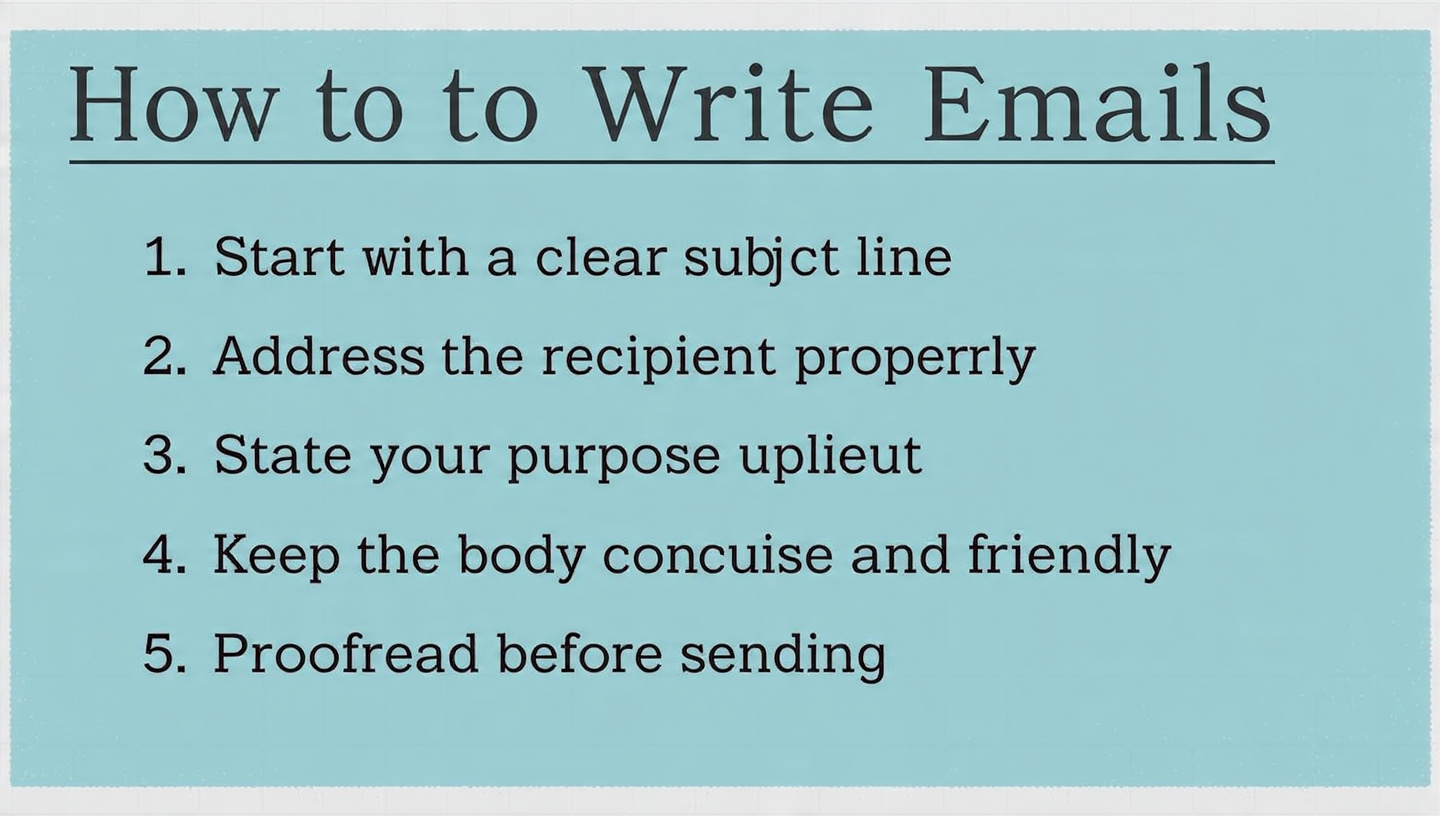
Here is your complete beginner’s guide to writing emails that actually get clicks.
✍️ The 7 Essential Elements of a Click-Worthy Email
Every email you send should be built with these seven components. Miss one, and your click-through rate (CTR) will suffer.
| Element | Purpose | Beginner Tip |
|---|---|---|
| Subject Line | Gets the email opened | Keep it under 60 characters, create curiosity or urgency |
| Preview Text | Supports the subject line | Use the 40-50 characters visible in inboxes to add context |
| Headline | Hooks the reader inside | Repeat or expand on the subject line’s promise |
| Body Copy | Delivers value and builds desire | Write to be skimmed—short paragraphs, bullet points |
| Visuals | Breaks up text, shows products | One relevant image is enough; avoid clutter |
| Call-to-Action (CTA) | Drives the click | Make it one clear button with action-oriented text |
| Footer | Handles unsubscribes and legal | Required, but keep it clean and simple |
🎯 Step 1: Write Subject Lines That Get Opens
No opens means no clicks. Your subject line is the gatekeeper.
5 Proven Subject Line Formulas for Beginners
- The Curiosity Gap
- “The one mistake 90% of beginners make”
- “I couldn’t believe what happened next”
- The Benefit Statement
- “Double your click-through rates in 30 days”
- “Save 40% on your next purchase”
- The Personal Touch
- “[Name], a quick question for you”
- “Sarah, I thought of you when I saw this”
- The Urgency Builder
- “⏰ 24 hours left for 50% off”
- “Last chance to claim your free guide”
- The How-To
- “How to write better emails in 5 minutes”
- “Why your emails aren’t getting clicks (and how to fix it)”
Subject Line Do’s and Don’ts
| ✅ Do | ❌ Don’t |
|---|---|
| Keep it under 60 characters | Use ALL CAPS (looks like spam) |
| Test different angles | Overuse emojis in every email |
| Personalize when possible | Make false promises |
| Create curiosity | Be boring or generic |
📝 Step 2: Master the Art of Skimmable Body Copy
Once opened, your email has about 8 seconds to earn a click. Readers scan before they read.
The Skimmable Writing Formula
- One clear sentence opening
- “I have a confession to make about my last email.”
- “You asked, and I finally have an answer.”
- Short paragraphs (2-3 sentences max)
- Each paragraph should be a single idea
- White space is your friend—it makes reading feel easy
- Bullet points for lists
- Make key points instantly visible
- Use them for benefits, features, or quick tips
- Bold key phrases
- Guide the eye to what matters most
- But don’t bold everything—it loses impact
- One clear next step
- Everything leads to the CTA
- No competing links or confusing choices
Example: Bad vs. Good Copy
Bad (Dense and boring):
“Thank you for subscribing to our newsletter. We are excited to have you on board and look forward to sharing updates about our products. This week we wanted to tell you about our new line of organic skincare products that just launched. They are made with natural ingredients and are perfect for sensitive skin. You can check them out on our website by clicking the link below.”
Good (Skimmable and engaging):
“Welcome to the team! 🎉
I’m thrilled you’re here.
Since you love natural skincare, I thought you’d want to be the first to know…
We just launched something special.
Meet our new Sensitive Skin Collection:
- 100% organic ingredients
- Fragrance-free (finally!)
- Dermatologist-tested
- 30-day money-back guarantee
Your skin will thank you.
[Button: Explore the Collection]”
🎨 Step 3: Design Emails That Guide the Eye
You don’t need to be a designer to create effective emails. Simplicity wins.
The Beginner’s Email Design Checklist
- One column layout: Easier to read on mobile (60%+ of opens)
- Clear hierarchy: Subject line → headline → body → CTA
- One image maximum: Avoids distraction and slow loading
- High contrast CTA button: Makes it impossible to miss
- Mobile preview check: Always test how it looks on a phone
CTA Button Best Practices
| Element | Best Practice | Example |
|---|---|---|
| Color | Contrast with background, brand-appropriate | Orange button on white background |
| Text | Action-oriented, specific | “Get My Free Guide” not “Click Here” |
| Size | Large enough to tap on mobile | Minimum 44×44 pixels |
| Placement | Above the fold AND at the end | One clear primary CTA |
💡 Step 4: The Psychology Behind Every Click
Understanding why people click helps you write emails that tap into those motivations.
6 Psychological Triggers That Drive Clicks
- Curiosity – “The secret most experts won’t tell you”
- Urgency – “Only 10 spots left at this price”
- Social Proof – “Join 10,000+ happy customers”
- Reciprocity – “A free gift just for you”
- Fear of Missing Out (FOMO) – “Last chance to save 40%”
- Authority – “Recommended by industry leaders”
The PAS Formula for Persuasive Emails
Problem → Agitate → Solve
- State the problem they’re facing
- Agitate it—make them feel the pain
- Present your solution as the natural answer
Example:
“Staring at a blank email screen? (Problem)
You’re not alone. Every beginner struggles with what to write. But here’s the hard truth—every minute you wait, someone else is getting your subscriber’s attention. (Agitate)
That’s why I created this Email Template Library. 50 proven templates you can customize in minutes. No more blank screens. (Solve)”
📊 Step 5: Test Everything That Matters
You don’t need to test everything. Focus on the elements that drive the biggest difference.
The 3 Most Important Tests for Beginners
| Test | What to Change | What to Measure |
|---|---|---|
| Subject Line A/B Test | Curiosity vs. Benefit vs. Urgency | Open rate |
| CTA Button Text | “Shop Now” vs. “Get My Discount” | Click-through rate |
| Send Time | Tuesday 10am vs. Thursday 6pm | Open and click rates |
How to Run a Simple A/B Test
- Send Version A to 10% of your list
- Send Version B to another 10%
- Wait 4-6 hours
- Send the winning version to the remaining 80%
Most email platforms (Mailchimp, AWeber, ActiveCampaign) have this built-in.
📈 Benchmark: What “Good” Looks Like
Here are industry average email metrics to measure yourself against :
| Metric | Average | Good | Great |
|---|---|---|---|
| Open Rate | 15-25% | 25-35% | 35%+ |
| Click-Through Rate (CTR) | 2-5% | 5-10% | 10%+ |
| Click-to-Open Rate (CTOR) | 10-20% | 20-30% | 30%+ |
Note: If you’re just starting, focus on improving your own benchmarks rather than comparing to averages. A 2% CTR from a highly targeted list of 100 subscribers is a win.
🛠️ Your 10-Step Email Writing Checklist
Before hitting send, run through this checklist:
Pre-Writing
- What is the ONE goal of this email? (Get a click, drive a sale, share news)
- Who is this email specifically for? (Segment if needed)
- What action do I want them to take?
Writing
- Subject line under 60 characters
- Preview text adds context
- Opening sentence hooks attention
- Body copy is skimmable (short paragraphs, bullets)
- One clear CTA with action text
- CTA button stands out visually
Pre-Send
- Mobile preview checked
- All links work
- Personalization tags are correct
- Sent a test to yourself
💪 Your First 30 Days: A Beginner’s Action Plan
| Week | Focus | Action |
|---|---|---|
| Week 1 | Subject lines | Write 10 subject lines for one email, pick the best |
| Week 2 | Skimmable writing | Rewrite your last email using short paragraphs and bullets |
| Week 3 | CTA optimization | Test two different button texts |
| Week 4 | Review and repeat | Check your metrics, keep what worked |
🎁 The Secret Most Beginners Miss
Here’s the truth: The best email writers aren’t the most creative—they’re the most empathetic.
They ask:
- What is my reader feeling right now?
- What problem are they trying to solve?
- How can I make their life easier?
When you write from genuine desire to help, the clicks follow naturally. The tactics above are just tools to deliver your help effectively.
Your next step: Pick one email you need to send this week. Spend 15 extra minutes on the subject line alone. Write 5 options, sleep on it, pick the best one tomorrow. That single habit will improve your open rates more than any other change.
Which part of email writing do you struggle with most—subject lines, body copy, or knowing what to say? I can offer more specific help.
 Previous Post
 Next Post