+92 331 566-8243
info@goodbloggingtools.com

Canva Affiliate Program: How to Earn by Promoting the Design Tool

canva-affiliate-program

If you have ever created a social media post, presentation, YouTube thumbnail, business flyer, resume, invitation, Pinterest graphic, or even a simple Instagram Story, there is a good chance you have come across Canva.

Canva has made graphic design much more approachable. Instead of spending hours learning complicated professional design software, users can start with templates, drag and drop elements onto a canvas, change colors and fonts, and create polished-looking designs in a relatively short amount of time.

That popularity also makes Canva an interesting opportunity for affiliate marketers.

The basic idea behind affiliate marketing is simple: you recommend a product or service, someone follows your special affiliate link and makes a qualifying purchase or subscription, and you receive a commission according to the program’s terms.

For bloggers, YouTubers, educators, social media creators, website owners, productivity influencers, marketing professionals, and design-focused content creators, Canva can be particularly appealing because it is naturally connected to so many content topics.

You can teach someone how to create a Pinterest pin and recommend Canva.

You can publish a guide about creating a professional resume and mention Canva.

You can make a YouTube tutorial about designing thumbnails and show Canva in action.

You can write an article about tools for small businesses and include Canva as one of your recommendations.

You can create a social media marketing tutorial and demonstrate how Canva helps create branded content.

In other words, you are not necessarily trying to convince someone to buy a random product. Instead, you can build content around a problem your audience already has and introduce Canva as a practical solution.

This guide explains how the Canva Affiliate Program works, how to approach Canva affiliate marketing, what kinds of content can generate commissions, how to promote Canva without sounding overly promotional, and how to build a sustainable strategy around the platform.

Important note: Affiliate-program availability, commission structures, qualifying actions, application requirements, cookie periods, promotional restrictions, and other terms can change. Always check Canva’s current affiliate-program documentation and terms before relying on a specific rate or requirement.


What Is the Canva Affiliate Program?

The Canva Affiliate Program is an affiliate marketing opportunity associated with Canva that allows eligible publishers and creators to promote Canva through tracked referral links.

When someone clicks your affiliate link and completes an eligible action under the program’s current terms, you may earn a commission.

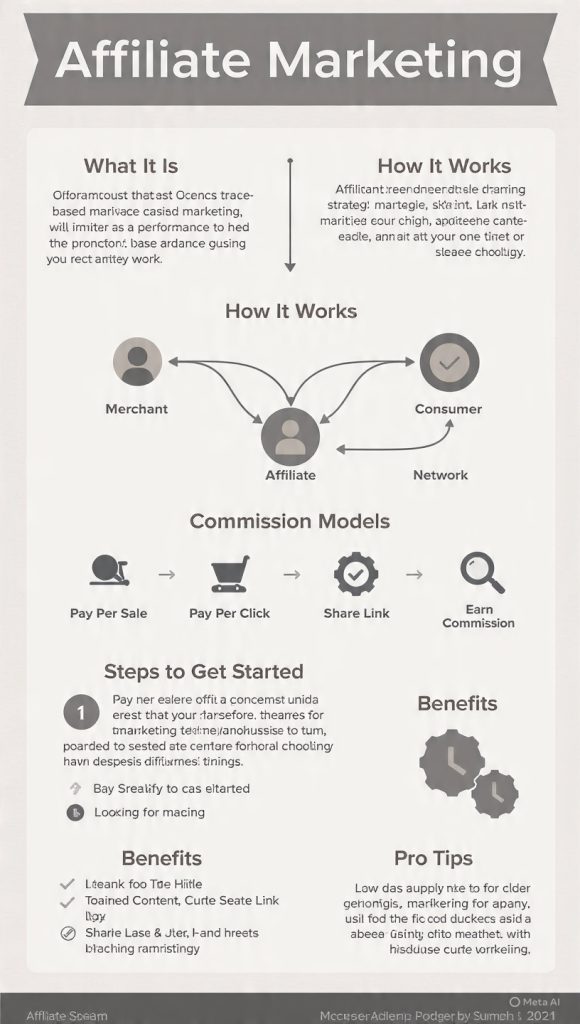
Think of the process as a simple chain:

Your content → your affiliate link → Canva → qualifying customer action → commission

The important thing to understand is that you are not paid simply because somebody clicks your link.

A click is valuable because it sends a potential customer to Canva, but affiliate earnings generally depend on a qualifying action defined by the affiliate program.

That distinction is important when planning your content strategy.

A website receiving 10,000 clicks but generating very few qualifying actions may earn less than a smaller website with an audience that is highly interested in design tools.

This is why successful affiliate marketing is usually less about chasing enormous traffic numbers and more about reaching the right people with the right content at the right time.


Why Canva Is Attractive for Affiliate Marketers

There are thousands of software products that offer affiliate programs.

So why consider Canva?

One reason is that Canva belongs to a category that has broad appeal.

Graphic design is no longer limited to professional designers.

Today, people create visual content for:

  • Small businesses
  • Blogs
  • YouTube channels
  • TikTok accounts
  • Instagram pages
  • Pinterest accounts
  • Online stores
  • Freelance businesses
  • Personal brands
  • Newsletters
  • Online courses
  • School projects
  • Presentations
  • Events
  • Resumes
  • Portfolios
  • Marketing campaigns

That creates a huge range of potential content opportunities.

A blogger who writes about entrepreneurship can talk about Canva.

A teacher can talk about Canva.

A social media manager can talk about Canva.

A freelancer can talk about Canva.

A virtual assistant can talk about Canva.

A content creator can talk about Canva.

A small-business consultant can talk about Canva.

A productivity blogger can talk about Canva.

A marketing website can talk about Canva.

This broad applicability makes Canva particularly interesting from a content-marketing perspective.


Canva Affiliate Marketing vs. Traditional Product Affiliate Marketing

Traditional affiliate marketing often involves promoting physical products.

For example, a website might publish an article titled:

“10 Best Office Chairs for Remote Workers.”

The publisher recommends several chairs and earns a commission when readers purchase through affiliate links.

Software affiliate marketing works somewhat differently.

Instead of focusing on a physical product, you are promoting a digital service.

That means your content can focus heavily on:

  • Tutorials
  • Comparisons
  • Features
  • Use cases
  • Workflows
  • Productivity
  • Education
  • Business problems
  • Design problems
  • Content creation

This creates an enormous advantage for content creators because you can demonstrate the product rather than simply describing it.

For example, instead of writing:

“Canva is useful for creating social media graphics.”

You can create an actual tutorial:

“How to Create 30 Instagram Posts in Canva in One Afternoon.”

The reader gets useful information, sees the tool being used, and naturally encounters your recommendation.

That is a much more powerful affiliate experience.


Who Should Consider the Canva Affiliate Program?

The program can potentially fit many types of publishers.

However, some audiences are naturally better aligned with Canva than others.

1. Bloggers

Bloggers can create tutorials, comparisons, reviews, and educational content around Canva.

Potential topics include:

  • How to use Canva for blogging
  • How to create Pinterest pins
  • How to design blog graphics
  • How to create lead magnets
  • How to make an ebook
  • How to design social media graphics
  • How to create a media kit
  • How to create a blog logo
  • How to create an infographic

These articles can attract people who are already looking for a design solution.


2. YouTubers

YouTube may be one of the most natural channels for promoting a design tool.

Why?

Because Canva is visual.

You can record your screen and show exactly how a design is created.

For example:

“How to Make a YouTube Thumbnail in Canva.”

You can walk viewers through:

  1. Opening Canva
  2. Choosing a thumbnail template
  3. Uploading an image
  4. Adding text
  5. Adjusting colors
  6. Adding visual elements
  7. Exporting the final thumbnail

At the end of the tutorial, you can provide your affiliate link.

The content provides value first.

The affiliate recommendation becomes a natural next step.


3. Social Media Creators

If your audience follows you for social media tips, Canva can fit naturally into your content.

You could create:

  • Canva hacks
  • Design tutorials
  • Before-and-after designs
  • Carousel tutorials
  • Template demonstrations
  • Branding tips
  • Content-planning tutorials
  • Instagram design tutorials

You can also use short-form videos to demonstrate one feature or workflow at a time.

For example:

“Three Canva tricks that make your Instagram posts look more professional.”

Short, useful content like this can attract people who are already interested in improving their designs.


4. Freelancers

Freelancers can build content around Canva for business owners.

For example, a freelance marketer could create an article titled:

“The Best Design Tools for Freelancers.”

A virtual assistant could write:

“How Virtual Assistants Can Use Canva to Create Client Content.”

A social media manager could publish:

“My Canva Workflow for Creating a Month of Social Media Posts.”

The possibilities are extensive.


5. Online Course Creators

Canva is relevant to educational content because teachers and course creators often need visual materials.

You could create tutorials about:

  • Course worksheets
  • Presentation slides
  • Workbooks
  • Lesson graphics
  • Certificates
  • Course covers
  • Educational infographics
  • Downloadable resources

If your audience trusts you for educational advice, your Canva recommendation can feel very natural.


How the Canva Affiliate Model Works

Although the exact program terms may change, the basic affiliate process usually looks something like this:

Step 1: Apply

You apply to the relevant Canva affiliate program or affiliate platform.

The program may evaluate your website, social channels, audience, content, or promotional methods.

Step 2: Get Approved

If accepted, you gain access to affiliate resources and tracking tools according to the program’s current setup.

Step 3: Generate Your Affiliate Links

You create or obtain tracking links for Canva pages or offers that you are permitted to promote.

Step 4: Publish Content

You publish useful content where Canva naturally fits.

Step 5: Drive Qualified Traffic

Visitors discover your content through:

  • Google
  • YouTube
  • Pinterest
  • Social media
  • Email newsletters
  • Communities
  • Direct traffic
  • Other legitimate marketing channels

Step 6: Visitors Click

Interested readers or viewers follow your affiliate link.

Step 7: Qualifying Action

If the visitor completes an eligible action according to the program’s rules, the referral may generate a commission.

Step 8: Commission Is Recorded

The affiliate platform tracks qualifying referrals.

Step 9: Payment

After meeting applicable requirements, you receive payment according to the program’s current payout policies.


The Most Important Rule: Always Verify Current Program Terms

Affiliate marketers often make the mistake of relying on outdated articles.

You might see a blog post claiming:

  • A specific commission amount
  • A specific cookie duration
  • A particular application process
  • A specific minimum payout
  • A particular affiliate network
  • A specific promotional restriction

But affiliate programs can change.

Commission structures can change.

Tracking systems can change.

Eligibility rules can change.

Geographic availability can change.

Payment terms can change.

Therefore, if you are building a serious business around Canva affiliate marketing, treat the official program documentation as your source of truth.

Never build your entire business model around a commission number you found in an old blog post.


How to Apply for the Canva Affiliate Program

The exact application experience can change, but the general preparation process is straightforward.

Before applying, make sure you have something legitimate to show.

That might be:

  • A website
  • A YouTube channel
  • A social media account
  • An educational platform
  • An email newsletter
  • A content brand
  • A design community
  • Another relevant publishing channel

Your application will be stronger if you can explain how you plan to promote Canva.

For example:

“I publish tutorials for small businesses on social media marketing and content creation. I plan to create Canva tutorials, design guides, comparison articles, and YouTube demonstrations for my audience.”

That is much stronger than:

“I want to make money with Canva.”

The first explanation demonstrates an actual marketing strategy.


What Makes a Strong Canva Affiliate Application?

There is no magic formula that guarantees approval.

However, presenting yourself professionally can help.

Have a Real Content Platform

A functioning website or active content channel gives you something concrete to show.

If you have a blog, make sure it does not look abandoned.

Publish useful articles.

Create an About page.

Provide contact information.

Make your content easy to navigate.

If you have YouTube, demonstrate that you actually publish content.

If you have social media, show that you understand your audience.


Explain Your Audience

Affiliate programs want to understand who you reach.

Instead of saying:

“I have followers.”

Explain:

“My audience consists primarily of small-business owners and beginner content creators who want to create professional social media graphics without hiring a designer.”

That immediately communicates relevance.


Explain Your Promotional Methods

Tell the program how you intend to promote Canva.

Possible methods include:

  • SEO articles
  • YouTube tutorials
  • Social media education
  • Email newsletters
  • Pinterest content
  • Online courses
  • Design tutorials
  • Business resources

Always make sure your methods comply with the program’s current terms.


How Much Can You Make With Canva Affiliate Marketing?

This is one of the biggest questions beginners ask.

The honest answer is:

It depends.

There is no universal monthly income number.

Your earnings depend on factors such as:

  • Traffic
  • Audience quality
  • Content quality
  • Click-through rate
  • Conversion rate
  • Eligible customer actions
  • Commission structure
  • Geographic audience
  • Content topic
  • Search intent
  • Promotional channels
  • Affiliate program rules

A simple way to think about affiliate revenue is:

Revenue = Qualified Conversions × Commission per Conversion

If you generate 100 qualified conversions and earn an average of $X per conversion, your gross affiliate revenue would be approximately:

100 × $X

But this calculation is only useful once you know the actual commission structure that applies to your referrals.

Do not assume every Canva visitor will generate a commission.

Do not assume every click becomes a customer.

And do not assume a commission rate mentioned in an old article is still current.


Why Traffic Quality Matters More Than Traffic Quantity

Imagine two websites.

Website A gets:

100,000 monthly visitors

But most visitors are looking for free design resources and never purchase anything.

Website B gets:

5,000 monthly visitors

But those visitors are small-business owners actively searching for a professional design platform.

Website B may have a much better affiliate opportunity.

This is why keyword intent matters.

Compare:

“free Canva alternatives”

with:

“best design tool for small business social media”

The first keyword may attract people who specifically want free alternatives.

The second could attract people who are actively evaluating design software.

Neither keyword is automatically good or bad.

The point is that intent matters.


The Best Canva Affiliate Content Strategy

If you want to make money promoting Canva, do not simply publish hundreds of articles that mention the word “Canva.”

Build content around problems.

Your audience has a problem.

You provide useful information.

Canva becomes part of the solution.

That is the foundation of effective affiliate content.


Content Type #1: Canva Tutorials

Tutorials are one of the easiest ways to promote software naturally.

Examples:

  • How to Make a YouTube Thumbnail in Canva
  • How to Create Instagram Carousels in Canva
  • How to Design a Professional Resume in Canva
  • How to Make Pinterest Pins in Canva
  • How to Create a Business Flyer in Canva
  • How to Design an Ebook in Canva
  • How to Create a Presentation in Canva
  • How to Make a Brand Kit in Canva
  • How to Create a Media Kit in Canva

The best tutorials solve a specific problem.

Instead of:

“Canva Tutorial”

try:

“How to Create a Professional Instagram Carousel in Canva Step by Step.”

Specificity makes your content more useful.


Content Type #2: Canva Reviews

Reviews can attract people who are already considering the product.

A comprehensive review might cover:

  • What Canva is
  • Who Canva is for
  • Main features
  • Templates
  • Ease of use
  • Collaboration
  • Branding features
  • Export options
  • Free vs. paid capabilities
  • Strengths
  • Limitations
  • Alternatives
  • Pricing
  • Overall verdict

Be honest.

If you only write positive things because you want a commission, readers will notice.

A trustworthy affiliate review should answer:

“Is this actually right for me?”

not simply:

“How can I convince you to click my link?”


Content Type #3: Canva vs. Competitors

Comparison articles can be powerful because the reader is already evaluating options.

Potential topics include:

  • Canva vs. Adobe Express
  • Canva vs. Figma
  • Canva vs. Visme
  • Canva vs. PowerPoint
  • Canva vs. traditional graphic design software
  • Canva vs. hiring a designer

When writing comparisons, avoid making unsupported claims.

Instead, compare specific features and use cases.

For example:

CategoryCanvaAlternative
Ease of useStrong for beginnersDepends on platform
TemplatesExtensiveVaries
CollaborationAvailableVaries
Learning curveGenerally approachableVaries
Best forBroad visual-content creationDepends on tool

The exact features should always be checked against current product information before publication.


Content Type #4: “Best Tools” Articles

Listicles can introduce Canva to readers who are researching solutions.

Examples:

10 Best Graphic Design Tools for Small Businesses

15 Best Tools for Social Media Managers

12 Best Tools for Bloggers

Best Design Software for YouTube Creators

Best Tools for Creating Pinterest Graphics

Canva can be included where it genuinely fits.

The key is relevance.

Do not create an article where every paragraph exists only to place an affiliate link.


Content Type #5: Problem-Solving Articles

This is one of my favorite approaches to affiliate content.

Instead of starting with the product, start with the problem.

For example:

How to Create Professional Social Media Graphics Without Hiring a Designer

Then explain:

  1. What makes a graphic look professional
  2. How to choose dimensions
  3. How to select fonts
  4. How to use consistent colors
  5. How to create reusable templates
  6. How to speed up production
  7. Which tools can help
  8. Where Canva fits into the workflow

Now Canva is part of the solution rather than the entire sales pitch.


Content Type #6: Free Resource + Canva Recommendation

You can create downloadable resources that complement Canva.

Examples include:

  • Social media calendars
  • Content planning worksheets
  • Branding checklists
  • Pinterest planning sheets
  • Instagram content planners
  • YouTube thumbnail checklists
  • Small-business marketing templates

Your content can then explain how readers can use Canva to turn their plans into visual assets.

This approach is especially useful for email marketing.


Content Type #7: Canva for Specific Professions

Niche content can perform extremely well.

Instead of targeting everyone, create resources for a particular audience.

Examples:

Canva for Real Estate Agents

  • Property flyers
  • Open-house graphics
  • Social media posts
  • Market reports
  • Listing presentations

Canva for Bloggers

  • Featured images
  • Pinterest graphics
  • Infographics
  • Lead magnets
  • Media kits

Canva for Coaches

  • Workbooks
  • Presentation slides
  • Social posts
  • Client resources
  • Course materials

Canva for Restaurants

  • Menus
  • Promotions
  • Social media graphics
  • Event flyers
  • Special-offer posts

Canva for Teachers

  • Worksheets
  • Presentations
  • Classroom posters
  • Certificates
  • Educational graphics

The more specific the audience, the easier it can become to create content that feels personally relevant.


How to Promote Canva on YouTube

YouTube is particularly powerful for software affiliate marketing because people can see the product in action.

Imagine a video titled:

“How I Create a Month of Social Media Graphics With Canva.”

The video could show your entire workflow.

You might explain:

  • How you plan content
  • How you choose templates
  • How you organize branding
  • How you customize designs
  • How you duplicate layouts
  • How you export files
  • How you organize the finished graphics

Then place your affiliate link in an appropriate location, such as the description, according to the current program’s rules.

You can also mention the link naturally during the video.

For example:

“If you’d like to try Canva yourself, I’ve included my Canva link in the description.”

There is no need to sound aggressive.

Helpful beats pushy.


How to Promote Canva Through a Blog

Blogging can be an excellent long-term strategy because articles can continue attracting organic traffic after publication.

A simple content funnel might look like this:

Informational article

Tutorial

Comparison or review

Canva recommendation

Affiliate click

For example:

Article 1

How to Make Better Instagram Posts

Article 2

Instagram Design Mistakes to Avoid

Article 3

How to Create Instagram Carousels in Canva

Article 4

Canva Review for Instagram Creators

The articles can support each other through internal links.

This creates a content ecosystem rather than a collection of unrelated affiliate posts.


Canva Affiliate Marketing Through Pinterest

Pinterest is naturally visual, making it a potentially useful channel for Canva-related content.

You can create pins around topics such as:

  • Canva tutorials
  • Design tips
  • Social media templates
  • Blogging graphics
  • Pinterest design
  • Branding tips
  • Content creation
  • Small-business marketing

A Pinterest pin could say:

“How to Create 10 Social Media Posts in Canva.”

Someone clicks the pin.

They land on your tutorial.

They read the tutorial.

You demonstrate Canva.

They click your affiliate link.

This creates a simple funnel:

Pinterest → Blog → Canva → Qualifying action

The important part is that the pin should accurately represent the page it links to.


Canva Affiliate Marketing With Email

Email can be particularly powerful because you are communicating with people who have already chosen to hear from you.

For example, suppose you run a newsletter for small-business owners.

You might send an email called:

“My Favorite Tools for Creating Social Media Content.”

Inside, you could explain your workflow and mention Canva as one of your recommended tools.

You could also create a short email course:

Day 1

How to Plan Visual Content

Day 2

How to Choose Brand Colors

Day 3

How to Create Reusable Templates

Day 4

How to Design Social Posts

Day 5

How to Speed Up Your Workflow

Canva can naturally appear in the lessons where relevant.

Remember to follow applicable email marketing laws and the affiliate program’s promotional rules.


The Power of Demonstration

One of the strongest affiliate marketing techniques is demonstration.

Instead of saying:

“Canva is easy to use.”

Show it.

Instead of saying:

“Canva has useful templates.”

Show a template.

Instead of saying:

“You can create social media graphics quickly.”

Record yourself creating one.

Instead of saying:

“Canva is useful for small businesses.”

Create an example small-business campaign.

Demonstration creates confidence.

And confidence can lead to conversions.


Create Before-and-After Content

Before-and-after content is highly engaging.

For example:

Before:

A basic, cluttered social media graphic.

After:

A cleaner version with:

  • Better spacing
  • Consistent typography
  • Improved hierarchy
  • Stronger contrast
  • Better alignment
  • More intentional branding

Then explain how you created the improved version.

This content can work on:

  • YouTube
  • Instagram
  • TikTok
  • Pinterest
  • Blogs
  • LinkedIn

And because Canva is a visual design tool, it fits naturally into the story.


Build a Canva Tutorial Series

Instead of publishing one tutorial, create a series.

For example:

Canva for Beginners

Part 1

How Canva Works

Part 2

How to Choose Templates

Part 3

How to Use Fonts

Part 4

How to Use Brand Colors

Part 5

How to Create Social Media Posts

Part 6

How to Create Presentations

Part 7

How to Create Marketing Materials

Part 8

How to Build Reusable Templates

Part 9

How to Organize Your Designs

Part 10

How to Create a Complete Brand System

A series can encourage people to consume multiple pieces of your content.

That gives you more opportunities to educate your audience and introduce relevant tools.


Use Long-Tail Keywords

If you are using SEO, broad keywords can be extremely competitive.

Instead of targeting:

Canva

try targeting specific searches such as:

  • Canva for real estate agents
  • Canva for small business
  • Canva YouTube thumbnail tutorial
  • Canva Pinterest pin tutorial
  • Canva resume tutorial
  • Canva social media tutorial
  • Canva presentation tutorial
  • Canva branding tutorial
  • Canva ebook tutorial
  • Canva Instagram carousel tutorial

Long-tail keywords often have clearer intent.

Someone searching:

“how to make a YouTube thumbnail in Canva”

already has a specific problem.

That is much easier to create useful content for than someone simply searching:

“Canva.”


Search Intent Matters

Before creating an article, ask:

What does this person actually want?

Consider these searches:

“What is Canva?”

This is informational.

The person may be learning about the platform.

“How to use Canva”

This is educational.

They want instructions.

“Canva alternatives”

This is comparative.

They are evaluating options.

“Canva pricing”

This suggests commercial interest.

They may be evaluating whether to subscribe.

“Canva vs Adobe Express”

This is strongly comparative.

They are likely considering competing products.

“Canva Pro review”

This suggests high commercial intent.

They may be close to making a decision.

Your content should match the intent.


Don’t Rely Only on Reviews

A common affiliate mistake is publishing dozens of product reviews.

Reviews can work, but tutorials often provide a more natural entry point.

Think about the difference:

Review:
“Canva is a design platform with templates.”

Tutorial:
“Here’s how to create a professional YouTube thumbnail in five steps.”

The tutorial helps the reader accomplish something.

That creates trust.

Once the reader sees that Canva solves their problem, the affiliate recommendation becomes more meaningful.


Build a Content Funnel

A strong Canva affiliate website can have multiple layers.

Top of Funnel

These articles attract people who are learning.

Examples:

  • How to Improve Social Media Graphics
  • Graphic Design Basics for Beginners
  • How to Choose Brand Colors
  • How to Make Better Presentations

Middle of Funnel

These readers are researching solutions.

Examples:

  • Best Design Tools for Small Businesses
  • Canva vs Other Design Tools
  • Best Tools for Social Media Managers
  • Canva Features Explained

Bottom of Funnel

These readers are close to making a decision.

Examples:

  • Canva Review
  • Canva Pricing Guide
  • Canva Pro Review
  • Canva vs Competitor
  • Is Canva Worth It?

This creates a complete customer journey.


Internal Linking Can Increase Affiliate Opportunities

Suppose you publish:

How to Create Pinterest Graphics

Within that article, link to:

Best Tools for Pinterest Marketing

Then link from there to:

Canva for Pinterest: Complete Tutorial

Then link to:

Canva Review

This creates a logical path.

The reader can move from learning to evaluating.

Your website becomes a helpful resource rather than a random collection of affiliate pages.


Create Evergreen Canva Content

One of the best things about software tutorials is that some topics can remain useful for a long time.

Examples:

  • Basic design principles
  • Typography fundamentals
  • Color theory
  • Social media design principles
  • Presentation design
  • Branding basics
  • Thumbnail design principles
  • Creating Pinterest graphics

These topics can continue attracting readers even as specific features change.

You can then update the articles when Canva’s interface or capabilities change.


Keep Your Tutorials Updated

Software changes.

Buttons move.

Features get redesigned.

Pricing changes.

Templates change.

New features appear.

Old features disappear.

If your tutorial shows an outdated interface, readers may become frustrated.

Create a simple maintenance schedule.

For important articles, review them periodically.

Check:

  • Screenshots
  • Feature names
  • Pricing information
  • Links
  • Affiliate disclosures
  • Product capabilities
  • Current program terms

An updated article can be much more valuable than a forgotten one.


Create Original Screenshots and Examples

Whenever possible, use your own demonstrations.

Original screenshots can make your content more useful because readers can see exactly what you are explaining.

You can show:

  • The starting design
  • Template selection
  • Editing process
  • Typography choices
  • Color adjustments
  • Final result

Your readers can follow along.

That makes the tutorial feel more personal.


Transparency Is Essential

Affiliate marketing works best when your audience trusts you.

Tell readers when you use affiliate links.

A simple disclosure can be enough, provided it meets applicable legal and platform requirements.

For example:

“Some links in this article are affiliate links. If you make a qualifying purchase through one of these links, I may earn a commission at no additional cost to you.”

The exact wording and placement should comply with applicable laws and guidelines in your target markets.

Do not hide your affiliate relationship.

Transparency can actually strengthen trust.


Never Pretend to Be Canva

This is extremely important.

Do not create pages that make users believe you are the official Canva website.

Do not imitate Canva’s branding in a deceptive way.

Do not suggest that your affiliate website is operated by Canva if it is not.

Do not use misleading domain names or promotional claims.

Your relationship should be clear:

You are an independent publisher recommending Canva.

That distinction protects your audience and your business.


Avoid Spammy Promotion

You do not need to place an affiliate link in every sentence.

Imagine reading:

Canva is great. Try Canva. Canva is amazing. Click Canva. Get Canva. Canva Canva Canva.

That is not helpful.

Instead:

  1. Identify a problem.
  2. Explain the solution.
  3. Demonstrate the process.
  4. Recommend Canva when relevant.
  5. Give the reader a clear next step.

That feels natural.


The “Teach First, Recommend Second” Strategy

This is one of the best principles to remember.

Teach first.

Recommend second.

Suppose someone wants to create better Instagram posts.

You can teach them:

  • How to structure a post
  • How to choose fonts
  • How to use whitespace
  • How to select colors
  • How to create hierarchy
  • How to resize designs
  • How to maintain consistency

Then explain:

“A tool like Canva can make this process much easier because you can start with templates and customize them for your brand.”

Now your recommendation has context.


Common Mistakes Beginners Make

Let’s look at some of the most common mistakes.

Mistake #1: Chasing Commission Instead of Helping People

The fastest way to lose trust is to make every piece of content feel like an advertisement.

Create useful content first.


Mistake #2: Publishing Generic Articles

An article titled:

“Canva Is a Great Design Tool”

does not provide much value.

Instead:

“How to Create 30 Branded Instagram Posts in Canva.”

That gives readers a reason to click.


Mistake #3: Ignoring Search Intent

A keyword might have lots of searches but poor commercial value.

Always understand what people actually want.


Mistake #4: Using Outdated Information

Affiliate articles need maintenance.

Especially when discussing software.


Mistake #5: Making Unrealistic Income Claims

Avoid headlines such as:

“Make $10,000 a Month With Canva Easily.”

Unless you have extraordinary evidence and appropriate context, this kind of claim can damage credibility.

Affiliate marketing takes time.

Some people earn little.

Some earn significant amounts.

Results vary enormously.


Mistake #6: Depending on One Traffic Source

Google traffic is useful.

But algorithms change.

Social platforms change.

YouTube changes.

Pinterest changes.

Build multiple traffic channels where practical.


A Better Canva Affiliate Strategy

Instead of thinking:

“How can I get people to click my affiliate link?”

Think:

“How can I become the person my audience trusts when they need help with visual content?”

That shift changes everything.

You can build:

  • Tutorials
  • Templates
  • Videos
  • Guides
  • Comparisons
  • Checklists
  • Case studies
  • Social posts
  • Email sequences

Canva becomes one part of your larger content ecosystem.


A 30-Day Canva Affiliate Content Plan

If you are starting from scratch, here is a simple publishing plan.

Week 1: Beginner Education

Day 1

What Is Canva?

Day 2

Canva for Beginners: Complete Guide

Day 3

How to Choose the Right Design Template

Day 4

Basic Typography Tips

Day 5

How to Choose Brand Colors

Day 6

Common Graphic Design Mistakes

Day 7

How to Create Consistent Visual Branding


Week 2: Practical Tutorials

Day 8

How to Create an Instagram Post

Day 9

How to Create an Instagram Carousel

Day 10

How to Make a YouTube Thumbnail

Day 11

How to Create a Pinterest Pin

Day 12

How to Design a Flyer

Day 13

How to Create a Presentation

Day 14

How to Create a Resume


Week 3: Commercial Content

Day 15

Canva Review

Day 16

Canva Free vs Paid Options

Day 17

Is Canva Worth It?

Day 18

Canva vs Adobe Express

Day 19

Best Design Tools for Small Businesses

Day 20

Best Tools for Social Media Managers

Day 21

Best Tools for Bloggers


Week 4: Niche Content

Day 22

Canva for Real Estate Agents

Day 23

Canva for Coaches

Day 24

Canva for Bloggers

Day 25

Canva for Teachers

Day 26

Canva for YouTubers

Day 27

Canva for Etsy Sellers

Day 28

Canva for Freelancers

Day 29

Your Favorite Canva Workflow

Day 30

Complete Canva Beginner Resource Guide

You don’t necessarily need to publish every day.

The purpose of this calendar is to show how broad your content ecosystem can become.

Quality matters more than blindly hitting a publishing quota.


Turn One Canva Tutorial Into Ten Pieces of Content

One tutorial can become an entire content campaign.

Suppose you create:

“How to Make a YouTube Thumbnail in Canva.”

You can turn that into:

Blog Article

Full written tutorial.

YouTube Video

Screen-recorded walkthrough.

Short Video

Three thumbnail design tips.

Instagram Carousel

Five thumbnail mistakes.

Pinterest Pin

Thumbnail tutorial graphic.

Email

Your thumbnail workflow.

LinkedIn Post

Lessons from improving your thumbnails.

Checklist

YouTube thumbnail checklist.

Before-and-After Post

Old vs improved thumbnail.

Resource Page

Complete thumbnail design guide.

This is called content repurposing.

It allows you to get much more value from the work you already created.


Use Case Studies to Build Trust

Case studies can be extremely effective.

For example:

“How I Designed a Week of Social Media Content in Canva.”

Document:

  1. The original problem
  2. Your content plan
  3. Your design process
  4. Your templates
  5. Your branding decisions
  6. Your finished graphics
  7. What worked
  8. What you would change

Real experiences make affiliate content much more believable.


Create a “My Tools” Page

If you have a website, consider creating a resource page.

For example:

My Favorite Tools for Content Creation

You could organize tools by category:

Design

Canva

SEO

Your preferred SEO tools

Email

Your preferred email platform

Analytics

Your preferred analytics tools

Productivity

Your preferred productivity software

The important thing is to recommend only tools you genuinely believe are useful.

A resource page can become a permanent destination for your audience.


Use Comparison Tables Carefully

Tables can make software comparisons easier to understand.

For example:

FeatureCanvaAlternative Tool
Beginner friendlinessStrongVaries
TemplatesExtensiveVaries
Social graphicsStrong use caseVaries
PresentationsAvailableVaries
CollaborationAvailableVaries
Best audienceBroadDepends

Always verify specific feature claims before publication.

The goal is to help readers choose—not manipulate them.


What Kind of Audience Converts Best?

Generally speaking, an audience with a clear need for visual-content creation is more relevant than a completely unrelated audience.

Potentially strong audiences include:

  • Small-business owners
  • Content creators
  • Bloggers
  • Social media managers
  • Freelancers
  • Coaches
  • Teachers
  • Entrepreneurs
  • YouTubers
  • Marketing professionals
  • Online educators
  • Ecommerce sellers

But relevance matters more than simply choosing a demographic.

A highly engaged audience of 1,000 people interested in content creation can be more valuable than a huge audience that has no interest in design.


Build an Email List

One of the biggest mistakes affiliate marketers make is depending entirely on third-party platforms.

YouTube can change.

Search algorithms can change.

Social networks can change.

Your email list gives you a direct communication channel with people who have voluntarily subscribed.

Offer something genuinely useful in exchange for an email address.

For example:

Free Social Media Content Planner

or

30 Canva Design Ideas for Small Businesses

Then nurture your subscribers with useful content.

Over time, your audience may become more familiar with your recommendations.


Create a Free Canva Resource Hub

A resource hub can become the center of your content strategy.

For example:

The Canva Beginner Hub

Sections could include:

Getting Started

  • What Is Canva?
  • Canva Beginner Guide
  • Account Setup Guide

Social Media

  • Instagram Designs
  • Pinterest Pins
  • Facebook Graphics
  • YouTube Thumbnails

Business

  • Flyers
  • Presentations
  • Business Cards
  • Marketing Materials

Branding

  • Brand Colors
  • Fonts
  • Templates
  • Visual Consistency

Advanced Workflows

  • Batch Content Creation
  • Template Systems
  • Content Repurposing
  • Team Workflows

This gives your audience one place to find everything.


How to Write High-Converting Affiliate CTAs

Your call to action does not need to be aggressive.

Instead of:

“BUY NOW!!!”

try:

“If you’d like to try Canva for yourself, you can check it out here.”

Or:

“Want to follow along with the tutorial? Try Canva and recreate the design yourself.”

Or:

“If you’re looking for a beginner-friendly design tool, Canva is worth exploring.”

The best CTA depends on the context.

The reader should understand what happens when they click.


Put Affiliate Links Where They Make Sense

Do not bury the link so deeply that nobody can find it.

But don’t overload the page either.

Possible locations include:

  • Early contextual recommendation
  • Tutorial introduction
  • After a demonstration
  • End-of-article CTA
  • Resource section

Always follow the current affiliate program’s rules regarding link placement, paid search, email, social promotion, couponing, trademark use, and other promotional methods.


Measure Your Results

You cannot improve what you don’t measure.

Track metrics such as:

Traffic

How many people visit your content?

Affiliate Clicks

How many people click your links?

Click-Through Rate

What percentage of readers click?

Conversions

How many qualifying actions occur?

Earnings

How much commission is generated?

Earnings per Visitor

How valuable is each visitor?

These metrics can help identify where your funnel needs improvement.


Example of a Simple Affiliate Funnel

Imagine you publish an article:

“How to Create Professional Instagram Posts.”

It receives:

10,000 visitors.

Suppose:

8% click your Canva affiliate link.

That produces:

800 clicks.

If a percentage of those visitors complete a qualifying action, you may earn commissions based on the program’s current terms.

The numbers are hypothetical.

The point is to understand the funnel.

You don’t necessarily need millions of visitors.

You need:

Relevant traffic + useful content + strong intent + effective conversion paths.


Improve the Funnel Step by Step

If your traffic is high but clicks are low:

Improve your content’s Canva recommendation.

If clicks are high but qualifying actions are low:

Examine whether you are attracting the right audience and whether your content sets accurate expectations.

If one article converts particularly well:

Create more content around that topic.

For example, if your article about Canva for real estate agents performs extremely well, create:

  • Canva templates for real estate
  • Social media graphics for real estate
  • Real estate flyer tutorials
  • Real estate presentation tutorials
  • Real estate branding guides

Follow the data.


Don’t Forget Mobile Users

Many people will discover your content through mobile devices.

Make sure:

  • Pages load quickly
  • Text is readable
  • Buttons are easy to tap
  • Images are optimized
  • Videos work properly
  • Affiliate disclosures are visible
  • Your layout is easy to navigate

A beautiful desktop website that is frustrating on mobile can lose conversions.


Make Your Website Trustworthy

If you want people to click your recommendations, your website should look legitimate.

Consider having:

  • About page
  • Contact page
  • Privacy policy
  • Affiliate disclosure
  • Terms where appropriate
  • Clear navigation
  • Author information
  • Original content
  • Helpful resources

Trust is an asset.

Treat it like one.


Can You Promote Canva Without a Website?

Potentially, yes.

Depending on the current affiliate program’s rules, creators may use channels such as:

  • YouTube
  • Social media
  • Email
  • Educational content
  • Other approved publishing platforms

However, you should always check the program’s current terms before using a particular promotional method.

If you are starting with no website, YouTube can be an attractive option because tutorials demonstrate the product visually.


Canva Affiliate Marketing for Beginners

If you are completely new to affiliate marketing, don’t make the process unnecessarily complicated.

Start with one audience.

For example:

Beginner bloggers.

Then create:

  1. Five helpful tutorials
  2. Two comparison articles
  3. One detailed Canva review
  4. One resource page
  5. Several short-form social posts
  6. A simple email sequence

Learn what your audience responds to.

Then expand.

Trying to target bloggers, photographers, teachers, restaurants, real estate agents, YouTubers, ecommerce sellers, and corporate teams all at once can make your content unfocused.

Start narrow.

Grow later.


A Simple Beginner Strategy

Here’s a practical approach.

Step 1: Choose a Niche

Pick an audience that already needs visual content.

Step 2: Learn Canva Yourself

Use the product enough to understand how it works.

Step 3: Create Useful Tutorials

Teach specific tasks.

Step 4: Build Searchable Content

Target relevant questions and problems.

Step 5: Add Contextual Affiliate Links

Recommend Canva where it genuinely fits.

Step 6: Disclose Affiliate Relationships

Be transparent.

Step 7: Track Results

Look at clicks and qualifying conversions.

Step 8: Improve Winning Topics

Create more content around subjects that perform well.

Step 9: Diversify Traffic

Use SEO, YouTube, Pinterest, email, or social platforms as appropriate.

Step 10: Stay Updated

Review both your content and the affiliate program’s terms.


Can Canva Affiliate Marketing Become a Full-Time Income?

It can potentially become a meaningful revenue stream, but there are no guarantees.

The important thing is to think beyond one affiliate link.

A successful affiliate business often combines:

  • SEO
  • Content marketing
  • Email
  • YouTube
  • Social media
  • Digital products
  • Sponsorships
  • Consulting
  • Courses
  • Multiple affiliate programs

Canva can be one component of the larger business.

For example, a social media education website could earn from:

  • Canva affiliate commissions
  • Social media software
  • Email marketing software
  • Hosting
  • SEO tools
  • Online courses
  • Digital templates

This diversification can make the business more resilient.


Can You Combine Canva Affiliate Marketing With Digital Products?

Yes, provided your products and promotional practices comply with applicable terms.

For example, you might sell:

  • Social media content planners
  • Branding worksheets
  • Marketing checklists
  • Design education
  • Content calendars
  • Business templates
  • Courses

Then recommend Canva as a tool for implementing the strategies.

This creates a natural relationship between your educational products and affiliate recommendations.


A Word About Canva Templates

Templates can be a powerful topic, but you should understand Canva’s current licensing and content rules before selling, distributing, or modifying templates for commercial purposes.

Do not assume that because you can use an element inside Canva, you automatically have unlimited rights to redistribute that element by itself.

If you create template-related products, carefully review the current Canva licensing terms.

This is especially important for affiliate marketers who want to combine Canva tutorials with template businesses.


How to Stand Out in a Crowded Canva Market

There are already thousands of Canva articles and videos.

So why would anyone read yours?

Because you can provide something more useful.

You can specialize.

For example:

Canva for Pakistani Small Businesses

Canva for Beginner Bloggers

Canva for Real Estate Marketing

Canva for YouTube Creators

Canva for Etsy Sellers

Canva for Coaches

Canva for Teachers

A niche perspective can make your content more memorable.


Your Personal Experience Is an Advantage

You don’t need to pretend to be a world-famous designer.

Your personal experience can actually make your content stronger.

Tell readers:

  • What you tried
  • What worked
  • What didn’t
  • What surprised you
  • What took too long
  • What you would do differently
  • Which workflow you prefer

People appreciate honesty.

A real-world tutorial often feels more useful than a generic list of features copied from a product page.


Use Storytelling

Affiliate content does not have to be dry.

Instead of starting:

“Canva is a graphic design platform.”

Try:

“The first time you need to create ten social media graphics in one afternoon, graphic design can suddenly feel like a full-time job. You need the right dimensions, consistent fonts, brand colors, images, and layouts—and somehow everything needs to look professional. That’s where a tool like Canva can simplify the process.”

Now the reader recognizes the problem.

Then you can introduce the solution.

Warm, conversational writing can make affiliate content much more enjoyable.


Build Trust Through Balanced Reviews

A good review should include limitations.

For example:

Canva May Be a Great Fit If You:

  • Want an approachable design workflow
  • Need lots of templates
  • Create social media graphics
  • Make presentations
  • Need quick marketing visuals
  • Want collaborative design capabilities

You May Want Something Else If:

  • You require specialized professional workflows
  • Your work depends on specific advanced features
  • Your organization has unusual technical requirements
  • Another platform better matches your existing workflow

A balanced review is more believable than an article claiming Canva is perfect for everyone.


The Long-Term Opportunity

Affiliate marketing rewards patience.

You might publish an article today and see very little traffic.

Then six months later, it starts ranking.

A YouTube video might initially get a few dozen views and eventually reach thousands.

A Pinterest pin might suddenly gain traction months after publication.

An email list may start with ten subscribers and eventually grow into a valuable audience.

The key is to build assets that continue working.

Your articles can become assets.

Your videos can become assets.

Your tutorials can become assets.

Your email list can become an asset.

Your expertise can become an asset.


What I Would Do If Starting Today

If I were starting a Canva affiliate content business from zero, I would keep the first stage extremely simple.

I’d choose one audience.

Let’s say:

Small-business owners.

Then I’d create content around their actual needs.

Month 1

How to Create a Business Flyer

How to Create Instagram Posts

How to Create a Business Presentation

How to Create a Simple Brand Kit

How to Create a Social Media Content Calendar

Month 2

Canva for Small Businesses

Canva Review

Canva vs Other Design Tools

Best Design Tools for Small Businesses

How to Create a Consistent Brand

Month 3

I’d study which topics generated:

  • Traffic
  • Engagement
  • Affiliate clicks
  • Qualifying conversions

Then I’d create more content around the winners.

That’s much better than randomly publishing 100 Canva articles.


A Powerful Content Formula

You can use this simple formula for many affiliate articles:

Problem

What is frustrating the reader?

Education

What do they need to understand?

Solution

What process can solve the problem?

Demonstration

Show how the process works.

Recommendation

Introduce Canva where appropriate.

Action

Give the reader a clear next step.

This formula keeps the reader’s needs at the center.


Final Canva Affiliate Marketing Checklist

Before publishing a Canva affiliate article, ask yourself:

Content

  • Does this article solve a real problem?
  • Is it specific?
  • Is it useful?
  • Is it easy to understand?
  • Does it demonstrate something?

Audience

  • Who is this for?
  • What are they trying to accomplish?
  • Does Canva genuinely fit their needs?

Affiliate

  • Is my affiliate link properly tracked?
  • Is the link allowed under the current program terms?
  • Have I included an appropriate disclosure?
  • Am I following promotional restrictions?

SEO

  • Does the article match search intent?
  • Is the title specific?
  • Are relevant keywords naturally included?
  • Are internal links useful?
  • Is the content original?

Trust

  • Am I being honest?
  • Have I mentioned limitations?
  • Am I avoiding exaggerated income claims?
  • Am I clearly independent from Canva?

Maintenance

  • Are product details current?
  • Are screenshots current?
  • Are links working?
  • Are program terms still accurate?

Final Thoughts: Is Canva Affiliate Marketing Worth Trying?

The Canva Affiliate Program can be an appealing opportunity for creators who already produce content around design, marketing, social media, entrepreneurship, blogging, education, or content creation.

But the biggest opportunity isn’t simply placing a Canva affiliate link on a website.

The real opportunity is becoming useful.

Help someone create their first professional presentation.

Show a small-business owner how to create better social media graphics.

Teach a YouTuber how to design stronger thumbnails.

Help a blogger create Pinterest graphics.

Show a freelancer how to organize branded client content.

Teach a beginner how to turn a blank page into a polished design.

When your content genuinely helps people accomplish something, affiliate marketing becomes much more natural.

You are not simply saying:

“Click this link.”

You are saying:

“Here’s how to solve the problem you’re dealing with—and here’s a tool that can help you do it.”

That is the foundation of sustainable affiliate marketing.

Start with a specific audience.

Create genuinely useful content.

Demonstrate what you recommend.

Be transparent about affiliate relationships.

Track your results.

Update your information.

And most importantly, give the strategy time to work.

You don’t need to become a massive influencer overnight.

You don’t need millions of visitors.

You don’t need to promote Canva everywhere.

You need the right audience, useful content, honest recommendations, and a consistent publishing strategy.

Build those pieces one by one, and the Canva Affiliate Program can become a valuable part of a much larger content and affiliate marketing business.

Leave a Reply

Your email address will not be published. Required fields are marked *