
If you have a website, there’s a good chance you’ve wondered at some point:
Is my site actually healthy from an SEO perspective?
Maybe your pages seem to be indexed, but your traffic feels lower than it should. Maybe Google Search Console shows some warnings you don’t fully understand. Perhaps certain pages rank well while others barely appear in search results. Or maybe you simply built your website, published a bunch of content, and have no idea whether search engines can crawl everything properly.
This is where Ahrefs Webmaster Tools (AWT) can be incredibly useful.
Ahrefs is well known for its premium SEO platform, competitive research, backlink analysis, keyword research, and content tools. But Ahrefs also offers a free collection of webmaster tools designed to help verified website owners discover important SEO problems.
And if you haven’t used it yet, you may be leaving some very useful information on the table.
The best part?
You don’t need to become an SEO expert to get value from it.
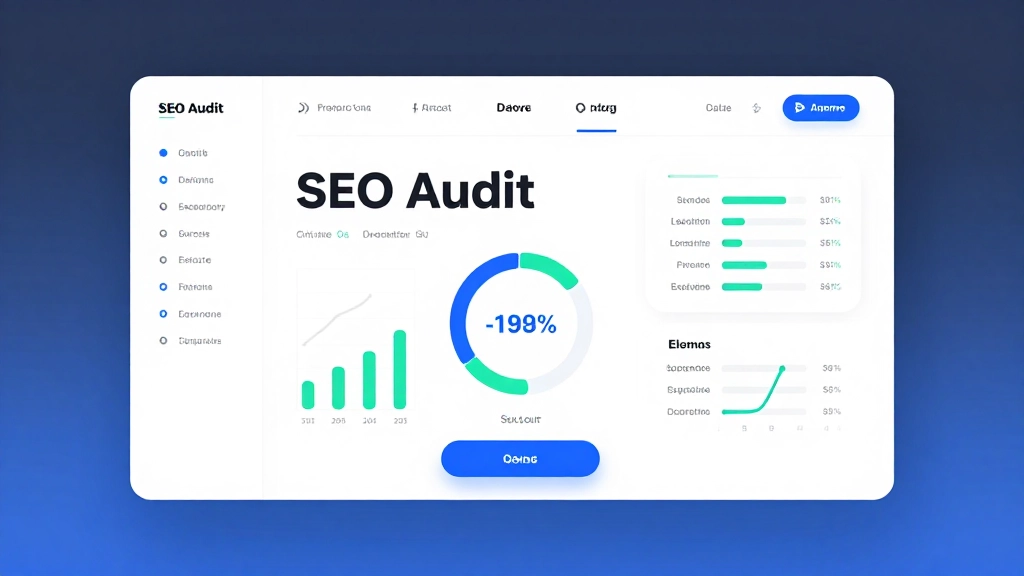
Ahrefs Webmaster Tools can crawl your website, identify technical SEO issues, highlight on-page problems, show information about your internal links, provide backlink data, and help you understand where your website needs attention.
In this guide, we’ll walk through what Ahrefs Webmaster Tools is, why it matters, how to set it up, what an SEO audit actually looks like, which problems you should prioritize, and how to turn the information you find into practical improvements.
So grab a cup of coffee, open your website, and let’s get your SEO house in order.
What Is Ahrefs Webmaster Tools?
Ahrefs Webmaster Tools is a free set of SEO tools from Ahrefs that allows verified website owners to analyze their own websites.
It combines two particularly useful capabilities:
- Site Audit
- Web analytics and SEO performance information
The Site Audit component is especially valuable because it crawls your website much like a search-engine crawler would and looks for technical and on-page SEO problems.
Instead of manually checking hundreds or thousands of URLs, you can let the crawler do much of the investigative work.
Depending on your website, an audit can uncover issues such as:
- Broken links
- Missing title tags
- Missing or poorly structured meta descriptions
- Duplicate content
- Redirect problems
- Canonicalization issues
- Crawlability problems
- Slow or problematic pages
- Orphan pages
- Internal linking opportunities
- Incorrect status codes
- Indexability problems
- Missing headings
- Image-related issues
- HTTPS problems
- JavaScript-related concerns
- Sitemap-related issues
That doesn’t mean every warning is an emergency.
In fact, one of the biggest lessons you can learn from using an SEO auditing tool is this:
An SEO issue is not automatically a business problem.
The goal isn’t to make every warning disappear.
The goal is to identify problems that can prevent search engines from discovering, understanding, indexing, or ranking your important content—and then fix the issues that matter most.
Why Should You Run an SEO Audit?
Think of your website like a physical store.
You might have beautiful products, attractive signs, excellent customer service, and great prices.
But what happens if:
- The front door is difficult to find?
- Several aisles are blocked?
- Some shelves are empty?
- Your best products are hidden in the back?
- Some signs point customers toward locked doors?
- The checkout doesn’t work properly?
You could have an amazing store, but customers would struggle to use it.
Your website works in much the same way.
You can write outstanding articles and publish beautiful pages, but technical problems can make it harder for search engines and users to access and understand your content.
An SEO audit helps uncover those hidden problems.
And that is why running an audit today can be so valuable.
Ahrefs Webmaster Tools Is Especially Useful for Small Websites
You don’t need a massive ecommerce store or enterprise website to benefit from technical SEO.
In fact, smaller websites can often benefit tremendously from running regular audits.
Imagine you’ve launched a 30-page business website.
Everything looks perfect from the front end.
But your audit discovers that:
- Five pages return 404 errors.
- Three important pages aren’t internally linked.
- Several pages have duplicate title tags.
- Your homepage links to an outdated URL.
- One section of the website is blocked from crawling.
- Images are missing useful alternative text.
- Several pages have very weak internal linking.
You might never notice these issues while casually browsing your website.
Search engines, however, encounter the technical structure of your site differently.
An audit gives you another perspective.
Getting Started With Ahrefs Webmaster Tools
The first step is to create or access an Ahrefs account and add your website to Webmaster Tools.
You’ll need to verify ownership of the website.
Verification is important because AWT provides website-specific information that shouldn’t be openly available to random visitors.
Once your website is verified, you can configure a crawl and begin collecting data.
The exact interface and available options can change over time, so don’t worry if your dashboard looks slightly different from screenshots or tutorials published months or years ago.
The underlying concept remains straightforward:
Tell Ahrefs which website to crawl, let it collect data, and then investigate the findings.
Step 1: Verify Your Website
Before Ahrefs can analyze your site properly, you’ll need to verify that you control it.
Verification methods can vary depending on your setup.
For example, you may be able to verify ownership through:
- Your website’s HTML
- DNS
- An existing analytics or webmaster connection
- Other supported verification methods
Choose the method that makes the most sense for your technical setup.
If you’re comfortable working with DNS, DNS verification can be a reliable long-term option.
If you’re using WordPress and aren’t particularly technical, another supported verification method may be easier.
The important thing is to complete the verification successfully.
Step 2: Configure Your First Crawl
Once your site is verified, you can configure a Site Audit project.
This is where things start getting interesting.
You can generally control things such as:
- Crawl scope
- Crawl sources
- Sitemap usage
- URL limits
- Crawl frequency
- Certain crawling settings
For your first audit, don’t overcomplicate things.
You want a reasonably complete picture of your website.
If your website has a sitemap, make sure Ahrefs can access it.
Your XML sitemap can provide a useful list of URLs that you consider important.
But remember:
A sitemap isn’t a substitute for good internal linking.
A URL being included in your sitemap doesn’t automatically mean it is well connected to the rest of your website.
Step 3: Let Ahrefs Crawl Your Website
Now comes the easy part.
Let the crawler work.
Depending on the size and complexity of your website, the crawl may take some time.
A tiny blog with a few dozen pages won’t take nearly as long to analyze as a large ecommerce website with thousands of product and category URLs.
When the crawl is complete, you’ll have a collection of reports and issues to investigate.
And this is where beginners often make a mistake.
They see a huge list of warnings and immediately think:
“My website is terrible.”
Don’t do that.
SEO auditing tools are designed to find things.
That’s their job.
A website can have dozens or even hundreds of reported issues without being fundamentally broken.
Your job is to separate:
Important problems
from
Minor recommendations
and
Things that don’t actually matter for your situation.
Understanding the Ahrefs Health Score
One of the first things you’ll probably notice is the overall health information for your website.
The Health Score provides a high-level way of understanding the proportion of internal URLs that don’t have certain reported errors.
It’s useful as a snapshot.
But don’t obsess over the number.
A website isn’t automatically successful because it has a high score.
Likewise, a website isn’t automatically doomed because its score is lower.
Think of the Health Score as your dashboard’s check-engine light, not the final diagnosis.
If the score drops significantly, investigate what changed.
If important pages have serious technical problems, fix those problems.
If the score is low because of dozens of low-priority notices that don’t affect your business, don’t panic.
Errors, Warnings, and Notices: What’s the Difference?
Ahrefs categorizes many findings by severity.
While exact classifications and interface details can evolve, the basic principle is simple.
Errors
Errors tend to represent more serious problems.
Examples might include:
- Broken pages
- Critical crawlability problems
- Serious redirects
- Important indexability issues
- Server-related problems
These deserve closer attention.
Warnings
Warnings may represent issues that aren’t necessarily catastrophic but are worth investigating.
Examples include:
- Duplicate metadata
- Weak internal linking
- Certain performance concerns
- Structural issues
Notices
Notices are often lower-priority recommendations or observations.
They can still be useful, but you shouldn’t necessarily stop everything you’re doing to fix every notice immediately.
A healthy SEO workflow prioritizes impact.
The Most Important Rule: Don’t Fix Everything at Once
This deserves its own section because it can save you hours.
When you run your first audit, you may see a long list of issues.
You might be tempted to open every report and start fixing things randomly.
That’s inefficient.
Instead, ask three questions:
1. Does this affect an important page?
A problem on your homepage or main money page deserves more attention than a problem on an obsolete archive page.
2. Can this prevent crawling, indexing, or ranking?
Technical problems affecting search-engine access should generally receive high priority.
3. Can fixing this improve the user experience?
If the problem affects both search engines and visitors, it’s often especially valuable to address.
This simple framework can turn a confusing audit into a manageable action plan.
Find Broken Pages and Broken Links
One of the first reports worth checking is broken links.
A broken link can create a poor user experience.
A visitor clicks a link expecting useful information and instead lands on a 404 page.
That isn’t ideal.
Search engines also have to deal with these dead ends while crawling your site.
Not every broken link is a disaster, but important broken links deserve attention.
What Causes Broken Links?
There are countless reasons.
Maybe you:
- Deleted an old article
- Changed a URL
- Renamed a product
- Moved a category
- Migrated your website
- Changed your permalink structure
- Made a typo in a link
- Linked to a page that no longer exists
These things happen.
Websites are living systems.
URLs change.
Content gets updated.
Businesses evolve.
The important thing is to periodically clean up the mess.
How to Fix Broken Links
When you discover a broken link, don’t automatically redirect everything to your homepage.
That’s a common shortcut, but it isn’t always the best solution.
Instead, determine what the user should actually see.
If the page was permanently moved
Use an appropriate redirect to the new URL.
If there is a replacement article
Update the internal link directly.
If the content is no longer relevant
Remove the link.
If the URL was typed incorrectly
Correct the link.
If the page should genuinely no longer exist
A 404 or 410 may be appropriate depending on the situation.
The right solution depends on the reason behind the broken URL.
Audit Your Title Tags
Title tags are among the simplest SEO elements to inspect.
Your title tells search engines and users what a page is about.
An audit can help you identify pages with:
- Missing titles
- Duplicate titles
- Extremely short titles
- Extremely long titles
- Potentially problematic title structures
This is useful because large websites often accumulate metadata problems over time.
For example, you might have 200 blog posts but discover that 30 of them accidentally use variations of the same title.
That’s an opportunity.
How to Write Better SEO Titles
A strong title should clearly communicate the subject of the page.
Instead of:
Home
you might use:
Affordable Web Design Services for Small Businesses
Instead of:
SEO Tips
you might use:
15 Practical SEO Tips for Small Business Websites
Instead of:
Product
you might use:
Handmade Damascus Steel Wedding Band – Custom Men’s Ring
The exact wording depends on the page and search intent.
But clarity should always come first.
Don’t turn your title into a pile of keywords.
Write for humans.
Check Your Meta Descriptions
Meta descriptions aren’t a magic ranking lever, but they can influence how your pages are presented in search results and potentially affect click behavior.
Ahrefs can help identify missing or problematic meta descriptions.
A useful meta description should:
- Explain what the page offers
- Match the search intent
- Encourage the right visitor to click
- Sound natural
- Avoid unnecessary keyword stuffing
Think of it as a short advertisement for your page.
If someone sees your page in search results, why should they choose it?
Your description can help answer that question.
Look for Duplicate Content
Duplicate content can become complicated, especially on larger websites.
Not every duplicate or near-duplicate page is automatically harmful.
For example, ecommerce websites frequently have URLs created by:
- Filters
- Sorting
- Tracking parameters
- Pagination
- Product variations
- Category combinations
The key question is:
Does this duplication create unnecessary competing URLs or confuse search engines about which page should be considered primary?
That’s a much more useful question than simply asking whether two pages contain similar words.
Canonical URLs Matter
Canonicalization helps communicate which version of a page should be considered the preferred version.
Imagine the same content is accessible through:
example.com/page
and
example.com/page?ref=123
and
example.com/page?source=email
Depending on your website setup, search engines may encounter multiple URL variations.
Proper canonicalization can help consolidate signals toward the preferred URL.
But don’t blindly add canonical tags everywhere.
They should accurately represent the relationship between pages.
Discover Orphan Pages
One of the most interesting areas to investigate during an audit is orphan pages.
An orphan page is essentially a page that has little or no internal linking from other pages on your website.
Imagine publishing a fantastic article.
You share it once on social media.
Then you never link to it again.
Over time, the article becomes isolated.
It’s technically on your website, but the rest of your website doesn’t help visitors or search engines discover it naturally.
That’s an internal architecture problem.
Why Internal Linking Is So Powerful
Internal links do much more than help visitors navigate.
They can help search engines understand:
- Which pages are important
- How topics relate to each other
- Which pages belong to the same content cluster
- Where authority and relevance should flow
- What certain pages are about
Suppose you have a website about gardening.
You might have:
Ultimate Gardening Guide
Then related articles such as:
- How to Prepare Soil
- Best Vegetables for Beginners
- How Often to Water Plants
- Organic Fertilizer Guide
- Container Gardening Tips
Instead of treating these as isolated articles, connect them intelligently.
Your main guide can link to supporting articles.
Supporting articles can link back to the main guide.
Related articles can reference one another where appropriate.
Now you have a connected topic ecosystem.
Find Pages With Too Few Internal Links
Some pages deserve more internal links.
An SEO audit can help you identify pages that aren’t receiving enough internal attention.
Pay particular attention to:
- Important commercial pages
- High-converting blog posts
- High-quality informational content
- Pages targeting valuable search terms
- Cornerstone content
- Category pages
If a page matters to your business, it shouldn’t be buried.
Analyze Redirects
Redirects are a normal part of managing a website.
You don’t need to be afraid of them.
But you should understand how they’re being used.
Common problems include:
- Redirect chains
- Redirect loops
- Links pointing to redirected URLs
- Incorrect redirect destinations
- Temporary redirects where permanent redirects would be more appropriate
Imagine:
Page A → Page B → Page C → Page D
That’s a redirect chain.
It would usually be cleaner to send:
Page A → Page D
where appropriate.
This reduces unnecessary steps for users and crawlers.
Check for Redirect Loops
A redirect loop is more serious.
For example:
Page A → Page B
Page B → Page A
Neither page can be reached normally because each one sends the visitor back to the other.
This can happen during website migrations or poorly configured redirect rules.
If your audit identifies redirect loops, investigate them quickly.
Examine HTTP Status Codes
Your website communicates with browsers and crawlers using HTTP status codes.
Some common ones include:
- 200: Successful response
- 301: Permanent redirect
- 302: Temporary redirect
- 404: Not found
- 410: Gone
- 5xx: Server-side error
Understanding these basic codes makes SEO auditing much easier.
You don’t need to become a server administrator.
You simply need to understand what your pages are telling search engines.
Pay Attention to 5xx Errors
Server errors can be particularly concerning.
A 5xx response generally means the server encountered a problem handling the request.
If important pages regularly return server errors, that’s something you should investigate.
Possible causes can include:
- Hosting problems
- Server configuration
- Plugins
- Themes
- Database issues
- Resource limitations
- Application errors
If you see widespread server errors, consider involving your developer or hosting provider.
Check HTTPS Issues
Your website should generally use HTTPS.
HTTPS protects data transferred between visitors and your website and is a fundamental part of modern web security.
During an audit, look for issues such as:
- HTTP versions of pages
- Mixed content
- Incorrect redirects
- Insecure resource references
- Certificate-related problems
If your site has recently migrated from HTTP to HTTPS, an audit can be particularly useful.
Find Pages That Can’t Be Crawled
Crawlability is one of the foundations of technical SEO.
If search engines can’t access a page properly, ranking it becomes much more difficult.
Possible causes include:
- Robots.txt restrictions
- Authentication requirements
- Server errors
- Incorrect directives
- Broken navigation
- Technical implementation problems
Not every blocked URL is a mistake.
Some pages should intentionally be blocked.
For example, you may not want search engines crawling certain internal utility pages.
The important question is:
Is the blocked page supposed to be blocked?
If yes, leave it alone.
If no, investigate.
Understand Robots.txt
Robots.txt is a file that provides crawling instructions to compliant crawlers.
It can be useful for controlling crawler access to certain areas of a website.
But beginners sometimes use robots.txt as a blunt instrument.
Be careful.
Blocking a URL from crawling is not necessarily the same thing as removing it from Google’s index.
If you’re trying to control indexing, there are other mechanisms that may be more appropriate depending on the situation.
Before changing robots.txt, understand exactly what you are trying to accomplish.
Review Your XML Sitemap
Your XML sitemap is another important part of website management.
A sitemap provides search engines with a list of URLs you want them to know about.
During your audit, look for inconsistencies.
For example, your sitemap ideally shouldn’t be filled with URLs that:
- Return 404 errors
- Redirect elsewhere
- Are blocked from crawling
- Are clearly non-canonical
- Shouldn’t be indexed
If your sitemap says:
“These are my important pages.”
your website should ideally support that statement.
Page Speed and Performance
Website performance matters for users.
Nobody enjoys waiting around for a page to load.
Performance can also influence the overall quality of a website experience.
An audit may highlight pages with performance-related concerns.
However, don’t treat every speed warning as a reason to rebuild your entire website.
Start with the biggest problems.
Look for:
- Very large images
- Excessive scripts
- Unnecessary plugins
- Heavy third-party resources
- Poor caching
- Slow server response
- Bloated themes
- Inefficient code
Then improve systematically.
Image SEO: The Easy Wins
Images are often overlooked.
That’s unfortunate because they can affect both accessibility and user experience.
Audit your images for issues such as:
- Missing alternative text
- Oversized files
- Poor file formats
- Unnecessarily large dimensions
- Descriptive problems
Don’t stuff keywords into alt text.
Instead, describe the image meaningfully when alt text is appropriate.
For example:
Bad:
“SEO SEO SEO tools SEO website ranking”
Better:
“Ahrefs Site Audit showing technical SEO issues on a website”
The goal is usefulness.
Review Your Heading Structure
Headings help organize content.
A page should have a logical structure.
For example:
Main Topic
First Major Section
Supporting Point
Supporting Point
Second Major Section
Supporting Point
Don’t obsess over heading hierarchy to the point that writing becomes unnatural.
But avoid using headings simply because they look visually attractive.
A heading should communicate structure.
Thin Content: Don’t Just Delete Everything
SEO auditing tools may identify pages with very little content.
But thin content isn’t always bad.
A short contact page can be perfectly useful.
A checkout page doesn’t need 2,000 words.
A product page can be valuable without becoming a 5,000-word essay.
The real issue is whether the page adequately satisfies its purpose and search intent.
A 200-word answer that completely solves a simple question can be better than a 3,000-word article filled with fluff.
So don’t automatically add words.
Ask:
Does this page give visitors what they came for?
Improve Content Instead of Chasing Word Count
This is one of the most important SEO lessons.
More words do not automatically mean better rankings.
Instead, focus on:
- Accuracy
- Completeness
- Original insights
- Useful examples
- Clear explanations
- Strong formatting
- Good user experience
- Search intent
- Relevant supporting information
If your article needs 800 words, write 800.
If it needs 3,000, write 3,000.
Don’t inflate content simply to hit a number.
Check Your Internal Link Architecture
Imagine your website as a city.
Your pages are buildings.
Your internal links are roads.
If every important building connects to major roads, people can move around easily.
If some buildings are hidden down isolated paths, they become harder to discover.
Good internal linking creates a logical network.
You should be able to look at your website and understand:
What are my most important pages?
How are those pages connected?
Which pages support them?
Where should visitors go next?
Use Anchor Text Naturally
Anchor text is the clickable text in a link.
Instead of repeatedly using generic phrases like:
Click here
you can often use descriptive text.
For example:
Learn more about technical SEO audits
is more informative than:
Click here
But don’t force exact-match keywords into every internal link.
Natural language is usually better.
Look for Pages With Strong Backlinks
Ahrefs is especially well known for backlink analysis.
Even within a broader website audit workflow, backlink information can be incredibly useful.
You may discover that an old article has earned dozens of external links.
That’s valuable.
Now ask:
Is this page still one of my best resources?
If not, maybe you can:
- Update it
- Improve it
- Add fresh examples
- Fix outdated information
- Add internal links
- Redirect it to a better replacement where appropriate
Your existing backlink equity can sometimes point you toward content worth improving.
Don’t Ignore Your Best Existing Pages
SEO often focuses heavily on creating new content.
But your website may already contain hidden opportunities.
Imagine you have 100 articles.
Ten of them generate most of your organic traffic.
Another 20 are sitting on page two of search results.
Those page-two articles could be incredibly interesting.
Instead of publishing another 50 posts, you might get more value from improving the 20 articles that are already showing search engines some relevance.
Look at:
- Search intent
- Content depth
- Internal links
- Titles
- Headings
- Freshness
- Original examples
- User experience
Sometimes the fastest SEO win isn’t a new article.
It’s an old article that deserves a second chance.
Use the Audit to Create a Content Refresh Strategy
Your audit doesn’t have to be purely technical.
You can use what you discover to create a content improvement plan.
For each important page, ask:
Is the page still accurate?
Update outdated facts.
Does it satisfy search intent?
Compare what users are looking for with what the page actually provides.
Does it have strong internal links?
Connect it to relevant content.
Is the title compelling?
Improve clarity and relevance.
Does the page offer something unique?
Add examples, experience, research, original insights, or useful resources.
Is the page easy to read?
Improve formatting.
This turns SEO auditing into a content strategy rather than a technical cleanup exercise.
A Simple Priority System for Your Ahrefs Audit
Here’s a practical way to organize your findings.
Priority 1: Critical Problems
Fix these first.
Examples:
- Important pages returning errors
- Major crawlability problems
- Incorrect indexing directives
- Serious redirect loops
- Widespread server errors
- Broken canonicalization affecting important pages
Priority 2: High-Impact Problems
These can meaningfully improve your site.
Examples:
- Broken internal links
- Important orphan pages
- Duplicate titles
- Missing important metadata
- Poor internal linking
- Significant performance problems
- Sitemap inconsistencies
Priority 3: Optimization Opportunities
These are useful but shouldn’t distract you from bigger problems.
Examples:
- Minor metadata improvements
- Image optimization
- Heading improvements
- Internal anchor text refinements
- Content consolidation opportunities
Priority 4: Cosmetic or Low-Impact Notices
Handle these when you have time.
Don’t spend three hours fixing a minor warning while your most important landing page is returning a server error.
SEO is about prioritization.
What Ahrefs Webmaster Tools Does Not Do
It’s important to understand the limits of a free SEO auditing tool.
AWT can give you valuable technical information, but it isn’t a magic SEO machine.
It doesn’t automatically:
- Write excellent content
- Understand your business better than you do
- Guarantee rankings
- Create a successful marketing strategy
- Replace human judgment
- Make search intent irrelevant
- Turn a weak website into an authority overnight
An audit is a diagnostic tool.
Think of it like a mechanic inspecting your car.
The mechanic can tell you:
“Your brakes are worn.”
But someone still needs to decide what to do about it.
SEO works similarly.
The tool finds opportunities.
You make the strategic decisions.
Ahrefs Webmaster Tools vs. Google Search Console
A natural question is:
If Google Search Console is free, why use Ahrefs Webmaster Tools?
The answer is that they serve different purposes.
Google Search Console provides direct information about how Google interacts with your website, including search performance and indexing-related information.
Ahrefs Webmaster Tools provides its own crawling and auditing perspective, along with Ahrefs’ SEO data.
Using both can be extremely helpful.
Think of them as two different windows into your website.
Google Search Console asks:
“How is Google seeing my website in Search?”
Ahrefs Site Audit asks:
“What technical and structural issues can I find across this website?”
Neither has to replace the other.
In fact, using both can give you a more complete picture.
Why You Should Use Multiple SEO Data Sources
SEO data isn’t perfect.
Different tools crawl websites differently.
Different systems discover different URLs.
Different platforms measure different things.
That’s normal.
Instead of asking:
“Which tool is always right?”
ask:
“What does the evidence suggest?”
If Ahrefs finds a broken link and you can reproduce it yourself, that’s useful.
If Search Console reports an indexing issue and you can identify the affected pages, investigate it.
If analytics shows visitors abandoning a page and your technical audit finds slow loading, you’ve found an interesting connection.
SEO becomes much more powerful when you combine evidence.
A Practical 30-Minute Ahrefs Audit
Don’t have all day?
No problem.
You can still get meaningful value from a quick review.
First 5 Minutes: Check the Overview
Look at:
- Overall health
- Major errors
- Warnings
- Number of crawled pages
- Major trends
Don’t dive into every detail yet.
Get the big picture.
Next 5 Minutes: Check Errors
Look for the most serious problems.
Ask:
Which errors affect important URLs?
Focus there.
Next 5 Minutes: Check Broken Links
Look at broken internal links.
Fix the important ones first.
Next 5 Minutes: Review Indexability and Crawlability
Look for:
- Important pages blocked
- Unexpected noindex directives
- Canonical problems
- Status-code problems
Next 5 Minutes: Check Internal Linking
Look for important pages that appear isolated.
Find opportunities to connect related content.
Final 5 Minutes: Create Your Action List
Write down your top five issues.
Not 50.
Not 100.
Five.
For example:
- Fix broken links to important pages.
- Correct duplicate titles on category pages.
- Improve internal links to three money pages.
- Fix sitemap URLs returning redirects.
- Update two high-potential blog posts.
Now you have a plan.
A Better Monthly SEO Audit Routine
Once you’ve run your first audit, don’t stop.
Websites change constantly.
You publish new content.
You delete old pages.
Plugins update.
URLs change.
Developers modify templates.
Products go out of stock.
Categories get reorganized.
All of these things can introduce SEO problems.
A monthly audit can help you catch them before they grow.
What to Check Every Month
Create a simple recurring process.
Technical health
Look for major errors and warnings.
Broken links
Fix important internal links.
Indexability
Make sure valuable pages can be discovered and indexed.
Redirects
Look for unnecessary chains and incorrect destinations.
Internal linking
Strengthen important pages.
Sitemap
Make sure it contains the URLs you actually want search engines to know about.
Content
Identify pages that need updating.
Performance
Watch for obvious page-speed problems.
You don’t have to spend hours every month.
Consistency is more important than perfection.
What to Do After Fixing Your Audit Issues
This is another place where beginners can get stuck.
They fix everything and then ask:
“Why haven’t my rankings doubled?”
Because technical SEO is only one part of the equation.
Once your website is technically sound, shift your attention toward:
- Keyword research
- Search intent
- Content quality
- Topical authority
- Internal linking
- Backlinks
- Brand visibility
- Conversion optimization
- User experience
Think of technical SEO as preparing the foundation.
A strong foundation doesn’t guarantee that you’ll build a skyscraper.
But a weak foundation can make everything else harder.
Don’t Obsess Over SEO Scores
This is worth repeating.
SEO tools love scores.
Humans love scores too.
They’re easy to understand.
92% sounds better than 67%.
But rankings aren’t determined by an Ahrefs Health Score.
Google doesn’t see your website and say:
“Ahrefs says this website has a 96 Health Score. Let’s rank it number one.”
That’s not how search works.
Your score is useful for monitoring technical health.
It is not your SEO grade.
Focus on Business Impact
Let’s say your audit identifies two issues.
Issue A
A tiny image on an old blog post is slightly larger than recommended.
Issue B
Your primary service page has no internal links from your strongest articles.
Which should you fix first?
Probably Issue B.
Why?
Because it has greater potential business impact.
This is the mindset you want to develop.
Don’t ask:
“How do I get rid of all the warnings?”
Ask:
“Which problems are most likely to improve my website?”
That’s much more strategic.
Ahrefs Webmaster Tools for Bloggers
If you’re a blogger, AWT can be especially helpful.
Blogging websites often accumulate technical clutter over time.
You may have:
- Old posts
- Deleted posts
- Category pages
- Tag pages
- Author archives
- Pagination
- Internal redirects
- Broken links
- Outdated content
- Duplicate topics
A regular audit helps keep everything organized.
Ahrefs Webmaster Tools for Small Businesses
Small business websites can benefit too.
Imagine you operate a local service company.
Your website may have:
- Homepage
- Service pages
- Location pages
- About page
- Contact page
- Blog
- FAQ section
Your most important SEO pages are likely your service and location pages.
During your audit, prioritize those.
Make sure:
- They are indexable
- They have descriptive titles
- They are internally linked
- They don’t return errors
- They have useful content
- They provide clear next steps
- They load properly
Don’t let your SEO audit become an academic exercise.
Connect it to your business.
Ahrefs Webmaster Tools for Ecommerce Websites
Ecommerce websites can become technically complicated very quickly.
You might have thousands of URLs generated by:
- Products
- Categories
- Filters
- Sort parameters
- Variations
- Search pages
- Tags
- Pagination
An audit can help you identify crawl inefficiencies and structural issues.
But ecommerce SEO requires extra caution.
Don’t blindly block every parameter.
Don’t automatically canonicalize everything to a category.
Don’t delete pages simply because they have little text.
Understand what each URL does.
The Biggest Beginner Mistakes
Let’s talk about the common mistakes that can make an SEO audit less useful.
Mistake #1: Fixing Everything
Not every warning matters equally.
Prioritize.
Mistake #2: Changing Technical Settings Without Understanding Them
SEO settings can have significant consequences.
Don’t change robots.txt, canonical tags, redirects, or indexing settings just because a tool flagged something.
Understand the recommendation first.
Mistake #3: Focusing Only on Technical SEO
A technically perfect website can still have terrible content.
You need both.
Mistake #4: Chasing Scores
Scores are indicators.
They aren’t business outcomes.
Mistake #5: Ignoring Users
SEO isn’t only about crawlers.
If your website is difficult to use, people won’t be happy even if your technical SEO looks excellent.
Mistake #6: Creating New Content Instead of Improving Existing Content
Sometimes your best opportunity is already sitting on your website.
Mistake #7: Never Auditing Again
A one-time cleanup is helpful.
An ongoing process is better.
A Simple SEO Audit Checklist
Here is a practical checklist you can use after every crawl.
- Review the overall Site Audit health.
- Check serious errors first.
- Identify broken internal links.
- Review broken pages and 4xx responses.
- Investigate unexpected 5xx responses.
- Check redirect chains.
- Look for redirect loops.
- Review important canonical URLs.
- Check unexpected noindex pages.
- Review robots.txt-related crawl issues.
- Inspect XML sitemap problems.
- Find orphan or poorly linked pages.
- Review duplicate title tags.
- Check missing title tags.
- Review meta description issues.
- Check heading structure.
- Investigate image problems.
- Review important pages for internal links.
- Identify content that needs updating.
- Check important pages for performance concerns.
- Prioritize fixes based on business impact.
- Re-crawl after major fixes.
- Monitor whether the problems return.
What to Fix First: A Real-World Example
Let’s imagine you run a website about personal finance.
Your Ahrefs audit finds 47 issues.
At first, that sounds terrible.
But after reviewing them, you discover:
3 errors
Two important articles link to deleted pages.
One major resource page has a crawlability problem.
12 warnings
Several pages have duplicate metadata.
32 notices
Most relate to minor optimization opportunities.
What should you do?
Notices can wait.
The three errors deserve immediate attention.
Then you can work through the duplicate metadata.
This is how you avoid SEO overwhelm.
After Fixing Issues, Run Another Crawl
One of the most satisfying parts of an SEO audit is watching problems disappear.
After making important fixes, run another crawl.
You want to know:
Did the fix actually work?
For example:
Before:
25 broken internal links
After:
3 broken internal links
That’s progress.
Before:
15 pages with missing titles
After:
2 pages with missing titles
Excellent.
The audit becomes a feedback loop:
Crawl → Identify → Prioritize → Fix → Re-crawl → Monitor
That’s the process.
Don’t Expect Instant Ranking Changes
Technical fixes can take time to produce visible search changes.
Search engines need to:
- Discover the changes.
- Crawl your pages.
- Process the changes.
- Reevaluate the pages.
- Update search results.
Some changes may become apparent relatively quickly.
Others may take longer.
Don’t panic if your rankings don’t move tomorrow morning.
SEO is a long-term process.
Turn Ahrefs Findings Into a Spreadsheet
If you manage a larger website, organize your audit findings.
Create columns such as:
| Issue | URL | Priority | Action | Owner | Status |
|---|---|---|---|---|---|
| Broken link | /example-page | High | Update link | SEO | Open |
| Duplicate title | /service | Medium | Rewrite title | Content | Open |
| Redirect chain | /old-page | High | Update redirect | Developer | In progress |
| Missing metadata | /blog/article | Low | Add description | Content | Open |
This simple system can turn a giant audit into a manageable project.
SEO Auditing Is About Learning Your Website
There’s another benefit of using Ahrefs Webmaster Tools that people sometimes overlook.
You start understanding your website better.
You learn:
- Which pages exist
- Which pages are important
- How your site is connected
- Where technical problems occur
- Which content is isolated
- How URLs change
- Where your website has accumulated clutter
In other words, the audit isn’t just about fixing errors.
It’s about gaining a clearer mental model of your website.
And that’s extremely valuable.
Why You Should Run Your First Audit Today
If you’ve never used Ahrefs Webmaster Tools, there’s very little reason to keep guessing about your site’s technical health.
You might assume everything is fine.
Maybe it is.
But wouldn’t it be better to know?
A website can look completely normal to a human visitor while hiding problems beneath the surface.
That’s why an audit is so useful.
It gives you evidence.
Instead of saying:
“I think my website is technically okay.”
you can say:
“I crawled the website, reviewed the important issues, fixed the high-priority problems, and verified the changes.”
That’s a much stronger position.
The Best SEO Strategy Is Usually Boring
This might sound strange, but successful SEO is often less exciting than people expect.
It’s not always about discovering some secret Google trick.
Sometimes it’s simply:
- Fix the broken links.
- Improve the page.
- Add useful internal links.
- Clean up redirects.
- Make important content easy to find.
- Improve the user experience.
- Keep the sitemap clean.
- Update outdated information.
- Publish genuinely useful content.
- Earn legitimate mentions and links.
- Repeat.
There is beauty in that simplicity.
You don’t need to chase every new SEO trend.
You need to build a website that is technically accessible, useful, trustworthy, and easy to understand.
Final Thoughts: Run Your Ahrefs Webmaster Tools Audit Today
Your website doesn’t need to be perfect.
No website is.
But it should be healthy enough that technical problems aren’t quietly holding back your best work.
Ahrefs Webmaster Tools gives website owners a practical way to uncover those problems for free.
You can use it to identify broken links, crawlability issues, metadata problems, redirect complications, internal linking weaknesses, sitemap inconsistencies, performance concerns, and many other potential opportunities.
But remember the most important lesson:
Don’t audit your website just to collect warnings. Audit it to make better decisions.
Start with the problems that matter.
Fix the issues affecting important pages.
Strengthen your internal architecture.
Improve your content.
Make your website easier for people and search engines to navigate.
Then crawl it again.
Over time, this creates a simple but powerful SEO habit:
Inspect → Understand → Prioritize → Improve → Repeat.
And if you haven’t run an audit recently, today is a great day to start.
Your website may already be doing better than you think.
Or you may discover a handful of problems that have been quietly sitting there for months.
Either way, knowing is better than guessing.
So open Ahrefs Webmaster Tools, verify your website, start your first crawl, grab a notebook—or your favorite project tracker—and find the five most important SEO issues you can fix this week.
You don’t have to fix everything today.
You just have to make your website a little better than it was yesterday.
And that’s how sustainable SEO growth is built.
 Previous Post
 Next Post