


Writing blog posts that rank on Google in 2026 requires a significant shift in strategy. It’s no longer just about sprinkling keywords throughout an article. Today’s search landscape, dominated by AI Overviews and a greater emphasis on user trust, demands a holistic approach that combines solid technical foundations, a deep understanding of search intent, and, most importantly, demonstrable real-world experience .
Here is your comprehensive guide to writing posts that rank.
🧠 The Modern Ranking Mindset: Beyond Keywords
Before diving into tactics, it’s crucial to understand the new rules. Google’s algorithms have evolved far beyond simple keyword matching. They now prioritize understanding the meaning and trustworthiness of your content. This is evaluated through the lens of E-E-A-T: Experience, Expertise, Authoritativeness, and Trustworthiness .
- Experience: Do you have first-hand experience with the topic? This is a major differentiator in 2026. Showing real-world use is more valuable than generic information .
- Expertise: Do you have the necessary knowledge or credentials, especially for “Your Money or Your Life” (YMYL) topics like health or finance? .
- Authoritativeness: Are you a recognized source? This is often earned through mentions and backlinks from other reputable sites .
- Trustworthiness: Is your site accurate, transparent, and secure? This is the most important factor .
Furthermore, search is now “Search Everywhere Optimization.” Your content needs to be clear and structured enough to be understood not just by Google, but by AI assistants, voice search, and video platforms . The goal has shifted from just getting a click to being the authoritative source that AI systems want to cite .
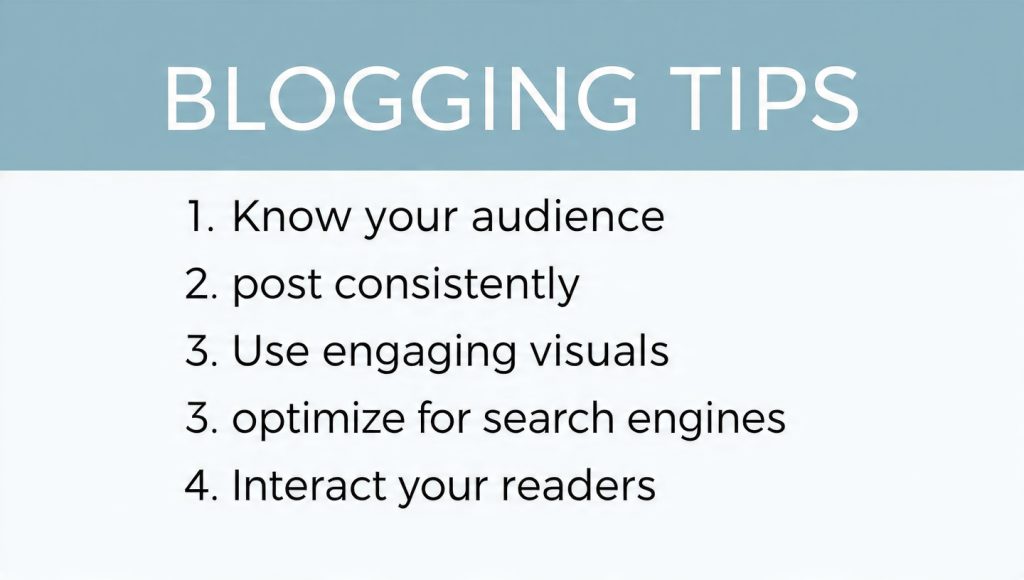
📝 Your Step-by-Step Guide to Writing a Ranking Post
Follow this process to create content that satisfies both search engines and human readers.
Phase 1: Research & Planning (The Foundation)
1. Choose a Topic with Real Search Demand
Don’t just write about what you want to write about; write about what people are searching for. Start with a broad topic related to your niche and use keyword research tools to find specific questions your audience is asking .
- Actionable Tip: Instead of targeting a highly competitive term like “social media marketing,” look for long-tail, specific phrases like “social media marketing strategy for small bakeries” or “how to measure social media ROI in 2026.” These have clearer intent and less competition .
2. Decode the User’s Search Intent
Understanding why someone is searching for that keyword is critical . Is their intent informational (wanting to learn), commercial (researching before a buy), or transactional (ready to purchase)? .
- Actionable Tip: Look at the current top-ranking pages for your target keyword. If they are all “best of” lists or buying guides, creating a simple informational article will not satisfy the searcher’s intent, and you won’t rank .
3. Find Your Angle: Ancillary Keywords & Questions
A single post should aim to cover a topic comprehensively. This means targeting not just one keyword, but a cluster of related terms and questions .
- Actionable Tip: Use the “People also ask” boxes, “Related searches” at the bottom of Google’s results page, and keyword tools to find questions and subtopics related to your main keyword. These become your subheadings (H2s) . This approach helps you build “topic authority” .
Phase 2: Writing & Optimizing (The Execution)
4. Structure Your Content for Humans and AI
A well-structured page helps readers skim and search engines understand your content’s hierarchy . This is non-negotiable for appearing in AI Overviews .
- Use a clear heading structure (H1, H2, H3): Your H1 is your title. H2s should be your main subtopics, and H3s can break those down further.
- Keep paragraphs short (2-4 sentences): Large walls of text are intimidating and perform poorly on mobile .
- Use bullet points and numbered lists: They are scannable and often get pulled into featured snippets .
5. Write Compelling, People-First Content
Your primary goal is to answer the searcher’s question as clearly and comprehensively as possible. Aim for depth, but don’t add fluff just to hit a word count .
- Get to the point quickly: Prove to the reader (and Google) that your content is relevant by using your target keyword naturally in the introduction .
- Show, don’t just tell: This is where E-E-A-T’s “Experience” comes in. Back up your claims with original data, screenshots, case studies, personal anecdotes, or photos from your own testing . For example, a “best hiking boots” review is infinitely more valuable if it includes photos of the boots after a 50-mile hike and details about comfort and durability.
6. Optimize On-Page Elements for Clicks
Your title tag and meta description are your first impression in search results. Optimize them to get that click .
- Title Tag (H1): Keep it under 60 characters, include your primary keyword, and make it compelling. Use power words or numbers (e.g., “10 Proven Ways…”) .
- Meta Description: Write a concise (under 160 characters) summary that includes your keyword and a clear call to action, enticing the user to click .
- URL: Keep it short, descriptive, and include your target keyword (e.g.,
yoursite.com/hiking-boots-review) .
7. Place Keywords Naturally and Strategically
Forget keyword stuffing. Use your primary keyword in a few key places to signal relevance, and then focus on using related terms and synonyms naturally throughout the text .
- Include your primary keyword in the: Title (H1), URL, first 100 words of content, at least one H2 subheading, and image alt text .
8. Enhance with Multimedia and Schema Markup
Visuals and structured data make your content more engaging and easier for search engines to interpret .
- Images & Video: Use original images and compress them for fast loading. Always add descriptive alt text that includes keywords where relevant for accessibility and image search SEO .
- Schema Markup: This is code that helps search engines understand your content type. For blog posts, consider adding
Article,FAQPage, orHowToschema. This can make you eligible for rich results like featured snippets or expandable FAQs in the search results .
Phase 3: Building Trust & Authority (The Long Game)
9. Build a Smart Internal Linking Network
Internal links help Google discover other pages on your site and pass authority (often called “link juice”) between them. They also keep readers engaged longer .
- Actionable Tip: From your new post, link to 2-3 other relevant posts on your blog using descriptive anchor text (e.g., “For more on keyword research, check out our guide to finding long-tail keywords“). Then, go back to your older, related posts and add a link to your new one .
10. Demonstrate E-E-A-T on Every Page
This is about building overall trust in your site and yourself as an author .
- Detailed Author Bio: Every post should be attributed to a real person. Include an author bio that outlines their experience and expertise related to the topic. Link to their professional social media profiles .
- “About Us” and “Contact” Pages: Have a robust “About Us” page that tells your story and a clear way for readers to contact you. This is a basic trust signal .
- Cite Credible Sources: When you make factual claims, link out to authoritative, original sources. This shows you’ve done your research and adds credibility .
- Keep Information Current: Regularly review and update your top-performing posts with the latest information and data. Outdated content signals a lack of trustworthiness .
By following this comprehensive guide, you’ll be writing posts that are not only optimized for Google’s algorithms but are also genuinely helpful and trustworthy for the people reading them—which is exactly what modern search engines reward.
 Previous Post
 Next Post