Starting a blog is exciting. You have ideas you want to share, stories you want to tell, knowledge you want to teach, and perhaps even a dream of turning your website into a meaningful source of income.
But there is one decision that can feel surprisingly complicated when you are just getting started:
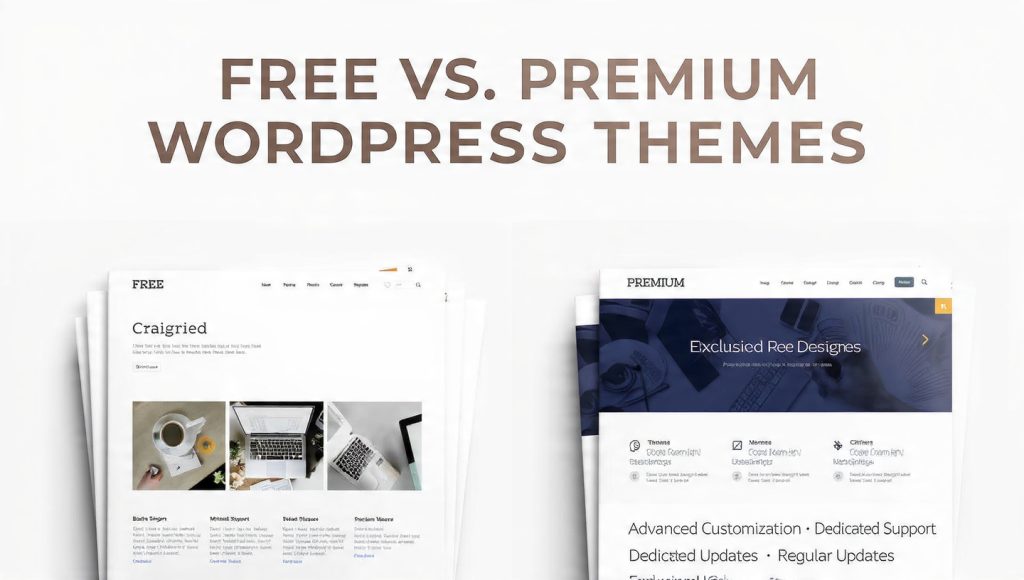
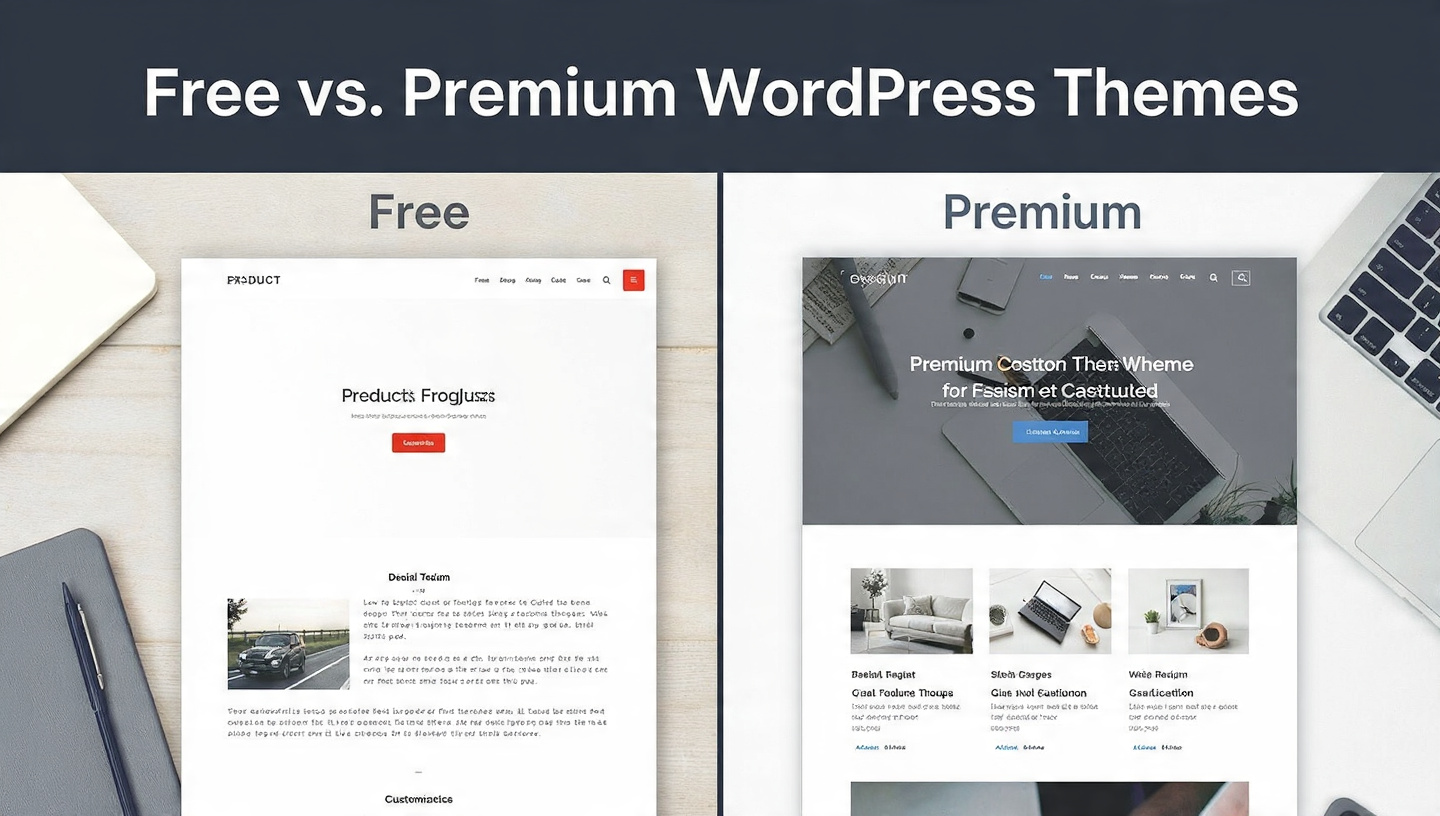
Should you use a free WordPress theme or pay for a premium one?
If you have spent any time browsing WordPress themes, you already know how easy it is to become overwhelmed. There are thousands of themes available, and they come with different designs, features, customization options, performance claims, support plans, and price tags.
Some free themes look incredibly professional. Some premium themes offer dozens of features you may never use. And sometimes, a simple free theme can be a much better choice for a beginner than an expensive theme packed with unnecessary extras.
So which option is actually better for a new blogger?
The honest answer is: it depends on your goals, budget, technical confidence, and the type of blog you are building.
For many beginners, starting with a quality free theme is perfectly sensible. It lets you learn WordPress, publish content, experiment with layouts, and discover what you actually need before spending money.
For other bloggers, a premium theme can be a worthwhile investment from day one because it provides better customization, support, design flexibility, advanced features, and a more polished foundation.
In this guide, we will take a friendly, practical look at free and premium WordPress themes. We will explore their advantages and disadvantages, compare them across important categories, explain when you should pay for a theme, and help you choose the option that makes sense for your blog.
What Is a WordPress Theme?
Before comparing free and premium themes, it helps to understand what a WordPress theme actually does.
A WordPress theme controls much of the visual presentation of your website.
Think of your WordPress website as a house.
Your content is everything inside the house: your blog posts, images, pages, videos, products, and other information.
The theme is closer to the architecture and interior design. It determines how that content is arranged and displayed.
A theme can influence things such as:
- Website layout
- Typography
- Colors
- Header design
- Navigation menus
- Blog post layouts
- Sidebar placement
- Footer design
- Buttons
- Featured images
- Archive pages
- Mobile appearance
- Page widths
- Content spacing
- Widgets
- Some theme-specific functionality
The theme does not replace your content management system. WordPress remains the platform underneath it.
Instead, the theme provides the visual and structural framework that visitors interact with.
This is why choosing the right theme matters.
However, choosing a theme does not mean you need to find the most expensive or feature-packed option available.
In fact, beginners often make the mistake of treating themes like smartphones: assuming that more features automatically mean a better experience.
That’s not always true.
Free WordPress Themes Explained
A free WordPress theme is a theme that you can install and use without purchasing a theme license.
There are many excellent free themes available, including themes designed specifically for blogs, magazines, portfolios, businesses, online stores, and personal websites.
A quality free theme can provide everything a beginner needs to launch a professional-looking blog.
Why Are Some Themes Free?
You might wonder how theme developers can afford to give away themes.
There are several common reasons.
A developer might offer a free version as an introduction to a paid product. The free theme provides a useful foundation, while premium features are available through an upgrade.
Other themes are completely free and open source.
Some developers make money through related services, plugins, premium support, customization, or other products.
This means “free” does not automatically mean “low quality.”
That’s an important distinction.
Premium WordPress Themes Explained
Premium WordPress themes require payment, usually through a one-time purchase, annual subscription, or another licensing arrangement.
Premium themes often provide additional features and services compared with their free counterparts.
Depending on the theme, you may receive:
- More customization options
- Additional layouts
- Advanced typography controls
- More header and footer designs
- Pre-built templates
- Advanced blog layouts
- Better support
- More frequent updates
- WooCommerce features
- Marketing-focused components
- Advanced theme settings
- Demo imports
- Additional design elements
However, premium does not automatically mean better.
A poorly developed premium theme can still be slow, complicated, outdated, or difficult to customize.
The quality of the developer matters more than the price alone.
Free vs. Premium WordPress Themes: The Quick Answer
If you want the short version, here’s a practical way to think about it:
Choose a free theme if:
- You are just starting your first blog.
- Your budget is limited.
- You want to learn WordPress before spending money.
- You don’t need advanced design features.
- You are comfortable with a relatively simple website.
- You want to focus primarily on publishing content.
- You don’t yet know what features you need.
Choose a premium theme if:
- You want extensive customization.
- You need a distinctive brand design.
- You want advanced templates and layouts.
- You value professional support.
- You plan to build a business around your website.
- You want access to additional features.
- You expect your blog to grow significantly.
- You would rather pay for convenience than spend time working around limitations.
For a brand-new blogger, starting free is often a perfectly good strategy.
But if you already know exactly what you need and have the budget, a premium theme can save time and provide a stronger foundation.
The Biggest Advantage of Free Themes: They Cost Nothing
Let’s start with the obvious benefit.
Free themes are free.
For a beginner blogger, this can be a huge advantage.
When you’re starting a blog, you may already have expenses such as:
- Domain registration
- Web hosting
- Email services
- Plugins
- Logo design
- Photography
- Marketing
- Writing tools
- SEO tools
- Business services
Adding another expense may not be necessary.
If a free theme can provide the design you need, why spend money before you know whether you even need premium functionality?
That’s especially true if your primary goal is simply to start publishing.
Your first few months should often be about learning.
You are learning:
- What your audience likes
- Which topics perform well
- How WordPress works
- How to create content
- How search engines work
- How to promote your blog
- How visitors navigate your site
- What features you actually need
A free theme gives you room to learn without increasing your expenses.
The Biggest Advantage of Premium Themes: More Flexibility
Premium themes generally provide more customization options.
You may be able to change:
- Header styles
- Navigation layouts
- Blog grids
- Fonts
- Colors
- Button styles
- Page templates
- Sidebar arrangements
- Footer layouts
- Featured content sections
- Author boxes
- Related posts
- Category layouts
This can be particularly valuable if your blog is becoming a business.
For example, imagine that you start a food blog.
Initially, you might only need:
- Blog posts
- Categories
- Recipe images
- An About page
- A Contact page
A simple free theme may be perfect.
But eventually you may want:
- Recipe cards
- Advanced search
- Featured recipe sections
- Email signup areas
- Product recommendations
- Affiliate content
- Custom landing pages
- Multiple content layouts
At that point, a premium theme may become more attractive.
Free Themes Can Look Professional
One of the biggest misconceptions among beginners is that free means amateur.
That’s simply not true.
There are free WordPress themes that look extremely polished.
A clean free theme with:
- Strong typography
- Good spacing
- High-quality images
- A clear navigation menu
- Consistent branding
- Well-structured content
can look far better than an expensive theme that has been overloaded with unnecessary design elements.
Your visitors don’t know how much you paid for your theme.
They care about the experience.
If your website loads quickly, looks clean, works well on phones, and makes your content easy to read, you are already ahead of many websites.
Premium Themes Can Also Be Overwhelming
Premium themes often come with lots of settings.
That sounds like a benefit, but beginners can sometimes find it frustrating.
You may open the theme customization panel and discover dozens of options.
You might see settings for:
- Header layouts
- Sticky menus
- Mega menus
- Breadcrumbs
- Multiple sidebars
- Different archive designs
- Animation settings
- Typography controls
- Social integrations
- Custom post layouts
- Footer widgets
- Ad placements
- Related posts
- Popups
- Custom scripts
At first, this can feel exciting.
Then you realize you don’t understand half of the options.
That’s when “more features” can become “more work.”
For a beginner, simplicity can actually be a feature.
Free vs. Premium: Design Quality
Design is one of the first things bloggers think about when choosing a theme.
And understandably so.
Your website is often the first impression visitors have of your brand.
Free Themes
Free themes typically offer fewer design variations.
You may have a smaller selection of:
- Header styles
- Blog layouts
- Color options
- Typography controls
- Templates
- Content blocks
But that doesn’t mean your website will look bad.
A clean, minimal design can be incredibly effective.
Premium Themes
Premium themes often provide more design choices.
You may get several homepage layouts, multiple blog formats, custom headers, advanced footers, and pre-built templates.
This can make it easier to create a website that feels unique.
Winner: Premium
If customization and design flexibility are your priorities, premium themes generally have the advantage.
But if simplicity is your priority, free themes can be more than enough.
Free vs. Premium: Customization
Customization is another important difference.
Free themes may let you change basic elements such as:
- Colors
- Fonts
- Logo
- Header image
- Menus
- Widgets
- Backgrounds
Premium themes often go much further.
You might be able to control individual sections and create different layouts for different parts of your website.
For bloggers who care deeply about branding, this can be valuable.
Imagine you’re building a personal brand.
You want your website to have a distinctive:
- Color palette
- Typography system
- Homepage
- Blog archive
- Author page
- Newsletter section
- Footer
A premium theme can make this process easier.
Winner: Premium
Free vs. Premium: Ease of Use
This category is more complicated.
You might assume free themes are easier because they have fewer features.
Often that’s true.
But not always.
A well-designed premium theme can provide an excellent setup wizard that helps you import a complete website design within minutes.
Meanwhile, some free themes may require more manual configuration.
So the real question isn’t simply:
“Is it free or premium?”
Instead ask:
“How well is the theme designed?”
A good theme should make common tasks straightforward.
Free vs. Premium: Support
Support is one area where premium themes frequently have an advantage.
With a free theme, support may be limited.
You might have access to:
- Documentation
- Community forums
- Knowledge bases
- Public support threads
Depending on the developer, support can range from excellent to minimal.
Premium themes often include dedicated support.
That can be extremely useful when something goes wrong.
Imagine you have spent several hours creating your homepage.
Then you update WordPress and something stops working.
If you’re not technical, troubleshooting can be stressful.
Having access to a support team can save hours of frustration.
Winner: Premium
Free vs. Premium: Updates
WordPress is constantly evolving.
WordPress itself receives updates. Plugins receive updates. Browsers change. Security standards evolve.
Your theme needs to keep up.
A theme that isn’t maintained can eventually become problematic.
When evaluating a theme, whether free or premium, look at:
- Last update
- Update frequency
- WordPress compatibility
- Developer reputation
- User reviews
- Support quality
- Changelog
- Documentation
Don’t choose a theme simply because the design looks beautiful.
A beautiful theme that hasn’t been maintained is not a good long-term investment.
Winner: It Depends
A good free theme can receive excellent updates.
A poorly maintained premium theme can still become outdated.
Free vs. Premium: Website Speed
Website speed matters.
Visitors don’t want to wait around for a page to load.
Search engines also care about page experience and performance.
This creates an important lesson:
Do not assume that premium means faster.
Some premium themes are beautifully optimized.
Others include so many features, scripts, animations, sliders, and design components that they can become unnecessarily heavy.
Likewise, many free themes are lightweight and fast.
When evaluating a theme, look for:
- Clean code
- Minimal unnecessary scripts
- Responsive design
- Optimized assets
- Good performance reputation
- Compatibility with caching tools
- Regular maintenance
Winner: Neither Automatically
Choose based on actual performance rather than price.
Free vs. Premium: Mobile Responsiveness
Today, your website must work well on mobile devices.
Visitors might discover your blog through:
- Smartphones
- Tablets
- Laptops
- Desktop computers
A responsive theme automatically adjusts its layout to different screen sizes.
Fortunately, most modern WordPress themes are designed to be responsive.
But you should still test the theme yourself.
Look at:
- Menu behavior
- Font size
- Image scaling
- Buttons
- Tables
- Forms
- Sidebars
- Navigation
- Spacing
A website that looks beautiful on desktop but awkward on mobile is not doing its job.
Winner: Tie
Both free and premium themes can offer excellent mobile experiences.
Free vs. Premium: SEO
Your theme can influence technical aspects of your website, but it isn’t going to magically make your blog rank on Google.
SEO depends on many factors, including:
- Content quality
- Search intent
- Keyword targeting
- Internal linking
- Website structure
- Backlinks
- Technical SEO
- Page experience
- User engagement
- Website authority
A theme should provide a clean foundation.
Look for:
- Proper HTML structure
- Fast loading
- Responsive design
- Clean heading hierarchy
- Accessible navigation
- Good performance
- Schema compatibility where appropriate
Winner: Tie
A quality free theme can provide a perfectly good SEO foundation.
A premium theme may provide additional tools, but those extras aren’t necessarily responsible for rankings.
Free vs. Premium: Security
Security should be taken seriously.
The biggest mistake is thinking:
“Premium means secure.”
Security doesn’t work that way.
A theme is more trustworthy when it comes from a reputable developer, receives regular updates, follows WordPress development standards, and has a strong track record.
Be particularly careful with “nulled” premium themes.
A nulled theme is an unauthorized copy of a premium theme that has been modified to bypass licensing.
It may look like a bargain.
It isn’t.
Using unofficial or modified themes can expose your website to security problems and malicious code.
If you want a premium theme, purchase it from a legitimate source.
If you want a free theme, use a reputable source and verify that it is actively maintained.
Free vs. Premium: Cost
This is obviously where free themes shine.
But it’s important to think beyond the initial price.
A premium theme might cost money today but save you time tomorrow.
For example, imagine a premium theme allows you to build your homepage in one hour.
A free theme might require several hours of customization and additional plugins.
If your time is valuable, the premium theme may actually be cheaper in practical terms.
On the other hand, if you enjoy experimenting and don’t mind spending time learning, the free option may be ideal.
So ask yourself:
What is more valuable to me right now: money or time?
That question can make the decision much easier.
The Hidden Cost of Free Themes
Free doesn’t always mean completely free in the long run.
You might eventually need:
- Premium plugins
- Page builders
- Custom development
- Additional design tools
- Custom CSS
- Specialized blocks
- Separate support
This doesn’t make free themes bad.
It simply means you should evaluate the total cost of achieving your desired website.
For a simple blog, the total cost can remain very low.
For a complex website, a premium theme may actually be more economical.
The Hidden Cost of Premium Themes
Premium themes have their own potential costs.
Depending on the product, you may encounter:
- Annual renewal fees
- Premium plugin requirements
- Additional extensions
- Upgrade costs
- Support expiration
- Paid add-ons
- Migration challenges
Always read the pricing details before buying.
Don’t look only at the promotional price.
Check:
What happens next year?
That’s particularly important if the theme uses an annual subscription.
Should a New Blogger Buy a Premium Theme Immediately?
For most beginners, I wouldn’t say you need to.
When you are starting your first blog, your most valuable asset is not your theme.
It’s your content.
You could spend weeks choosing the perfect theme while publishing nothing.
That would be a mistake.
Your first priorities should usually be:
- Choose a reliable hosting provider.
- Set up WordPress.
- Choose a clean theme.
- Create essential pages.
- Publish useful content.
- Learn your audience.
- Improve your website gradually.
Your theme matters.
But it doesn’t need to be perfect on day one.
When a Free Theme Is the Better Choice
A free theme is an excellent choice when your blog is relatively simple.
For example, you might be creating:
- A personal blog
- A hobby blog
- A writing blog
- A travel diary
- A simple lifestyle blog
- A beginner food blog
- A photography blog
- A learning journal
- A small informational website
If you mainly need attractive typography, good navigation, responsive design, and a clean blog layout, there’s no urgent reason to pay for a theme.
Starting free can actually be a smart financial decision.
When a Premium Theme Is Worth It
Premium becomes more compelling when your website has serious business goals.
You might want a premium theme if you’re building:
- A professional personal brand
- A large content website
- An affiliate marketing site
- A magazine
- An online business
- A membership website
- A WooCommerce store
- A service-based business
- A portfolio
- A high-converting marketing website
If your website is going to generate revenue, paying for better tools can make sense.
Premium Themes Can Save Time
One of the biggest reasons to buy a premium theme isn’t actually the design.
It’s time.
Suppose you want to build a homepage with:
- Featured posts
- Newsletter signup
- Popular articles
- Categories
- Testimonials
- Author information
- Call-to-action sections
You could build these elements manually.
Or you could use a premium theme with pre-designed templates.
For someone who isn’t technical, that convenience can be incredibly valuable.
Instead of spending Saturday afternoon figuring out CSS, you can spend Saturday afternoon writing your next article.
That’s a much better use of your time.
Don’t Choose a Theme Based Only on the Demo
Theme demos are designed to look amazing.
That’s their job.
But the demo content can hide important details.
Before choosing a theme, ask:
- How does the theme perform?
- Is it regularly updated?
- Is it responsive?
- Is support available?
- What do real users say?
- Does it work with the plugins I need?
- Is the pricing clear?
- Is it easy to customize?
- Can I remove features I don’t need?
- Will I still like the design in two years?
A beautiful demo is a starting point, not a final evaluation.
What New Bloggers Should Look for in a WordPress Theme
Whether you choose free or premium, there are certain characteristics worth prioritizing.
1. Clean Design
Your theme should make your content the star.
Avoid designs that are overloaded with:
- Flashy animations
- Giant sliders
- Excessive popups
- Distracting backgrounds
- Too many colors
- Unnecessary decorative elements
Simple often wins.
2. Excellent Typography
For a blog, typography is extremely important.
Your readers are there to read.
Look for:
- Comfortable font sizes
- Good line spacing
- Clear headings
- Strong contrast
- Easy-to-read paragraphs
A beautiful theme with poor typography can make your articles exhausting to read.
3. Mobile-Friendly Design
Always check how the theme behaves on small screens.
Mobile visitors should be able to:
- Read comfortably
- Navigate easily
- Tap buttons
- Access menus
- View images
- Submit forms
4. Speed
Don’t sacrifice performance for unnecessary design features.
A fast, clean theme is usually a better foundation than an enormous theme with hundreds of features.
5. Customization
You don’t need unlimited customization.
You need the right customization.
At minimum, you should be able to establish your brand through:
- Logo
- Colors
- Typography
- Header
- Footer
- Menus
- Blog layout
6. Accessibility
Accessibility is often overlooked by beginners.
A good theme should make your content usable by as many people as possible.
Look for:
- Good color contrast
- Keyboard-friendly navigation
- Proper heading structures
- Readable text
- Accessible forms
- Clear interactive elements
Accessibility isn’t merely a technical issue.
It’s part of creating a welcoming website.
Don’t Install Too Many Plugins to Fix a Theme
This is a common beginner trap.
You install a theme.
Then you realize:
“It doesn’t have the feature I want.”
So you install a plugin.
Then another.
Then another.
Eventually your website has 25 plugins because you’re trying to turn a basic theme into something it was never designed to be.
Plugins aren’t inherently bad.
They’re incredibly useful.
But every additional plugin adds another potential maintenance requirement.
If you repeatedly need plugins to compensate for the limitations of your theme, you might eventually benefit from changing themes.
Free Theme + Plugins vs. Premium Theme
This is one of the most interesting comparisons.
You could take a free theme and add plugins for:
- Forms
- SEO
- Social sharing
- Related posts
- Custom blocks
- Newsletter signup
- Performance
- Analytics
- Ecommerce
Alternatively, you might purchase a premium theme that includes some of these capabilities.
Which is better?
It depends.
A free theme plus carefully selected plugins can give you incredible flexibility.
The downside is that you may have more components to manage.
A premium theme can provide a more integrated experience.
But you should avoid choosing a theme simply because it bundles dozens of features.
Sometimes independent plugins are better because you can replace them without changing your entire theme.
Don’t Let Your Theme Control Your Content Strategy
This is an important lesson for beginners.
Your content should not be built around your theme.
Your theme should support your content.
Imagine you find a beautiful theme that uses huge full-screen images.
You buy it because the demo looks amazing.
Then you realize your blog is primarily text-based.
Now every article looks awkward.
The better approach is to decide what kind of content you’re creating first.
Ask:
- Are my posts mostly text?
- Will I use lots of images?
- Will I publish tutorials?
- Will I publish reviews?
- Will I create comparison articles?
- Will I sell products?
- Will I use videos?
- Will I build an email list?
Then choose a theme that supports those goals.
What About Blogging Niches?
Different niches have different design needs.
Personal Blogs
A simple free theme can work beautifully.
You may want:
- Author-focused layouts
- Large typography
- Minimal navigation
- Strong storytelling design
Food Blogs
You may benefit from:
- Recipe layouts
- Large images
- Category filtering
- Recipe cards
- Search functionality
A premium theme can be useful here.
Travel Blogs
Travel websites often benefit from:
- Large photography
- Destination categories
- Maps
- Guides
- Featured destinations
Both free and premium options can work.
Finance Blogs
For finance and business content, readability is particularly important.
Prioritize:
- Clean typography
- Tables
- Structured content
- Fast performance
- Professional design
You don’t necessarily need an expensive theme.
Affiliate Blogs
Affiliate bloggers may want:
- Comparison tables
- Product boxes
- Review layouts
- Call-to-action buttons
- Disclosure sections
- Email signup forms
A premium theme can sometimes make these workflows easier.
But plugins can also provide many of these features.
How Much Should a Beginner Spend on a Theme?
There is no universal answer.
But here’s a simple philosophy:
Don’t spend money simply because you feel you should.
If you have $100 available for your new blog and a free theme meets your needs, you don’t have to spend that $100 on a theme.
You could invest in:
- Better hosting
- Content creation
- A domain
- Photography
- SEO tools
- Email marketing
- Education
- Marketing
On the other hand, if a premium theme costs a reasonable amount and will save you significant time, it may be a smart investment.
A Simple Decision Framework
Still unsure?
Use this five-question test.
Question 1: What’s your budget?
If money is tight, start free.
Question 2: How much customization do you need?
If you need extensive customization, consider premium.
Question 3: How technical are you?
If you don’t want to troubleshoot things yourself, premium support can be valuable.
Question 4: Is your blog a business?
If the website is directly connected to your business income, investing in your tools can make sense.
Question 5: Do you already know what you need?
If you know exactly which premium features you want, buying a premium theme may be reasonable.
If you don’t know what you need yet, start simple.
A Smart Strategy: Start Free, Upgrade Later
For many new bloggers, this is the best approach.
Start with a reputable free theme.
Use it for a few months.
Publish content.
Learn WordPress.
Study your audience.
Discover what you actually want to improve.
Maybe you realize:
“I need better category pages.”
Or:
“I want more homepage layouts.”
Or:
“I need better ecommerce integration.”
Now you have a reason to upgrade.
You’re no longer buying a premium theme because a salesperson told you that you need one.
You’re buying it because you have identified a real problem.
That’s a much smarter purchase.
When You Should NOT Upgrade
Don’t buy a premium theme just because:
- Your competitor has one.
- The demo looks fancy.
- You feel your site isn’t “professional enough.”
- Someone told you serious bloggers need premium themes.
- You want to look successful.
- You haven’t published enough content yet.
A theme cannot replace good content.
A $200 theme won’t make a weak article rank.
A $50 theme won’t build an audience for you.
A free theme won’t prevent you from becoming successful.
The quality of your website is a combination of many things.
The Importance of Your Content
Let’s imagine two websites.
Website A
Uses an expensive premium theme.
But the articles are:
- Thin
- Poorly researched
- Difficult to read
- Full of grammatical mistakes
- Not useful to readers
Website B
Uses a simple free theme.
But the articles are:
- Helpful
- Thorough
- Well organized
- Easy to understand
- Original
- Regularly updated
Which website would you rather visit?
Most readers would choose Website B.
That’s why your theme should support your content rather than distract from it.
What Makes a Theme Feel Professional?
Many beginners think professionalism comes from complex design.
It usually doesn’t.
A professional website often has:
- Consistent colors
- Consistent fonts
- Plenty of whitespace
- High-quality images
- Clear navigation
- Well-written content
- Fast loading
- Mobile responsiveness
- Clear branding
- Simple layouts
Notice something?
None of these require an expensive theme.
You can create a professional website with a free theme if you pay attention to the details.
Common Mistakes New Bloggers Make
Mistake 1: Spending Too Long Choosing a Theme
You can spend days browsing themes.
Don’t.
Choose a solid option and start publishing.
You can change things later.
Mistake 2: Choosing Looks Over Performance
A beautiful website that takes forever to load isn’t a good website.
Prioritize performance.
Mistake 3: Buying Too Many Features
You don’t need every feature.
You need the features that support your goals.
Mistake 4: Using a Nulled Theme
Avoid unauthorized copies of premium themes.
The apparent savings aren’t worth the potential risks.
Mistake 5: Ignoring Updates
Always check whether the theme is actively maintained.
Mistake 6: Forgetting Mobile Users
Your website needs to look good on phones.
Mistake 7: Making the Website Too Complicated
Your visitors shouldn’t need instructions to find your articles.
Keep navigation simple.
Questions to Ask Before Buying a Premium Theme
If you’ve decided that premium is right for you, ask these questions before purchasing.
Is support included?
If yes, for how long?
Are updates included?
For how long?
Is the license annual or lifetime?
Make sure you understand the renewal model.
Does it work with your plugins?
Check compatibility before purchasing.
Is it responsive?
Test the demo on mobile.
Is it fast?
Look for independent performance testing and real-world feedback.
Can you customize it without code?
This can be especially important for beginners.
Can you export your content?
Your content should not become trapped in the theme.
What happens if you stop paying?
Understand what happens to updates and support.
Free vs. Premium WordPress Themes: Detailed Comparison
| Feature | Free Theme | Premium Theme |
|---|---|---|
| Initial cost | Free | Paid |
| Basic blogging | Excellent | Excellent |
| Design options | Usually limited | Usually extensive |
| Customization | Basic to moderate | Moderate to extensive |
| Support | Often community-based | Usually dedicated |
| Advanced layouts | Sometimes limited | Usually more options |
| Updates | Depends on developer | Usually actively maintained |
| Performance | Can be excellent | Can be excellent |
| Mobile responsiveness | Common | Common |
| Beginner friendly | Often | Depends on theme |
| Pre-built templates | Sometimes | Often |
| Advanced features | Limited | More common |
| Business websites | Possible | Often advantageous |
| Ecommerce | Possible | Often more specialized |
| Long-term value | Excellent for simple sites | Excellent when features are needed |
The key takeaway is that neither category wins every situation.
So, Which Is Better for New Bloggers?
If we have to give one recommendation, here’s the practical answer:
For most brand-new bloggers, a high-quality free WordPress theme is the best place to start.
Why?
Because beginners usually need simplicity more than advanced features.
You need to learn how to:
- Publish articles
- Organize categories
- Create menus
- Add images
- Build pages
- Understand analytics
- Improve SEO
- Promote your content
You don’t need to spend hundreds of dollars making your website look like a massive media company.
Start with a clean foundation.
Then grow.
But Don’t Be Afraid of Premium
At the same time, don’t fall into the opposite trap of believing that paying for a theme is wasteful.
Premium themes can be excellent investments.
If you know you need:
- Advanced layouts
- Better support
- More customization
- Pre-built templates
- Business features
- Ecommerce features
- Marketing components
then premium may be the right choice.
The goal isn’t to avoid spending money.
The goal is to spend money intentionally.
A Beginner-Friendly WordPress Theme Strategy
Here’s a simple approach I recommend for someone launching a blog.
Step 1: Define Your Blog
Know what you’re creating.
Personal blog?
Business blog?
Affiliate website?
News site?
Portfolio?
Online store?
Step 2: Start With Your Content Needs
Think about the content you’ll publish.
Don’t choose a theme first and force your content into it.
Step 3: Look for a Clean Theme
Focus on:
- Readability
- Speed
- Mobile design
- Navigation
- Maintenance
- Customization
Step 4: Use Free First If You’re Unsure
There’s nothing wrong with starting free.
In fact, it can be an excellent learning experience.
Step 5: Upgrade When You Have a Reason
Once your website grows, you’ll know what you’re missing.
That’s the perfect time to consider premium.
Free vs. Premium: The Real Winner Is the Right Theme
The free-versus-premium debate can sometimes become too simplistic.
People ask:
“Which is better?”
But the more useful question is:
“Which theme is better for my website?”
A lightweight free theme from a reputable developer can outperform an expensive theme in speed and simplicity.
A well-built premium theme can outperform a basic free theme in flexibility and convenience.
So don’t choose based solely on price.
Choose based on:
- Your goals
- Your budget
- Your technical ability
- Your content
- Your audience
- Your desired design
- Your future plans
Final Verdict
If you’re a new blogger staring at a long list of WordPress themes and wondering whether you should spend money, take a breath.
You don’t need to have everything figured out today.
A free WordPress theme is often the perfect starting point for a beginner. It lets you launch your website without adding unnecessary costs, learn how WordPress works, publish content, and discover what your audience actually needs.
A premium WordPress theme becomes more attractive when you need advanced customization, professional support, specialized layouts, business features, or a more streamlined design workflow.
There is no prize for spending the most money on your theme.
There is also no prize for refusing to spend money when a premium tool genuinely saves you time and helps your business.
The smartest choice is the one that supports your current stage.
If you’re just getting started, keep it simple.
Choose a clean, responsive, well-maintained theme. Focus on writing genuinely helpful content. Learn how your audience behaves. Improve your website as you grow.
And when your free theme starts limiting you, upgrade because you have a real reason—not because you feel pressured to have a premium website.
Remember, your theme is the frame around your work.
Your content is the picture.
Build something useful first. Make it beautiful second. And let your website grow naturally alongside your blogging journey.

Previous Post
Next Post