

Shared hosting is cheap, but managed WordPress hosting delivers speed, security, and peace of mind. Here’s how to decide which one is right for your website in 2026.
Introduction
You’ve built your WordPress site, chosen a theme, and started creating content. Now comes the question that stops many beginners in their tracks: What kind of hosting do I actually need?
If you’ve been researching, you’ve likely encountered two terms repeatedly: Shared Hosting and Managed WordPress Hosting. They sound similar, but they represent fundamentally different approaches to hosting your website .
Shared hosting is the budget-friendly option that’s been around for decades—multiple websites living on one server, sharing resources like neighbors sharing a utility bill . Managed WordPress hosting is the newer, specialized alternative built specifically for WordPress, where the host handles the technical heavy lifting so you don’t have to .
But here’s the real question: Which one do you need?
The answer isn’t one-size-fits-all. It depends on your budget, technical skills, traffic expectations, and what your site needs to accomplish. In this guide, we’ll break down everything you need to know to make the right choice in 2026.
Quick Answer: Which Hosting Type Is Right for You?
| Choose Shared Hosting If… | Choose Managed WordPress Hosting If… |
|---|---|
| You’re just starting your first website | Your site generates revenue or leads |
| You’re on a tight budget | You want automatic updates and backups |
| You have low traffic (<10,000 visitors/month) | You expect traffic spikes or growth |
| You enjoy technical tinkering | You prefer “set it and forget it” maintenance |
| You’re comfortable managing updates yourself | You want WordPress-expert support |
| You need to host non-WordPress sites | Performance and speed are top priorities |
The bottom line: Shared hosting is a fine starting point for hobby sites and experiments. But if your website matters to your business, income, or reputation, managed WordPress hosting is worth the investment .
What Is Shared Hosting?
Shared hosting is exactly what it sounds like: multiple websites sharing space on a single server . Think of it as an apartment building—many tenants, one building, shared resources like water and electricity.
How Shared Hosting Works
When you sign up for shared hosting, your website lives on a server alongside dozens or even hundreds of other websites . All of you share the server’s:
- CPU (processing power)
- RAM (memory)
- Storage space
- Bandwidth
This arrangement keeps costs low because the hosting provider spreads the server’s expenses across many customers . As of 2026, around 37.64% of websites still rely on shared hosting, making it the most common entry point for new site owners .
Key Features of Shared Hosting
- Affordability: Plans typically start at $3–$7 per month
- Multiple CMS options: You can install WordPress, Joomla, Drupal, or custom HTML sites
- cPanel access: Standard control panel for managing files, databases, and email
- One-click WordPress installation: Most providers include Quick Install tools
- Basic security: Server-level protection, but individual site security is largely your responsibility
Who Is Shared Hosting For?
Shared hosting works best for :
- Absolute beginners launching their first site
- Hobby bloggers with minimal traffic
- Personal websites and portfolios
- Test sites and experiments
- Anyone on a strict budget
What Is Managed WordPress Hosting?
Managed WordPress hosting is a hosting environment built specifically for WordPress websites . Unlike shared hosting, which tries to accommodate everyone, managed hosting is laser-focused on making WordPress perform as well as possible.
How Managed WordPress Hosting Works
Managed hosting typically runs on top of cloud infrastructure (like Google Cloud or AWS) with server configurations fine-tuned for WordPress . The hosting provider handles all the technical maintenance so you can focus on creating content and growing your site .
Think of it like hiring a property management company. You still own the space and decide how it looks, but you’re not responsible for fixing the wiring, checking the locks, or inspecting the foundation .
Key Features of Managed WordPress Hosting
- Automatic updates: WordPress core, theme, and plugin updates handled for you
- Daily backups: Automated off-site backups with one-click restore
- Advanced caching: Server-level caching (Redis, Varnish, etc.) for faster loading
- WordPress-specific security: WAF, malware scanning, DDoS protection
- Staging environments: Test changes safely before going live
- Expert WordPress support: Specialists who understand plugins, themes, and conflicts
- Built-in CDN: Content delivery network for global speed
- Scalability: Automatic resource allocation during traffic spikes
Who Is Managed WordPress Hosting For?
Managed hosting is ideal for :
- Business websites where downtime costs money
- eCommerce stores handling transactions and customer data
- High-traffic blogs and media sites
- Agencies managing multiple client sites
- Anyone who values time over tinkering
- Site owners who want peace of mind
Head-to-Head Comparison: Managed vs. Shared Hosting
Let’s compare these two hosting types across the factors that matter most.
The Hidden Costs of Shared Hosting
Shared hosting looks cheap on the surface, but there are hidden costs that many site owners discover too late.
1. Your Time Is Worth Something
DIY site management works—until it quietly starts stealing time, focus, and confidence from the work that actually grows your business . Every hour spent troubleshooting plugins, chasing performance issues, or worrying about backups is an hour not spent on content, marketing, or serving customers .
2. Performance Is Unpredictable
Because resources are shared, one site getting sudden traffic can slow down everyone on the server . During peak periods, your site may become sluggish or unresponsive . Google’s research shows that as page load time goes from 1 second to 3 seconds, the probability of bounce increases 32% . Slow performance directly costs you visitors and conversions.
3. Security Risks Multiply
In shared hosting, if one site on the server gets hacked, malware can spread to neighboring sites . Attackers often scan the server for other vulnerable accounts once they gain access . Even a well-maintained WordPress site can be affected by another site’s poor security .
4. You’re the Last Line of Defense
Shared hosting relies on you to:
- Run manual updates (or trust automatic ones not to break things)
- Monitor for malware
- Verify backups actually work
- Troubleshoot performance issues
Patchstack reported that in 2024, researchers found 4,166 new security vulnerabilities in plugins, themes, or WordPress Core—and 96% of those were in plugins . Staying on top of this is a part-time job.
5. Limited Support When You Need It Most
Shared hosting support reps provide general advice, but they may not be well-versed in WordPress-specific problems . When you’re facing a plugin conflict or mysterious error, general support can only help so much.
The Real Benefits of Managed WordPress Hosting
Managed hosting costs more, but here’s what that money actually buys you.
1. Time Back in Your Day
The biggest benefit of managed hosting isn’t technical—it’s opportunity cost . When updates, backups, security monitoring, and performance tuning are handled automatically, you get to focus on what actually matters .
“If your goal is to reduce mental drag while still staying on WordPress, it is worth looking at a WordPress hosting setup designed for growth and ongoing management.” — hosting.com
2. Performance You Can Measure
Managed WordPress hosting includes built-in performance technologies :
- Content Delivery Networks (CDNs) deliver content from servers closest to visitors
- Object caching (Redis, Varnish) reduces database queries
- PHP workers handle concurrent requests efficiently
- Google Cloud C2 machines offer the highest single-thread performance for PHP execution
Elementor Hosting, for example, runs on Google Cloud C2 compute-optimized virtual machines with Cloudflare Enterprise CDN at over 285 locations worldwide . This reduces latency to milliseconds globally.
3. Security That’s Proactive, Not Reactive
Managed hosting security is proactive rather than reactive . Instead of waiting for issues to appear, threats are monitored and blocked continuously .
Key security features include :
- Web Application Firewalls (WAF) filtering malicious traffic
- Daily or real-time malware scanning
- DDoS protection
- Brute force login prevention
- Account isolation so compromised sites don’t affect neighbors
- Automatic security patches applied quickly
4. Backups That Actually Work
- They’re incomplete
- They’re stored in the wrong place
- They’re hard to restore quickly
- They restore, but something important is missing
Managed hosting makes backups routine, automated, and part of a reliable workflow . Daily off-site backups with one-click restore mean you can recover from almost any disaster in minutes .
5. WordPress Expertise When You Need It
Managed WordPress support teams are specialists who understand WordPress core, themes, plugins, and common conflicts . This is different from general hosting support that focuses only on server availability .
When something breaks, you talk to someone who actually understands WordPress .
6. Peace of Mind (Yes, That Counts)
Even when nothing is actively wrong, your brain treats an unmanaged site like a low-grade open loop . Questions lurk in the back of your mind :
- Did I back up before the change?
- Is the site slower, or am I imagining it?
- Is that login attempt normal?
- Did Core Web Vitals just drop again?
Managed hosting removes that mental overhead .
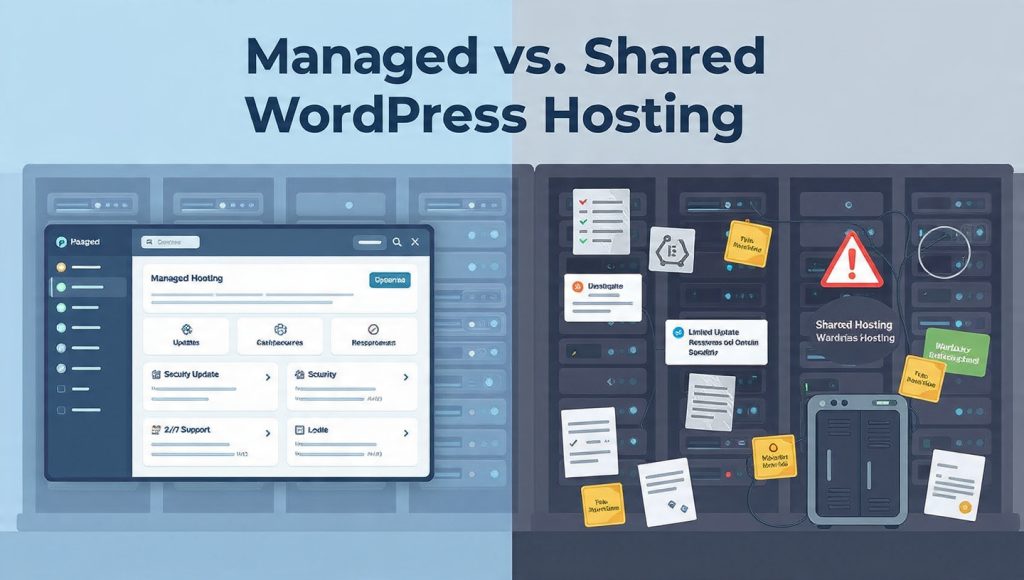
When Shared Hosting Actually Makes Sense
Despite everything above, shared hosting is still the right choice for many situations. Here’s when to choose it.
1. You’re Just Starting Out
If you’re launching your first website and aren’t sure if blogging is for you, shared hosting is a perfectly fine starting point . The low cost means you can experiment without financial commitment.
2. You Have Very Low Traffic
Sites with under 10,000 monthly visitors typically run fine on shared hosting . If you’re not expecting growth soon, you may not need managed features yet.
3. You Enjoy Technical Tinkering
Some people genuinely enjoy managing their own servers, tweaking configurations, and troubleshooting issues. If that’s you, shared hosting gives you the control you want .
4. You Need to Host Non-WordPress Sites
Shared hosting lets you install multiple CMS platforms (Joomla, Drupal) or custom HTML sites . Managed WordPress hosting is WordPress-only.
5. Budget Is the Primary Constraint
If you genuinely cannot afford $10–$30/month for hosting, shared hosting keeps you online. Just be aware of the tradeoffs.
When to Upgrade to Managed WordPress Hosting
Here are the signs that it’s time to leave shared hosting behind :
- ✅ You postpone updates because you’re worried they’ll break something
- ✅ You’re not 100% sure your backups are reliable and easy to restore
- ✅ You’ve lost time chasing performance issues or caching behavior
- ✅ You notice security tasks slipping because you’re busy
- ✅ Your site now affects revenue, leads, bookings, or reputation
- ✅ You’re managing multiple sites or plan to scale
- ✅ Traffic spikes make you nervous
- ✅ You just want your site to work without thinking about it
If even two of these feel familiar, managed WordPress hosting is worth the investment .
Cost Analysis: Is Managed Hosting Worth the Price?
Let’s do the math.
Shared Hosting (3-Year Cost)
| Plan | Monthly (Intro) | Term | Total Year 1-3 |
|---|---|---|---|
| Basic Shared | $3.79 | 36 months | $136.44 |
Managed WordPress Hosting (3-Year Cost)
| Plan | Monthly (Intro) | Renewal | Total Year 1-3 |
|---|---|---|---|
| Entry Managed | $9.99 | $19.99 | ~$540 |
Difference over 3 years: ~$400
Now consider what that $400 buys you :
- Time saved – 50+ hours of maintenance work
- Security – Proactive protection vs. reactive cleanup
- Performance – Faster load times = better conversions
- Peace of mind – No more worrying about updates or backups
- Expert support – WordPress help when you need it
For many site owners, the time savings alone justify the cost . If your time is worth $20/hour, 20 hours of avoided maintenance pays for three years of managed hosting.
How to Choose the Right Managed WordPress Host
If you’ve decided managed hosting is right for you, here’s what to look for in a provider .
Essential Features Checklist
- ✅ WordPress-specific infrastructure (not just shared servers rebranded)
- ✅ Automatic daily backups with one-click restore
- ✅ WordPress core updates (and ideally theme/plugin updates)
- ✅ Web Application Firewall (WAF) and malware scanning
- ✅ Staging environment for safe testing
- ✅ Built-in caching (server-level, not just plugins)
- ✅ CDN integration for global speed
- ✅ WordPress-expert support (24/7)
- ✅ Uptime guarantee (99.9% or higher)
- ✅ Scalability for traffic spikes
Top Managed WordPress Hosts for 2026
Based on expert analysis, these providers lead the market :
| Provider | Best For | Starting Price | Key Differentiator |
|---|---|---|---|
| Elementor Hosting | Elementor users, designers | $9.99/mo | Google Cloud C2 + Cloudflare Enterprise CDN; unified stack with builder |
| WP Engine | Enterprises, developers | $20/mo | EverCache® technology, Local WP tool, Git integration |
| SiteGround | DIYers, performance seekers | $2.99/mo | Google Cloud, SG Optimizer plugin, 4.9/5 support rating |
| hosting.com | Business sites | Contact for pricing | Proactive monitoring, automated security, WordPress focus |
Red Flags to Avoid
- ❌ Vague performance and security feature descriptions
- ❌ Limited or no WordPress-specific support experience
- ❌ Long response times
- ❌ Requires manual updates
- ❌ Charges extra for basic features (backups, staging)
- ❌ Limited scalability options
- ❌ Unclear uptime guarantees
Real Talk: What About Other Options?
VPS Hosting (Virtual Private Server)
VPS hosting sits between shared and managed . You get dedicated resources on a shared physical machine, offering better performance than shared hosting . However, VPS typically requires more technical knowledge—you’re responsible for server management unless you choose a managed VPS plan .
- You’re outgrowing shared hosting
- Your website generates revenue and performance matters
- Traffic is growing steadily
- You need more control than shared offers
- You’re comfortable with server management (or pay for managed VPS)
Dedicated Hosting
Dedicated servers give you an entire physical machine to yourself . All CPU, memory, and storage are reserved for one organization . This is enterprise territory—powerful, expensive, and requiring serious technical expertise .
- Monthly traffic exceeds 200,000 visitors
- Transaction volumes are consistently high
- You manage large, active databases
- Compliance or security requirements demand full isolation
- E-commerce performance is directly tied to revenue
Frequently Asked Questions
Can I start with shared hosting and upgrade later?
Absolutely. Most site owners start with shared hosting and migrate to managed WordPress hosting as their sites grow . Reputable hosts offer free migration tools or services to make switching easy .
Is managed WordPress hosting worth it for a small blog?
It depends. If your blog is a hobby and you enjoy the technical side, shared hosting is fine. If your blog generates income or represents your professional brand, the time savings and peace of mind of managed hosting are worth considering .
Will managed hosting make my site faster?
Yes, typically. Managed WordPress hosting includes server-level caching, CDN integration, and WordPress-optimized configurations that most shared hosts don’t provide . Page load times often improve significantly after migration.
Do I lose control with managed hosting?
You keep control of your site, content, plugins, and theme . What changes is who carries the responsibility for infrastructure and upkeep . You still decide how your site looks and functions.
Can managed hosting prevent all security problems?
No host can guarantee 100% security . However, managed hosting dramatically reduces your risk through proactive monitoring, automatic updates, and layered protection . Most attacks target unpatched vulnerabilities—managed hosting closes those windows faster.
What about WordPress.com?
WordPress.com is a hosted platform with restrictions on plugins and themes unless you’re on their most expensive plans. For full WordPress freedom, self-hosted WordPress.org with managed hosting gives you the best of both worlds: flexibility plus hands-off maintenance.
Conclusion: Making Your Decision
Here’s the truth about shared vs. managed WordPress hosting:
Shared hosting is fine for sites that don’t matter much. If your site is a hobby, a test project, or something you wouldn’t miss if it went down for a day, shared hosting will serve you well .
Managed WordPress hosting is for sites that do matter. If your site generates revenue, builds your professional reputation, serves customers, or represents a business—managed hosting is worth every penny .
The question isn’t really “Can I afford managed hosting?” It’s “Can I afford the time, risk, and distraction of managing hosting myself? ”
For many site owners in 2026, the answer is increasingly clear: let the experts handle the infrastructure so you can focus on what you do best .
Your Action Plan
If You’re on Shared Hosting Now:
- Assess your current pain points – Are you spending too much time on maintenance? Worried about security? Experiencing slow performance?
- Calculate your opportunity cost – How many hours per month do you spend on hosting tasks? What’s that time worth?
- Research managed providers – Use the checklist above to evaluate options
- Plan your migration – Most managed hosts offer free migration; take advantage of it
- Never look back – Enjoy the peace of mind
If You’re Choosing Hosting for a New Site:
- Be honest about your future – Is this a hobby or a business?
- Consider starting managed – The extra cost upfront may save you migration headaches later
- If budget is tight, start shared but have an upgrade plan – Know what signs will tell you it’s time to move
 Previous Post
 Next Post