
If you want your blog to grow, publishing great content is only half the battle.
The other half is making sure people can actually find your content.
That is where search engine optimization, or SEO, comes in.
SEO helps your blog appear when people search for information, solutions, products, reviews, tutorials, and answers related to your niche. But while the basic principles of SEO are fairly simple, doing SEO well can become surprisingly complicated.
You need to discover what people are searching for. You need to understand search intent. You need to evaluate competition. You need to find technical problems. You need to monitor rankings. You need to understand backlinks. You need to improve existing articles. And, perhaps most importantly, you need to figure out what is actually working.
Fortunately, you do not have to do all of that manually.
The right SEO tools can save you hours of research and help you make much smarter decisions about your content.
But there is a problem: there are hundreds of SEO tools available today.
Some are excellent. Some are unnecessarily complicated. Some are designed primarily for agencies and large businesses. Others are wonderfully affordable for bloggers but lack advanced features.
So, which ones are actually worth your time and money?
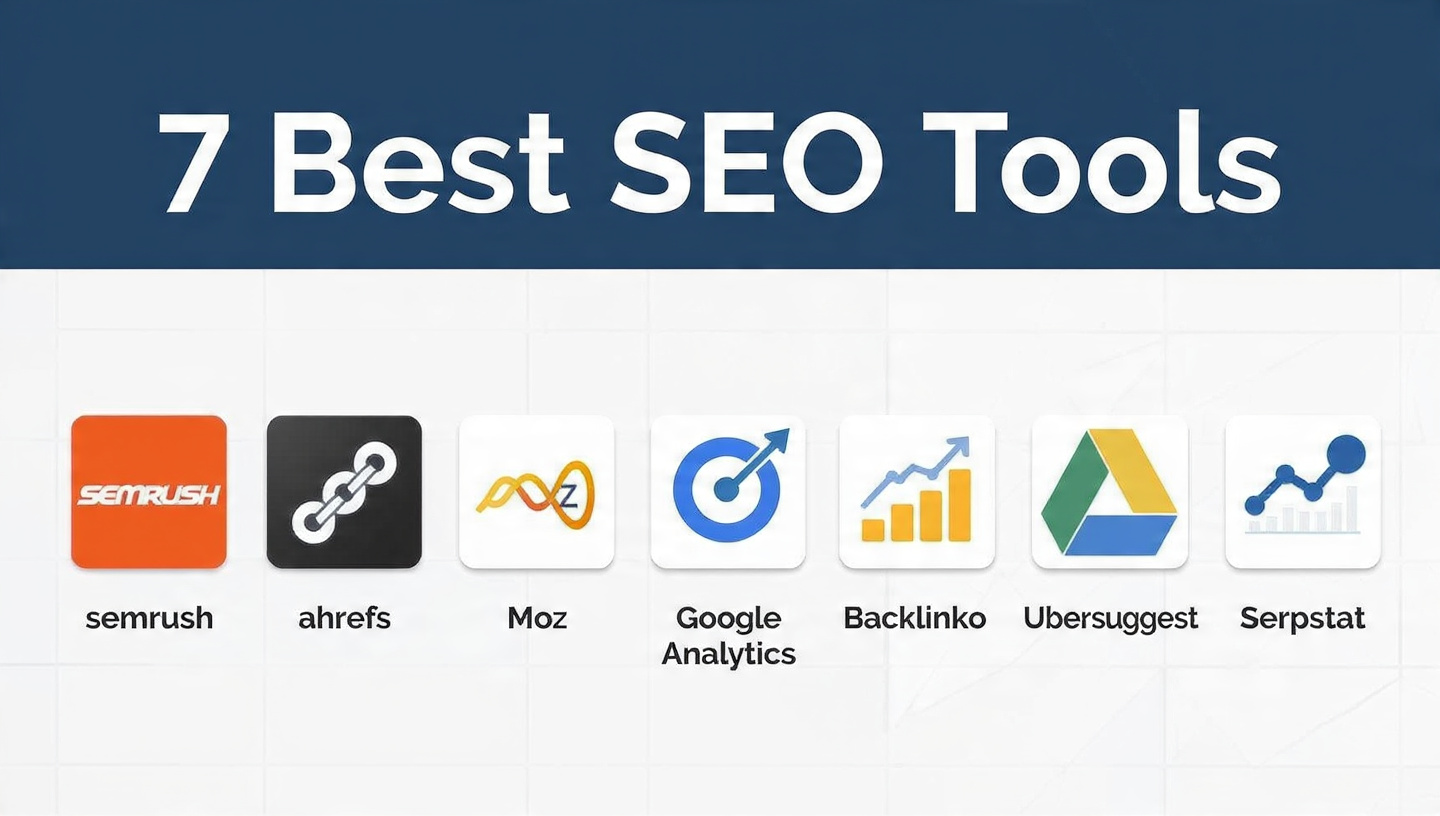
In this guide, we will look at the 7 best SEO tools for bloggers, including both free and paid options. We will compare what each tool does best, who it is for, its strengths and weaknesses, and how you can use it as part of a practical blogging workflow.
The goal is not to convince you to buy seven subscriptions.
Quite the opposite.
The goal is to help you choose the smallest SEO toolkit that can give you the biggest improvement in your blogging results.
The 7 Best SEO Tools for Bloggers at a Glance
Here is our overall ranking:
| Rank | SEO Tool | Best For | Free Option | Paid Option |
|---|---|---|---|---|
| 1 | Google Search Console | Measuring real Google performance | Yes | No |
| 2 | Ahrefs | All-around SEO research | Yes, limited | Yes |
| 3 | Semrush | Competitive research & advanced SEO | Limited | Yes |
| 4 | Google Keyword Planner | Keyword discovery | Yes | No separate SEO subscription |
| 5 | Screaming Frog SEO Spider | Technical SEO audits | Yes | Yes |
| 6 | Ubersuggest | Beginner-friendly keyword research | Limited | Yes |
| 7 | Google Analytics 4 | Understanding visitors & content performance | Yes | No |
The rankings are based on a combination of usefulness for bloggers, ease of use, depth of data, affordability, versatility, and how practical each tool is for a typical content website.
And remember: rank #1 does not necessarily mean “the best tool for everyone.”
A beginner blogger with a $0 budget may be much better served by Google Search Console and Google Keyword Planner than by an expensive enterprise SEO platform.
Likewise, a professional blogger earning thousands of dollars per month from organic traffic may find that investing in Ahrefs or Semrush saves enough time and uncovers enough opportunities to easily justify the cost.
Let’s take a closer look.
1. Google Search Console — Best Free SEO Tool for Bloggers
Best for: Monitoring actual Google search performance
Price: Free
Difficulty: Beginner-friendly
Our rating: ⭐⭐⭐⭐⭐
If you only install or configure one SEO tool for your blog, make it Google Search Console.
Google Search Console is Google’s own platform for understanding how your website performs in Google Search. It allows you to see search queries, impressions, clicks, average positions, indexing information, and various search-related issues. Google specifically describes Search Console as a way to measure search traffic and performance, fix issues, submit sitemaps and URLs, and understand how Google sees your pages.
And best of all?
It’s free.
There is no premium subscription required.
That makes it incredibly valuable for bloggers.
Why Google Search Console Is So Useful
One of the biggest advantages of Search Console is that it gives you first-party information about your site’s Google Search performance.
Instead of relying entirely on estimates from an SEO software company, you can see what Google is actually reporting about your website.
For example, you can discover:
- Which search queries generate impressions
- Which queries generate clicks
- Which pages receive organic traffic
- Average search position
- Click-through rate
- Indexing problems
- Sitemap status
- Search appearance information
- Mobile usability and other issues
- Search performance trends
This information can be incredibly powerful for bloggers.
Imagine you publish an article targeting:
Best email marketing software for bloggers
A few months later, you might discover through Search Console that your article is also receiving impressions for:
- email marketing tools for small business
- best email software for bloggers
- email marketing platforms
- email newsletter software
- blogging email tools
Those additional queries are SEO opportunities.
You may be able to improve your article so that it addresses those topics more thoroughly.
That is one of the most valuable SEO strategies available to bloggers:
Use the data from pages that are already getting impressions to discover what your audience wants next.
Search Console Is Particularly Good for Content Refreshing
Suppose you have 100 articles.
Instead of randomly deciding which articles to update, Search Console can help you identify pages that deserve attention.
Look for pages that:
- Get many impressions but few clicks
- Rank around positions 5–20
- Have declining traffic
- Rank for many related queries
- Are gaining impressions but have weak click-through rates
These pages can become your content-refreshing priority list.
For example, an article ranking around position #11 may have much more potential than a brand-new article targeting an extremely competitive keyword.
Moving an existing article from position #11 to position #5 can sometimes be a much easier win than getting a new article onto page one from scratch.
Google Search Console’s Biggest Weakness
Search Console is fantastic, but it isn’t a complete SEO research platform.
You generally cannot use it to get the same depth of competitor research you would get from tools such as Ahrefs or Semrush.
It also isn’t designed primarily for:
- Deep competitor backlink analysis
- Extensive keyword discovery
- Comprehensive competitor keyword research
- Large-scale content-gap analysis
- Advanced SEO forecasting
That’s okay.
You shouldn’t expect one tool to do everything.
Think of Search Console as your SEO performance dashboard from Google’s perspective.
Pros
- Completely free
- First-party Google data
- Excellent for monitoring search performance
- Great for finding content opportunities
- Useful for indexing diagnostics
- Essential for bloggers
Cons
- Limited competitor research
- Limited keyword discovery compared with dedicated SEO suites
- Interface can feel technical at first
- Doesn’t replace a complete SEO research platform
Best for
Every blogger.
Even if you eventually buy Ahrefs or Semrush, keep Search Console.
2. Ahrefs — Best All-Around SEO Tool for Bloggers
Best for: Keyword research, competitor analysis, backlinks, content research, technical SEO
Price: Free limited account + paid plans
Difficulty: Intermediate
Our rating: ⭐⭐⭐⭐⭐
If Google Search Console is the best free SEO tool, Ahrefs is one of the strongest all-around SEO platforms for serious bloggers.
Ahrefs has traditionally been especially well known for backlink analysis, but the platform now covers a much wider range of SEO and search visibility tasks.
Its tools include Site Explorer, Keywords Explorer, Rank Tracker, Site Audit, Content Explorer, and other capabilities. Ahrefs says its platform is designed to help users research demand, analyze competitors, discover content opportunities, track backlinks, monitor performance, and measure visibility across search and AI.
For bloggers, that breadth is extremely useful.
What Can You Do With Ahrefs?
You can use Ahrefs to research:
Keywords
You can investigate:
- Search demand
- Keyword difficulty
- Related keywords
- Ranking pages
- Search results
- Topic opportunities
- Competitor keywords
Competitors
You can examine competing websites and discover:
- Their top pages
- Keywords they rank for
- Backlinks
- Organic traffic estimates
- Content opportunities
Backlinks
You can investigate:
- Which websites link to you
- Which pages receive backlinks
- Competitor backlinks
- Broken links
- Potential link-building opportunities
Technical SEO
Ahrefs Site Audit can crawl websites and identify a large range of technical and on-page problems.
According to Ahrefs, Site Audit checks for more than 170 technical and on-page SEO issues, including problems involving titles, meta descriptions, H1s, duplicate content, indexability, redirects, images, JavaScript, CSS, robots.txt, sitemaps, structured data, links, and page performance.
That is a lot of information.
Ahrefs Is No Longer “Paid Only”
One particularly interesting development for bloggers is Ahrefs’ free account.
Ahrefs currently offers a free account with limited access to several tools. For verified websites, the free account can provide Site Explorer and Site Audit capabilities, among others. Ahrefs states that its free account includes up to 5,000 crawl credits per month per project for Site Audit and up to 1,000 backlinks and keywords visible at once in Site Explorer.
That makes Ahrefs much more useful to beginners than many people realize.
You don’t necessarily need to start with a paid subscription.
You can begin with the free tools, learn how SEO works, and upgrade when your needs grow.
What Makes Ahrefs Excellent for Bloggers?
One of my favorite use cases is competitor content research.
Imagine that you run a personal finance blog.
You find a competing site that consistently ranks well.
Instead of simply reading its articles, you can investigate its organic search performance.
You might discover that the competitor is receiving traffic from hundreds or thousands of keywords.
Then you can ask:
- Which topics are bringing them traffic?
- Which articles are their strongest performers?
- Which keywords have realistic competition?
- Which topics have I completely ignored?
- Can I create something more useful?
- Are there backlinks pointing to those pages?
That turns SEO from guessing into research.
Ahrefs Is Especially Good for Content Gaps
Suppose you and a competitor both write about blogging.
Your competitor ranks for:
- blog SEO
- SEO keyword research
- content optimization
- blog traffic strategies
- internal linking
- SEO content briefs
But your site only ranks for the first two.
That’s a content gap.
The answer isn’t necessarily to copy the competitor.
Instead, you can use the data to identify topics your audience may care about that you haven’t covered adequately yet.
That can help you build a much stronger content strategy.
Ahrefs Pricing Consideration
Ahrefs has free access, while paid plans provide substantially more data and functionality. Its current Starter plan is positioned for beginners who want to move beyond the free account, with expanded access to tools such as Site Explorer, Keywords Explorer, Site Audit, and Rank Tracker.
Because pricing and limits can change, bloggers should always check the current plan details before subscribing.
Pros
- Excellent all-around SEO platform
- Powerful competitor analysis
- Excellent backlink research
- Strong technical auditing
- Keyword research
- Content research
- Free account available
- Useful for growing websites
Cons
- Paid plans can become expensive
- Huge amount of data can overwhelm beginners
- Some advanced features require paid access
- Requires learning to get maximum value
Best for
Bloggers who are serious about growing organic traffic and want one comprehensive SEO platform.
3. Semrush — Best for Competitive SEO Research
Best for: Competitor analysis, keyword research, SEO campaigns, content, backlinks and broader digital marketing
Price: Limited free access + paid plans
Difficulty: Intermediate to advanced
Our rating: ⭐⭐⭐⭐⭐
Semrush is another heavyweight SEO platform and one of the best choices for bloggers who want to understand not just their own website, but the broader competitive landscape.
The platform currently includes tools for keyword research, competitor analysis, site audits, backlinks, content, position tracking, and visibility across traditional and AI-powered search environments.
For bloggers who treat their website as a serious business, Semrush can be incredibly powerful.
Why Bloggers Like Semrush
The biggest advantage of Semrush is the sheer amount of information available.
You can research competitors and investigate:
- Organic keywords
- Traffic estimates
- Top-performing pages
- Keyword opportunities
- Backlinks
- Ranking positions
- Content opportunities
- Technical SEO issues
- Search visibility
This makes it particularly useful when you’re trying to answer a question like:
“Why is my competitor getting traffic that I’m not?”
That’s a much better SEO question than:
“What keyword should I target next?”
Semrush for Keyword Research
Keyword research is one of the most important parts of blogging SEO.
You want to identify keywords that have:
- Real search demand
- Relevant search intent
- Reasonable competition
- Potential business value
- A realistic chance of ranking
Semrush can help you evaluate these factors.
But remember something important:
Do not blindly choose keywords because a tool gives them a high search volume.
A keyword with 100,000 searches isn’t automatically better than one with 1,000 searches.
If the 1,000-search keyword has strong commercial intent and the 100,000-search keyword is informational and highly competitive, the smaller keyword could be far more valuable.
Semrush for Competitor Analysis
Let’s say you run a technology blog.
You find a competitor with excellent organic visibility.
Instead of wondering what they’re doing differently, you can investigate.
You may find that they:
- Publish more frequently
- Target long-tail queries
- Build stronger internal links
- Have more backlinks
- Cover certain topic clusters
- Optimize old articles regularly
- Target commercial keywords you overlooked
Suddenly, your competitor becomes a source of strategic information.
That’s the power of competitive SEO research.
Semrush Site Audits
Technical SEO isn’t just for large businesses.
Even small blogs can suffer from:
- Broken links
- Missing titles
- Duplicate content
- Redirect problems
- Crawlability issues
- Poor internal linking
- Indexing problems
- Metadata issues
Semrush can help identify these problems and prioritize fixes.
The platform also increasingly incorporates AI-search considerations, reflecting the fact that bloggers now need to think about visibility beyond traditional blue-link rankings.
Semrush vs. Ahrefs
The two tools overlap heavily.
For many bloggers, the choice comes down to personal preference.
A simple way to think about it is:
Choose Ahrefs if you particularly value backlink research, content research, and a straightforward SEO-focused workflow.
Choose Semrush if you want a broad digital marketing platform with strong competitor analysis, SEO, content, PPC, and broader marketing capabilities.
There is no universal winner.
Both are excellent.
And unless you’re doing professional SEO every day, you probably don’t need both at the same time.
Pros
- Extremely comprehensive
- Excellent competitor analysis
- Powerful keyword research
- Strong site auditing
- Content and marketing tools
- Rank tracking
- Increasing focus on AI-search visibility
Cons
- Can feel overwhelming
- Paid plans may be expensive for new bloggers
- Many features are unnecessary for a tiny blog
- Takes time to learn properly
Best for
Professional bloggers, content businesses, agencies, and bloggers who want deep competitive intelligence.
4. Google Keyword Planner — Best Free Keyword Research Tool
Best for: Finding keyword ideas and understanding search demand
Price: Free through Google Ads access
Difficulty: Beginner-friendly
Our rating: ⭐⭐⭐⭐½
Before you spend money on an expensive keyword research platform, don’t overlook Google’s own Keyword Planner.
Google Keyword Planner was created primarily for Google Ads, but bloggers can still use it as a useful source of keyword ideas and search-demand information.
Google says Keyword Planner can help users discover new keywords, see estimated monthly searches, examine trends, and view forecasts and bid information.
That makes it particularly useful for bloggers who are starting with a limited budget.
How Bloggers Can Use Keyword Planner
Suppose you run a food blog.
You want to write about:
air fryer chicken
You can enter the topic into Keyword Planner and explore related terms.
You might find ideas around:
- air fryer chicken breast
- crispy air fryer chicken
- air fryer chicken thighs
- easy air fryer chicken
- air fryer chicken recipes
- healthy air fryer chicken
Those ideas can help you build a content cluster.
Instead of writing one giant article and hoping it ranks for everything, you can create a collection of highly relevant articles.
Use Search Volume Carefully
One common beginner mistake is assuming:
More searches = better keyword.
Not necessarily.
Search volume is only one piece of the puzzle.
You should also consider:
- Search intent
- Competition
- Your site’s authority
- Relevance
- Commercial value
- Whether the keyword actually fits your content
A low-volume keyword can be incredibly valuable if it attracts exactly the right audience.
One Important Limitation
Keyword Planner is primarily an advertising tool.
That means its data and interface are designed around paid search campaigns rather than organic blogging SEO.
Google also notes that basic keyword-planning access requires completing Google Ads account setup and entering billing information.
So while it can be very useful, it shouldn’t necessarily be your only keyword research source.
Use it alongside:
- Google Search Console
- Google autocomplete
- Related searches
- Competitor research
- Ahrefs
- Semrush
- Your own understanding of your audience
Pros
- Free
- Official Google data source
- Excellent keyword ideas
- Search volume estimates
- Geographic filtering
- Useful trend information
- Great starting point
Cons
- Built primarily for advertisers
- Organic SEO difficulty isn’t its main focus
- Requires Google Ads setup
- Keyword data can be broad
- Less competitor intelligence than premium SEO suites
Best for
Beginner bloggers and anyone building a keyword list on a budget.
5. Screaming Frog SEO Spider — Best for Technical SEO
Best for: Technical SEO audits and crawling websites
Price: Free up to 500 URLs + paid license
Difficulty: Intermediate
Our rating: ⭐⭐⭐⭐½
Technical SEO may not be the most exciting part of blogging.
But it matters.
You can write the greatest article in your niche, optimize it beautifully, and promote it extensively.
If your site has serious technical problems, however, search engines may still struggle to crawl, understand, or index your content.
That’s where Screaming Frog SEO Spider comes in.
It is a desktop website crawler designed to audit websites and identify SEO issues. The official Screaming Frog site says its SEO Spider can crawl up to 500 URLs for free, while the paid version removes that limit and adds advanced capabilities.
What Does Screaming Frog Find?
Depending on your configuration, Screaming Frog can help you identify things such as:
- Broken links
- 404 errors
- Redirects
- Missing page titles
- Duplicate titles
- Missing meta descriptions
- Duplicate content
- H1 problems
- Canonical issues
- Robots directives
- XML sitemap issues
- Internal linking problems
- Structured data issues
- Hreflang problems
- Other technical SEO issues
The official product information states that the crawler can identify hundreds of issue types and export key onsite SEO information such as URLs, page titles, meta descriptions and headings.
Why This Matters for Bloggers
Imagine you have 300 blog posts.
Checking every article manually would be exhausting.
A crawler can scan your site and give you a much broader picture.
You might discover that:
- 17 pages have missing meta descriptions
- 11 pages have duplicate titles
- 8 articles contain broken internal links
- Several pages redirect unnecessarily
- Some images are missing useful alt attributes
- Certain articles are isolated from your internal linking structure
Instead of guessing, you have a list of problems to fix.
Is Screaming Frog Free?
Yes, with an important limitation.
The free version can crawl up to 500 URLs per crawl. The paid license removes the crawl limit and adds advanced features such as JavaScript rendering, scheduling, custom extraction, and additional integrations.
For a small personal blog, 500 URLs may be more than enough.
That makes Screaming Frog one of the most useful technical SEO tools available to budget-conscious bloggers.
Pros
- Powerful technical crawler
- Free version
- Excellent for finding broken links
- Detailed technical data
- Useful exports
- Works on Windows, macOS and Linux
- Excellent for audits
Cons
- Desktop application
- Interface can feel intimidating
- Less beginner-friendly than simpler SEO tools
- Free version limited to 500 URLs
- Advanced audits require learning
Best for
Bloggers who want to understand and fix technical SEO problems.
6. Ubersuggest — Best Beginner-Friendly SEO Platform
Best for: Simple keyword research and SEO guidance
Price: Limited free access + paid plans
Difficulty: Beginner
Our rating: ⭐⭐⭐⭐
Not every blogger wants to spend hours learning an enterprise-style SEO platform.
Sometimes you just want to type in a keyword, get useful ideas, look at competitors, and move on with your day.
That’s where Ubersuggest can be appealing.
Ubersuggest is designed to make SEO research more approachable, particularly for beginners.
Its current project functionality can track rankings, monitor SEO health, discover keyword opportunities, and compare competitors.
What Can You Use Ubersuggest For?
You can use it for:
- Keyword ideas
- Keyword analysis
- Content ideas
- Competitor research
- Backlink information
- Site audits
- Rank tracking
- SEO health monitoring
This makes it a practical all-in-one starting point for bloggers.
Why Beginners Often Prefer Simpler Tools
SEO platforms can be overwhelming.
Open a large enterprise SEO platform and you may immediately see:
- Dozens of reports
- Multiple dashboards
- Competitive metrics
- Historical databases
- Technical audits
- Backlink graphs
- SERP features
- Content tools
- Position tracking
- Advertising data
That’s powerful.
But if you’re writing your first 20 blog posts, it can feel like you’re trying to fly a commercial airplane when all you wanted was to check your keyword.
A simpler tool can reduce that friction.
And consistency matters.
The best SEO tool is often the one you’ll actually use.
Ubersuggest for Content Ideas
Let’s say you’re writing about personal finance.
You enter:
passive income
Instead of stopping at that broad keyword, you can explore related opportunities such as:
- passive income for beginners
- passive income ideas with no money
- passive income online
- passive income from home
- passive income ideas for students
Now you’ve got several potential article ideas.
That can be incredibly useful when you’re struggling with:
“What should I publish next?”
Pros
- Beginner-friendly
- Straightforward interface
- Keyword research
- Content ideas
- Competitor research
- Site audits
- Rank tracking
Cons
- Less comprehensive than premium enterprise platforms
- Data limits depend on plan
- Advanced SEO professionals may outgrow it
- Some bloggers may want deeper competitor databases
Best for
New bloggers who want practical SEO research without a steep learning curve.
7. Google Analytics 4 — Best for Understanding Your Readers
Best for: Understanding website visitors and content performance
Price: Free
Difficulty: Intermediate
Our rating: ⭐⭐⭐⭐
Technically speaking, Google Analytics 4 isn’t an SEO tool in the same sense as Ahrefs, Semrush, or Screaming Frog.
But for bloggers, it absolutely belongs in your SEO toolkit.
Why?
Because rankings and traffic are not the ultimate goal.
Your goal is to build a website that attracts the right people and provides enough value that they take meaningful actions.
Google Analytics 4 can help you understand what happens after someone arrives.
What Can Google Analytics Tell You?
Depending on your setup, you can analyze:
- Users
- Sessions
- Engagement
- Traffic sources
- Landing pages
- Events
- Conversions
- Audience behavior
- Content performance
- User journeys
This helps you move beyond:
“How many people visited?”
and toward:
“What did those people actually do?”
SEO Traffic Isn’t Automatically Good Traffic
Imagine two articles.
Article A
10,000 visitors
Article B
1,500 visitors
At first glance, Article A looks like the winner.
But imagine that:
- Article A generates almost no leads
- Article B generates 100 email subscribers
- Article B produces affiliate clicks
- Article B attracts people who buy your products
Suddenly, Article B could be far more valuable.
This is why bloggers shouldn’t optimize solely for traffic.
You want relevant traffic.
Use Analytics to Improve Your Content Strategy
Suppose Analytics tells you that visitors from organic search spend significant time reading your beginner tutorials but leave quickly from your opinion pieces.
That information can influence what you publish next.
Maybe your audience wants:
- How-to guides
- Tutorials
- Comparisons
- Checklists
- Product reviews
- Step-by-step articles
Your analytics can help reveal those patterns.
Pros
- Free
- Excellent audience insights
- Useful for conversion tracking
- Helps evaluate content quality
- Works alongside Search Console
- Useful beyond SEO
Cons
- More complicated than it looks
- Requires correct setup
- Data interpretation takes practice
- Not primarily an SEO research tool
Best for
Every blogger who wants to understand whether organic traffic is actually helping the business.
Free vs. Paid SEO Tools: What Should Bloggers Choose?
This is one of the most important questions.
Do you actually need to pay for SEO software?
For many bloggers:
No.
At least not initially.
A new blogger can build a surprisingly capable SEO workflow using free tools.
A basic free toolkit might include:
- Google Search Console
- Google Analytics
- Google Keyword Planner
- Screaming Frog
- Ahrefs Free
That is already a powerful collection.
The Best Free SEO Toolkit for Beginners
If your budget is zero, start here.
1. Google Search Console
Use it to monitor:
- Rankings
- Clicks
- Impressions
- Search queries
- Indexing
2. Google Keyword Planner
Use it to:
- Discover keyword ideas
- Research search demand
- Explore related topics
3. Google Analytics
Use it to:
- Understand visitors
- Measure engagement
- Track conversions
- Evaluate content
4. Screaming Frog Free
Use it to:
- Find broken links
- Audit titles
- Check metadata
- Review technical problems
5. Ahrefs Free
Use it to:
- Audit your website
- Review backlinks
- See keywords for verified sites
- Explore organic search data
Ahrefs currently offers free access to several tools for verified websites, including Site Explorer and Site Audit, although the free account has usage limits.
With those tools alone, you can build a very respectable SEO system.
When Should You Pay for SEO Tools?
A paid SEO subscription becomes more attractive when:
- Your blog already gets meaningful traffic
- You publish frequently
- You manage multiple websites
- You rely on organic traffic for income
- You need competitor research
- You want detailed keyword data
- You need extensive backlink research
- You want rank tracking
- You are doing SEO professionally
- You spend too much time doing manual research
Think of SEO software as an investment.
If spending money on a tool helps you discover one profitable content opportunity, save several hours every month, or significantly improve your publishing strategy, it may pay for itself.
But buying expensive software doesn’t automatically improve rankings.
Better decisions improve rankings.
The tool simply helps you make those decisions.
Ahrefs vs. Semrush: Which Is Better for Bloggers?
This is probably the most common premium SEO-tool question.
The honest answer is:
Both are excellent.
Here’s a simplified comparison.
| Feature | Ahrefs | Semrush |
|---|---|---|
| Keyword research | ⭐⭐⭐⭐⭐ | ⭐⭐⭐⭐⭐ |
| Backlink research | ⭐⭐⭐⭐⭐ | ⭐⭐⭐⭐⭐ |
| Competitor analysis | ⭐⭐⭐⭐⭐ | ⭐⭐⭐⭐⭐ |
| Technical SEO | ⭐⭐⭐⭐⭐ | ⭐⭐⭐⭐⭐ |
| Content research | ⭐⭐⭐⭐⭐ | ⭐⭐⭐⭐⭐ |
| Beginner friendliness | ⭐⭐⭐⭐ | ⭐⭐⭐½ |
| Broader marketing tools | ⭐⭐⭐⭐ | ⭐⭐⭐⭐⭐ |
| Best for deep SEO research | Excellent | Excellent |
Ahrefs emphasizes search, content, backlinks, rankings and site auditing, while Semrush positions itself as a broader marketing and SEO platform covering areas including competitive analysis, content, backlinks, site health and search visibility.
If you’re a solo blogger, choose the one whose interface and workflow make more sense to you.
You don’t need to subscribe to both just because professionals sometimes do.
How to Choose the Right SEO Tool for Your Blog
Before buying anything, ask yourself five questions.
Question 1: How much traffic do I have?
If your blog is brand new, free tools are usually enough.
If you’re already receiving tens of thousands of monthly organic visitors, advanced tools become more valuable.
Question 2: What is my biggest SEO problem?
This is important.
Don’t buy an expensive keyword research platform if your actual problem is technical SEO.
Don’t buy a technical crawler if your real problem is that you don’t know what content to create.
Identify the bottleneck first.
If you need keywords:
Choose:
- Google Keyword Planner
- Ahrefs
- Semrush
- Ubersuggest
If you need competitor research:
Choose:
- Ahrefs
- Semrush
If you need technical SEO:
Choose:
- Screaming Frog
- Ahrefs
- Semrush
If you need performance data:
Choose:
- Google Search Console
- Google Analytics
Question 3: How much can you afford?
This is especially important for new bloggers.
SEO tools can become expensive surprisingly quickly.
You could easily end up with subscriptions for:
- Keyword research
- Rank tracking
- Site auditing
- Backlinks
- Analytics
- Content optimization
- AI writing
- Competitor research
Before long, your “blogging business” is spending more money on software than on actual content.
That’s backwards.
Start small.
Use free tools first.
Upgrade only when you can identify a clear reason.
Question 4: How technically comfortable are you?
If you’re completely new to SEO, a simpler tool may help you stay consistent.
If you’re comfortable analyzing data, crawling websites, and interpreting technical SEO reports, tools such as Screaming Frog can become incredibly powerful.
Question 5: What is your business model?
A hobby blogger and a commercial publisher have very different needs.
Hobby blog
Free tools may be more than enough.
Affiliate blog
Keyword research and competitor analysis become more important.
Advertising-supported blog
Traffic research and content strategy become extremely important.
Ecommerce blog
Commercial keyword research, conversions and technical SEO matter.
Freelance SEO business
You probably need more advanced tools, reporting and competitive research.
The right tool depends on the job.
How to Use SEO Tools Without Becoming Obsessed With Data
This is something every blogger should hear.
SEO tools are helpful.
But they can also become a distraction.
You can spend three hours analyzing:
- Keyword difficulty
- Search volume
- Domain authority
- Backlinks
- Competitor rankings
- SERP features
- Traffic estimates
…and publish nothing.
That’s not SEO.
That’s procrastination wearing a spreadsheet costume.
Your tools should help you create better content, not prevent you from creating content.
A Simple SEO Workflow for Bloggers
Here’s a practical workflow you can follow.
Step 1: Find a Topic
Start with your audience.
Ask:
What problem are they trying to solve?
Then use Google Keyword Planner, Ahrefs, Semrush, Ubersuggest, or even Google Search itself to explore related searches.
Step 2: Understand Search Intent
Before writing, search your target keyword.
Look at the current results.
Ask:
- What type of content ranks?
- Are they tutorials?
- Reviews?
- Comparisons?
- Lists?
- Product pages?
- Videos?
- Forums?
If Google is consistently showing a certain content format, that’s an important clue.
Step 3: Analyze the Competition
Use Ahrefs, Semrush, or Ubersuggest to investigate competing pages.
Look for:
- Content gaps
- Backlinks
- Keywords
- Article depth
- Internal links
- Search intent
Don’t copy.
Improve.
Step 4: Write the Best Useful Article You Can
This sounds obvious, but it is incredibly important.
SEO isn’t just about inserting keywords.
Your article should:
- Answer the question quickly
- Be easy to read
- Provide useful detail
- Use clear headings
- Include examples
- Link to relevant resources
- Be trustworthy
- Be updated when necessary
Step 5: Optimize the Page
Check:
- Title
- Meta description
- URL
- H1
- Subheadings
- Internal links
- Images
- Alt text
- Schema where appropriate
- Mobile experience
- Page speed
Don’t obsess over achieving a perfect “SEO score.”
A useful article with a 90 score isn’t necessarily better than a useful article with an 80 score.
Step 6: Publish and Index
Once your article is live, use Google Search Console to monitor how Google discovers and indexes it.
Google Search Console also allows site owners to submit sitemaps and individual URLs and review indexing-related information.
Step 7: Wait and Collect Data
SEO takes time.
Don’t rewrite an article three days after publishing because it hasn’t reached page one.
Give the page time to collect impressions and rankings.
Then use Search Console and your other tools to see what is happening.
Step 8: Improve Existing Content
This is where many bloggers leave money on the table.
They publish 100 articles.
Then they move on to article #101.
Instead, periodically return to your existing content.
Look for pages that:
- Already rank
- Have impressions
- Are close to page one
- Have declining traffic
- Are outdated
- Have weak titles
- Need additional sections
Your existing content can often be your easiest SEO opportunity.
A Monthly SEO Routine for Bloggers
You don’t need to spend every day doing SEO.
A simple monthly routine can work beautifully.
Week 1: Keyword Research
Find:
- New topics
- Long-tail keywords
- Content gaps
- Questions
- Commercial opportunities
Week 2: Content Creation
Publish your strongest article.
Focus on usefulness rather than keyword stuffing.
Week 3: Technical SEO
Run a crawl.
Fix:
- Broken links
- Missing metadata
- Redirect issues
- Duplicate pages
- Internal linking problems
Week 4: Performance Review
Open Search Console and Analytics.
Ask:
- Which pages grew?
- Which declined?
- Which keywords appeared?
- Which articles received impressions?
- Which pages generated conversions?
Then use those insights to plan next month’s content.
The Biggest SEO Mistakes Bloggers Make With Tools
Mistake #1: Chasing Search Volume
High volume isn’t everything.
Relevance matters.
Mistake #2: Obsessing Over Keyword Difficulty
Keyword difficulty is an estimate.
It isn’t a universal law.
A keyword labeled “hard” may still be worth pursuing if your content is excellent and your website becomes authoritative in that topic.
Mistake #3: Copying Competitors
Competitor research is useful.
Copying competitors is not a strategy.
Find the gap.
Then build something better.
Mistake #4: Ignoring Search Intent
You can choose the perfect keyword and still fail if your article doesn’t satisfy what searchers want.
Mistake #5: Publishing and Never Updating
SEO isn’t always:
Publish → rank → done.
Many successful blogs continuously improve existing content.
Mistake #6: Buying Too Many Tools
You don’t need five keyword tools.
You probably don’t need three rank trackers.
And you definitely don’t need every shiny SEO platform that appears in your inbox.
Start with one strong system.
Our Final Ranking
After considering the overall usefulness for bloggers, here’s our final list.
🥇 1. Google Search Console
Best overall free SEO tool
Every blogger should use it.
It provides direct insight into how Google Search is interacting with your website and helps you discover queries, pages, impressions, clicks, indexing information and search performance.
🥈 2. Ahrefs
Best all-around paid SEO platform
Excellent for keyword research, competitor analysis, backlinks, content research and technical SEO.
Its free account also makes it more accessible to beginners than it once was.
🥉 3. Semrush
Best for competitive and broader marketing research
A fantastic choice for serious bloggers, content businesses and marketers who want a broad SEO and marketing toolkit.
4. Google Keyword Planner
Best free keyword research starting point
Especially useful when you are building a keyword list without paying for premium SEO software.
5. Screaming Frog
Best technical SEO crawler
A fantastic tool for finding technical problems, especially if your website has hundreds of pages. The free version supports crawling up to 500 URLs per crawl.
6. Ubersuggest
Best beginner-friendly SEO platform
A practical choice for bloggers who want keyword research, content ideas, rank tracking and basic site auditing without an overwhelming interface.
7. Google Analytics 4
Best for understanding what happens after the click
It may not be a traditional SEO platform, but understanding visitor behavior is essential if you want to turn organic traffic into a real business.
The Best SEO Tool Isn’t Always the Most Expensive One
There is a temptation in SEO to believe that successful websites must have expensive software.
That’s simply not true.
A beginner with:
- Google Search Console
- Google Analytics
- Google Keyword Planner
- Screaming Frog
- Ahrefs Free
can accomplish a tremendous amount.
The real advantage of premium SEO software comes when your website grows and your questions become more sophisticated.
You may eventually need to know:
- Which competitor keywords you’re missing
- Which backlinks your competitors have
- Which pages have the greatest growth potential
- Which keywords have realistic difficulty
- Which content gaps exist in your niche
- Which technical problems affect thousands of pages
- How your rankings change over time
That’s when platforms such as Ahrefs and Semrush become increasingly valuable.
A Recommended SEO Stack for Different Types of Bloggers
If You’re a Brand-New Blogger
Start with:
Google Search Console + Google Keyword Planner + Google Analytics
That’s enough.
Don’t overcomplicate things.
If You’re a Growing Blogger
Consider:
Google Search Console + Google Analytics + Ahrefs Free + Screaming Frog
Then upgrade Ahrefs when you need more research capacity.
If You’re Building a Serious Content Business
Consider:
Google Search Console + Google Analytics + Ahrefs or Semrush + Screaming Frog
This gives you a much deeper understanding of your content, competitors, backlinks, rankings and technical SEO.
If You’re an SEO Professional
You’ll probably want:
Google Search Console + Google Analytics + Ahrefs + Semrush + Screaming Frog
At that level, the ability to cross-reference different datasets can become extremely useful.
But again, that doesn’t mean every blogger needs this stack.
Final Thoughts: Use SEO Tools to Become a Better Blogger
SEO tools are not magic buttons.
They won’t write an amazing article for you.
They won’t automatically earn backlinks.
They won’t make readers trust you.
And they can’t replace understanding your audience.
What they can do is make the process much more intelligent.
They can show you what people are searching for.
They can reveal what competitors are doing.
They can identify technical problems.
They can uncover content opportunities.
They can show you which pages are growing.
And they can help you decide where to spend your limited time.
If you’re just starting, don’t feel pressured to buy an expensive subscription.
Start with Google Search Console.
Add Google Keyword Planner for keyword research.
Use Google Analytics to understand your audience.
Try Screaming Frog for technical audits.
Explore Ahrefs Free when you’re ready for deeper SEO data.
And when your blog becomes large enough to justify the investment, consider upgrading to Ahrefs or Semrush.
The most important thing is not how many SEO tools you own.
It’s how well you use the information they provide.
A blogger who understands their audience, chooses sensible topics, creates genuinely useful content, builds a strong internal linking structure, monitors performance, and continually improves old articles can outperform someone with an expensive collection of SEO subscriptions but no clear strategy.
So start simple.
Learn your data.
Publish consistently.
Improve what already works.
And let your SEO tools guide your decisions rather than dictate them.
Because ultimately, the best SEO strategy is not about chasing algorithms—it’s about creating the most helpful answer for the person who searched in the first place.
 Previous Post
 Next Post